
CONTROL LINE SCALE
Bill Boss, 77-06 269th St., New Hyde Park NY 11040
Documentation for static judging
I have covered the subject of documentation several times in the past few years. However, new approaches continue to appear for presenting the information needed for the static-judging portion of Control Line (CL) Scale competition. Clear, well-prepared documentation helps judges avoid guessing what differences exist between the three-view and the model you present, and can therefore improve your static score.
Example: FG-1D Corsair (Fred Cronenwett)
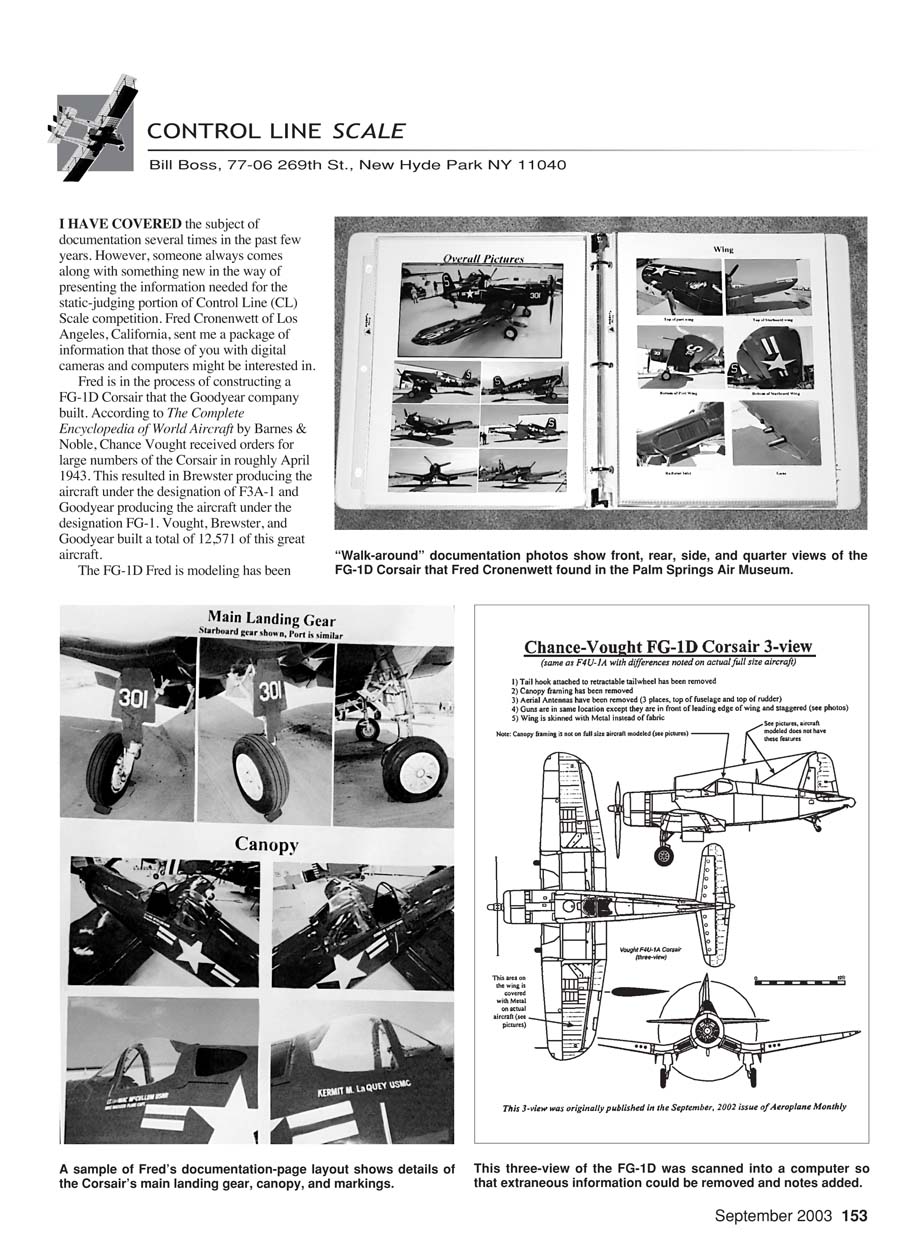
Fred Cronenwett of Los Angeles, California, sent a documentation package that will interest those with digital cameras and computers. Fred is building an FG-1D Corsair — the Goodyear-built version of the Corsair. According to The Complete Encyclopedia of World Aircraft (Barnes & Noble), Chance Vought received large orders for the Corsair around April 1943, which led to Brewster producing the F3A-1 and Goodyear producing the FG-1. Vought, Brewster, and Goodyear built a total of 12,571 Corsairs.
The particular FG-1D Fred modeled has been restored to flying condition and is currently owned and operated by the Palm Springs Air Museum in Palm Springs, California.
What Fred included and why it helps
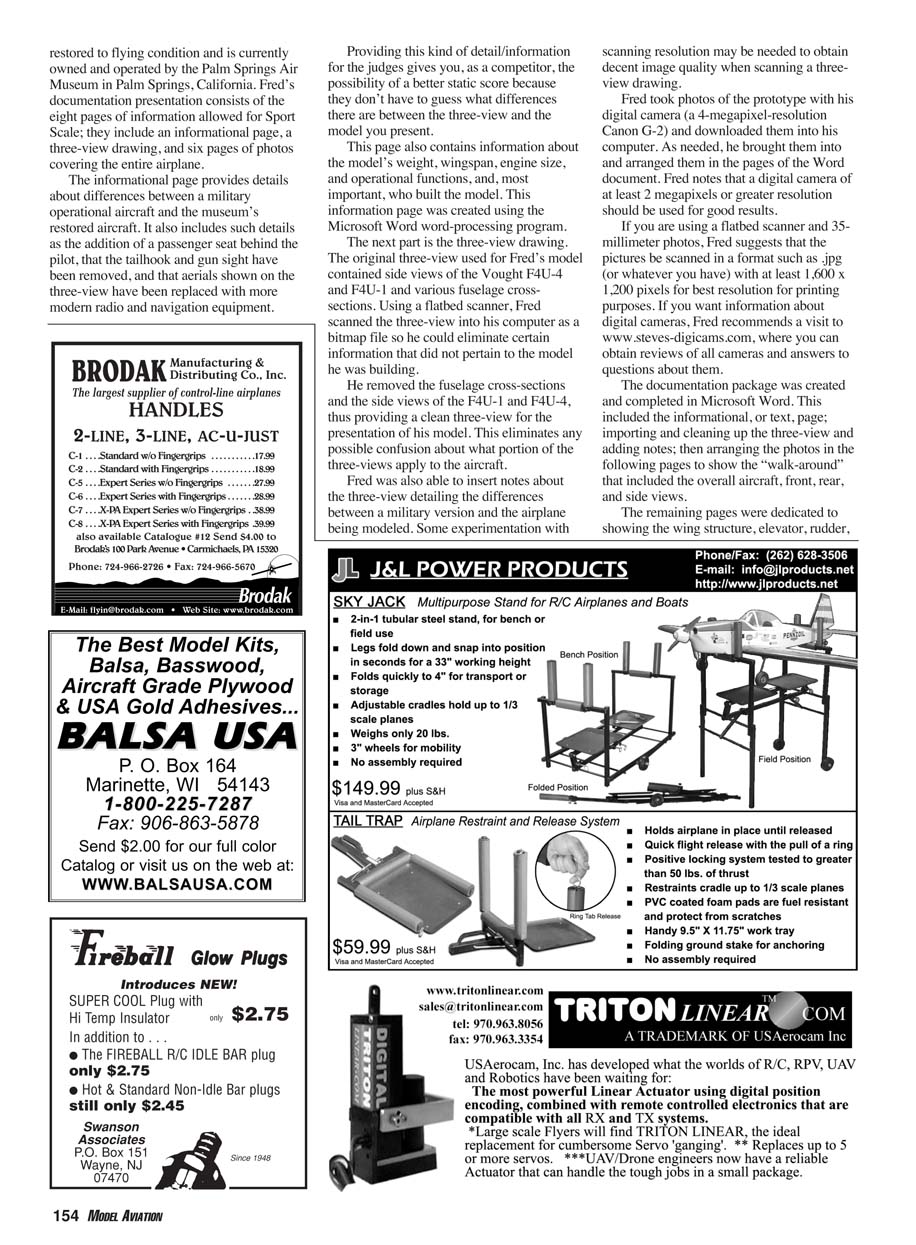
Fred’s documentation provides details that judges need to evaluate static accuracy, including:
- Model weight, wingspan, engine size, and operational functions
- Who built the model
- Differences between the military operational aircraft and the museum-restored aircraft (for example, the addition of a passenger seat behind the pilot; tailhook and gun sight removed; original aerials replaced with more modern radio and navigation equipment)
Providing these kinds of details reduces ambiguity and gives competitors a better chance of a higher static score.
Creating the documentation package
Fred created his package using Microsoft Word. The process included:
- An informational/text page describing the aircraft and differences from standard three-view references.
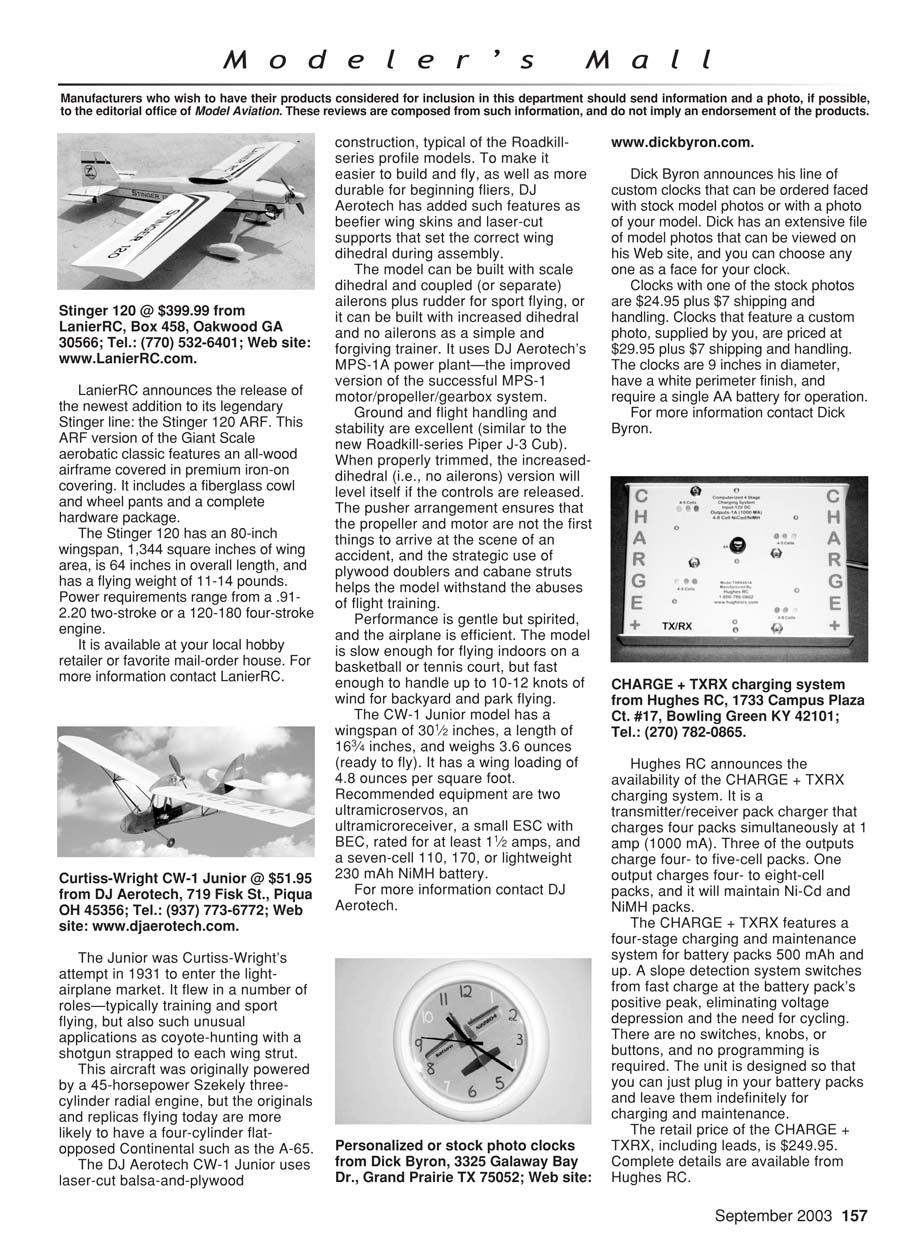
- Importing and cleaning up the three-view drawing and adding notes.
- Arranging photos across the remaining pages to provide a complete “walk-around” of the airplane.
Fred’s presentation uses the eight pages allowed for Sport Scale: an informational page, a three-view drawing, and six pages of photos covering the entire airplane.
The photo pages show the overall aircraft and various views (front, rear, side), plus detailed pages for wing structure, elevator, rudder, and other relevant details.
Three-view drawings
For his three-view, Fred started with an original drawing that included side views of the Vought F4U-4 and F4U-1 and several fuselage cross-sections. Using a flatbed scanner he:
- Scanned the three-view into his computer as a bitmap file.
- Removed extraneous items (fuselage cross-sections and side views not applicable to his FG-1D) to produce a clean, unambiguous three-view.
- Inserted notes on the three-view to clarify differences between the military version and the airplane being modeled.
Some experimentation with scanning resolution may be needed to obtain decent image quality when scanning a three-view drawing.
Photography and scanning recommendations
Fred used a Canon G-2 digital camera (4-megapixel resolution) to photograph the prototype. His recommendations:
- Use a digital camera of at least 2 megapixels for good results; higher resolution (4 MP or more) is preferable.
- If scanning 35 mm photographs with a flatbed scanner, scan into JPEG (or your preferred format) at a resolution of at least 1,600 x 1,200 pixels for best printing quality.
- For camera reviews and additional guidance, Fred recommends www.steves-digicams.com.
Tips and summary
- Prepare a clear informational page that lists specifications and documents differences between the model and standard references.
- Clean and annotate the three-view to remove confusing, irrelevant detail.
- Use high-resolution photos and arrange them to show a complete walk-around plus structural and control-surface details.
- Compile the eight allowed Sport Scale pages (info page, three-view, six photo pages) in a word processor such as Microsoft Word.
Good documentation makes judging easier and can improve your static score by eliminating uncertainty about what the model represents.
Transcribed from original scans by AI. Minor OCR errors may remain.

