
Electrics
Taking Off
Merry Christmas, everyone. I hope you have a great holiday and new year, complete with all the flying toys you wish for. I look forward to seeing you at meets next year, and I hope you'll see improvements in my website attempts, complete with some how-to videos I'm working on.
The Rewards of Teaching
I spent my Army career as a flight instructor and my civilian career as a middle school teacher. Those of you who have done this might know the benefits you receive from teaching someone to do something. We talk about promoting our hobby by involving young people, but how many of us put forth the effort?
With the rapid growth of electric-powered park flyers, it has become easier and cheaper to introduce our hobby to kids. I have a story about what recently happened at my club field.
Wayne Parish has been a friend for years, and I beg his services every time I have a new project for review. I trust him to fix or take photos, and I use him to compare flying notes with, so my reviews are really the combination of both of our experiences with a product.
The other side of Wayne is his teaching side, whether it's tuning a gas engine for someone or teaching a person to fly. He gives freely of his time.
Wayne's grandson, Jordan Thompson of Stoneville, North Carolina, recently decided he wanted to try our hobby. Wayne headed into the shop to find something suitable, since he ordinarily flies giant-scale gas-powered models. He found an E-flite Ultimate (the early profile version) and dug around to find a Great Planes RimFire 22M-1000 brushless motor with an APC 9 x 3.8 propeller, a Great Planes ElectriFly BL-8 Brushless ESC, and a three-cell, 1320 mAh Li-Poly battery. It all seemed to work well.
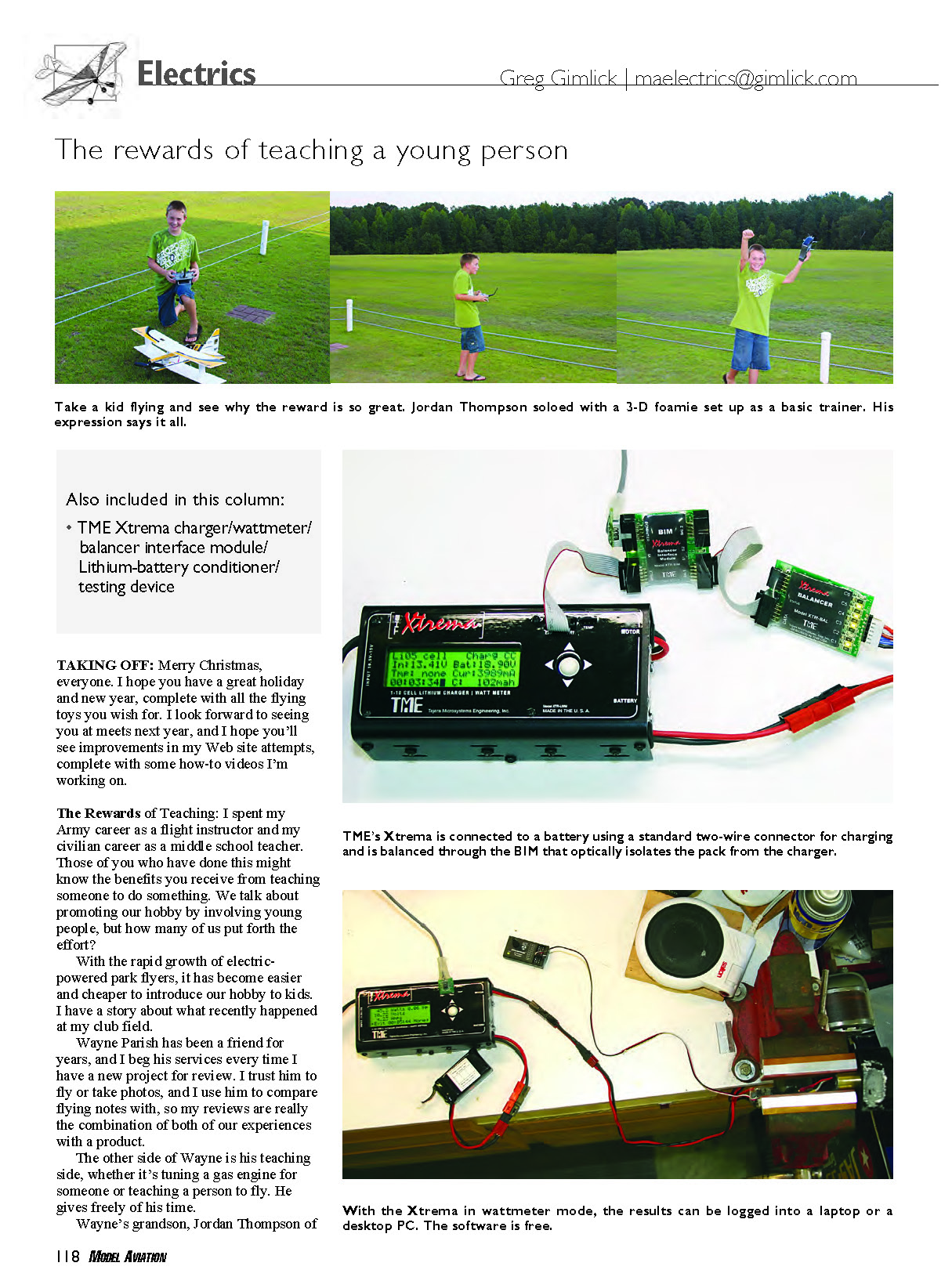
The photos that accompany this column tell the rest of the story. Look at that great body English on Jordan's first solo approach and the elation upon a successful solo mission. This is what pays you back for the time and effort you put into teaching someone to fly. Many of us have some old model sitting in our shop that we could haul out for these sorts of opportunities. It doesn't have to be new or the perfect setup; it just needs to fly well.
We wouldn't ordinarily think of teaching someone to fly with an Ultimate, but these park flyers are usually stable and crash resilient. They are capable of flying in modes other than 3-D. Young people today have incredible skills from the start, thanks to their video-game backgrounds. Look at that last photo and tell me we aren't paid back for our efforts.
TME Xtrema
Red was right—again. I mean Red Schofield, my partner in crime who writes "The Battery Clinic" on alternating months with my column. He told me about the TME Xtrema charging system roughly two years ago, and I finally got around to buying one last year.
The main attraction to me was its programmability and being able to easily switch back and forth from regular Li-Poly batteries and the A123 technology. I started using the charger right away and didn't do a lot of research into the device's full capabilities; it did what I needed and I left it at that.
This year at the Toledo Weak Signals' show in Toledo, Ohio, I stopped by the TME booth for my usual visit with the company's owner, Albert Tejera. TME stands for Tejera Microsystems Engineering, and most people in the RC world know Albert for his incredible smoke systems.
As we talked about my experiences with the charger, Albert was surprised that I hadn't fully exploited its capabilities. He showed me the new add-ons that allow the system to simultaneously charge and balance as many as four packs. That is accomplished by adding the balancer interface module (BIM) and balancers.
The balancing device is similar in size and appearance to the AstroFlight Blinky I've shown before. It's a small board with pins on one end to plug into your batteries' balancing plug, and an adapter is available for nonstandard plugs.
One of the beauties is that the balancing device can be used as a stand-alone unit even if you don't own the Xtrema charger. It will plug into the battery, balance, and then shut down at the end of the process. It will draw a small amount of current from the pack, so when it's done you don't want to leave it plugged in for an extended period.
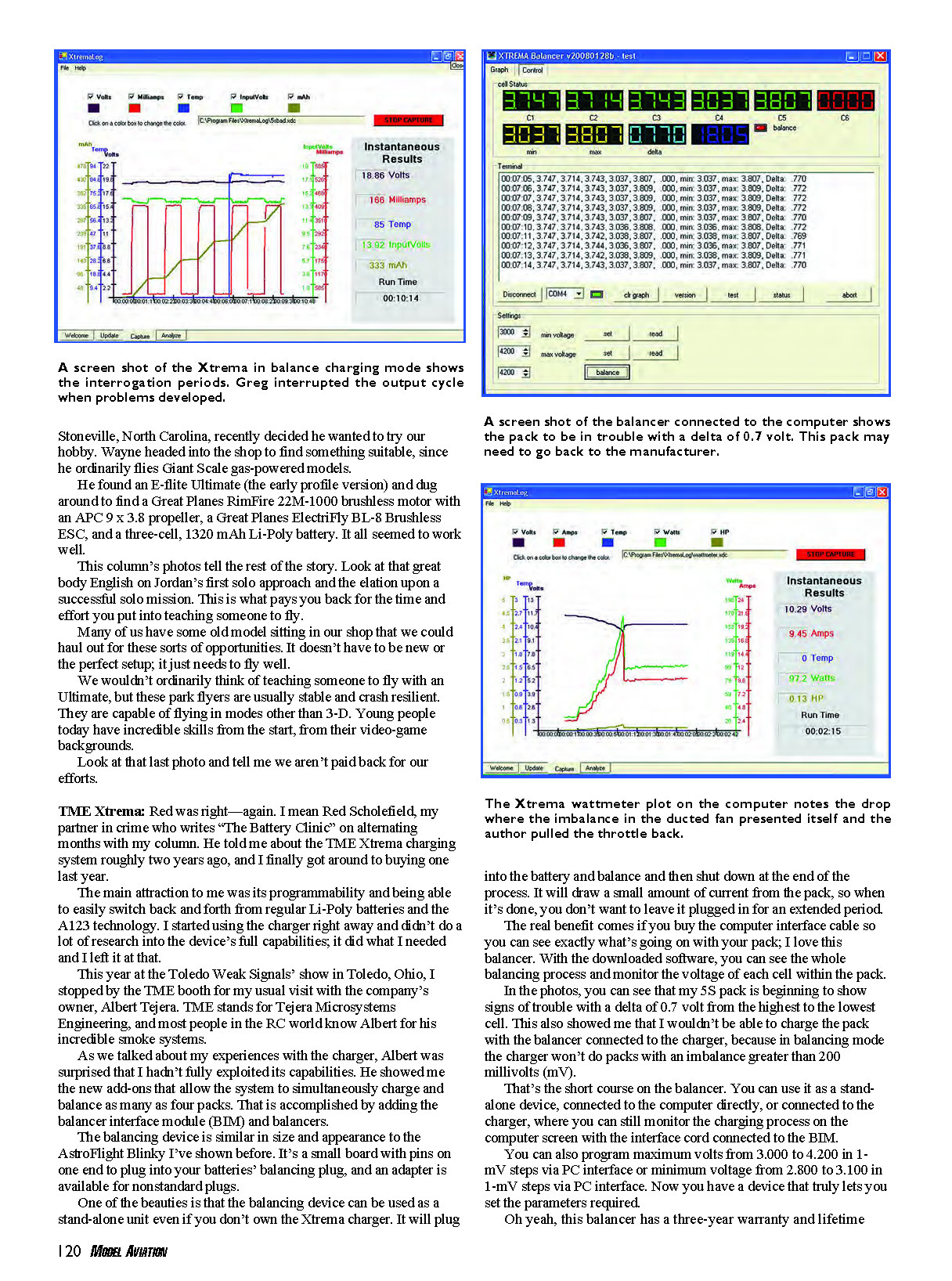
The real benefit comes if you buy the computer interface cable so you can see exactly what's going on with your pack; I love this balancer. With the downloaded software, you can see the whole balancing process and monitor the voltage of each cell within the pack. In the photos, you can see that my 5S pack is beginning to show signs of trouble with a delta of 0.7 volt from the highest to the lowest cell. This also showed me that I wouldn't be able to charge the pack with the balancer connected to the charger, because in balancing mode the charger won't do packs with an imbalance greater than 200 millivolts (mV).
That's the short course on the balancer. You can use it as a stand-alone device, connected to the computer directly, or connected to the charger, where you can still monitor the charging process on the computer screen with the interface cord connected to the BIM.
You can also program maximum volts from 3.000 to 4.200 in 1-mV steps via PC interface or minimum voltage from 2.800 to 3.100 in 1-mV steps via PC interface. Now you have a device that truly lets you select the parameters required.
Oh yeah, this balancer has a three-year warranty and lifetime support from the company.
Transcribed from original scans by AI. Minor OCR errors may remain.

