
More arming-switch info
Greg Gimlick | [email protected]
TAKING OFF: There's a great deal to cover this month, so I'm not going to waste a lot of space on introductions. I was excited to see the Deans Ultra Plug couplers from Maxx Products International (MPi), and I think you will be too.
If you've followed my foray into the 2.4 GHz conversion of my Multiplex radio and are still trying to figure out what to do, I'm showing one more option for you that answers the question of how to easily flip between 72 MHz and 2.4 GHz. Let's get going.
MPi Arming Switches
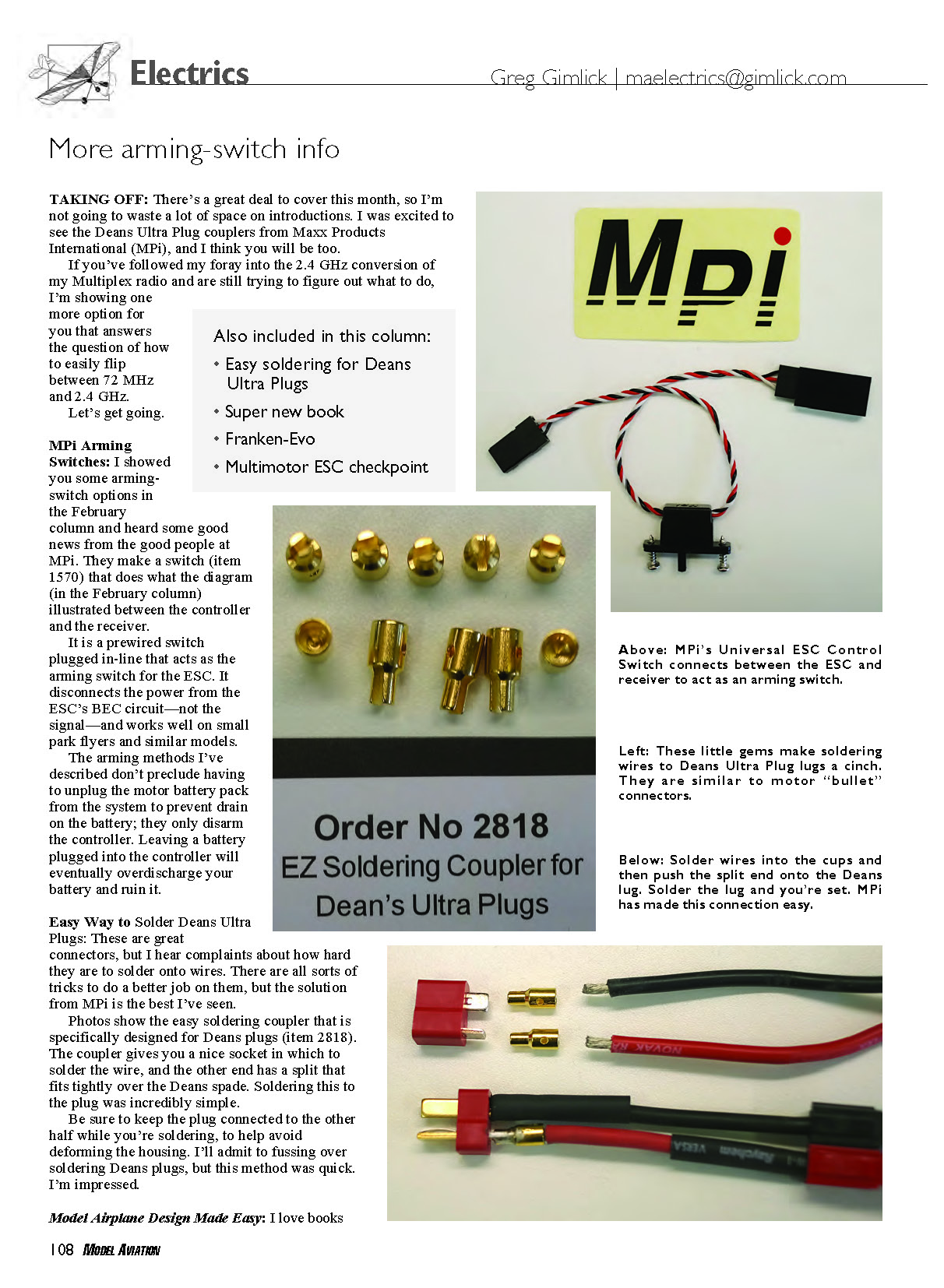
I showed some arming-switch options in the February column and heard good news from the folks at MPi. They make a switch (item 1570) that implements what the diagram in the February column illustrated between the controller and the receiver.
It is a prewired switch that plugs in-line and acts as the arming switch for the ESC. It disconnects the power from the ESC's BEC circuit—not the signal—and works well on small park flyers and similar models.
The arming methods I've described don't preclude having to unplug the motor battery pack from the system to prevent drain on the battery; they only disarm the controller. Leaving a battery plugged into the controller will eventually overdischarge your battery and ruin it.
Also included in this column:
- Easy soldering for Deans Ultra Plugs
- Super new book
- Franken-Evo
- Multimotor ESC checkpoint
Easy Way to Solder Deans Ultra Plugs
Deans Ultra Plugs are great connectors, but many people complain about how hard they are to solder onto wires. There are various tricks to do a better job, but the solution from MPi is the best I've seen.
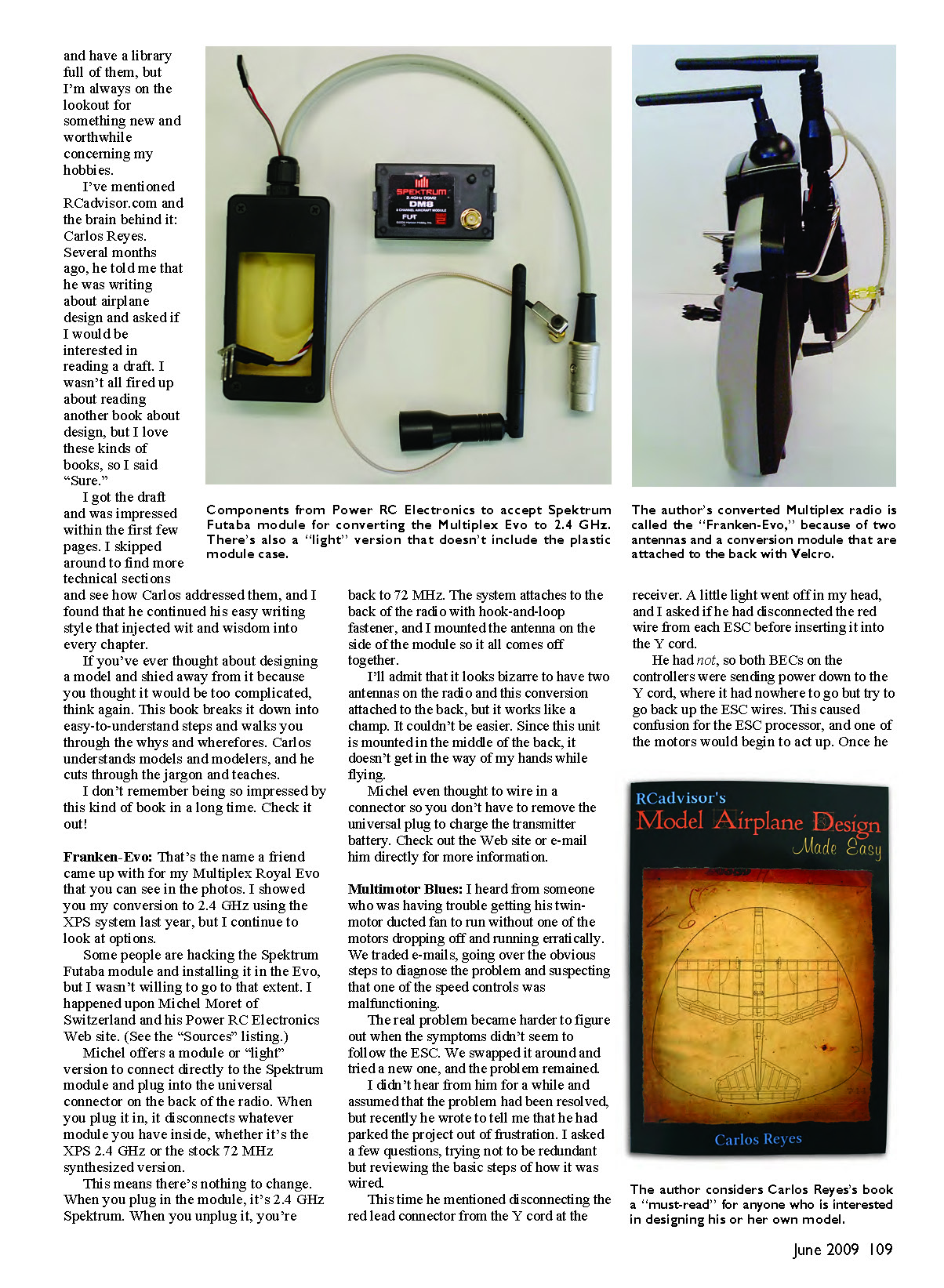
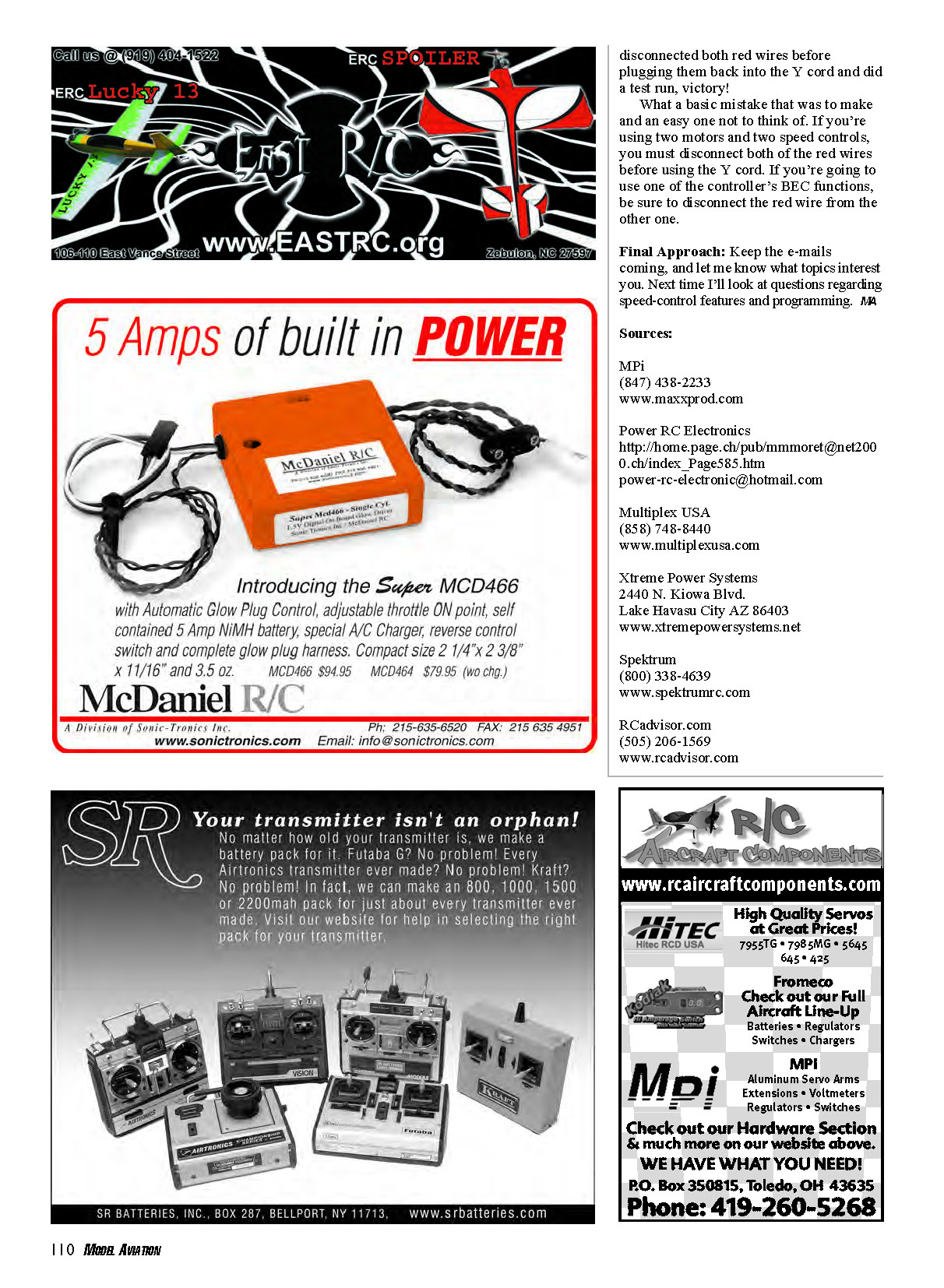
MPi makes an easy-soldering coupler specifically designed for Deans plugs (item 2818). The coupler gives you a nice socket in which to solder the wire, and the other end has a split that fits tightly over the Deans spade. Soldering this to the plug is incredibly simple.
Be sure to keep the plug connected to the other half while you're soldering to help avoid deforming the housing. I usually fuss over soldering Deans plugs, but this method was quick and effective. I'm impressed.
Model Airplane Design Made Easy
I love books and have a library full of them, but I'm always on the lookout for something new and worthwhile about my hobbies.
I've mentioned RCadvisor.com and the brain behind it, Carlos Reyes. Several months ago he told me he was writing about airplane design and asked if I would be interested in reading a draft. I wasn't all fired up about another design book, but I said "Sure."
I was impressed within the first few pages. I skipped around to find more technical sections and saw that Carlos continued his easy writing style, injecting wit and wisdom into every chapter.
If you've ever thought about designing a model and shied away because it seemed too complicated, think again. This book breaks the process down into easy-to-understand steps and walks you through the whys and wherefores. Carlos understands models and modelers; he cuts through the jargon and teaches.
I don't remember being so impressed by this kind of book in a long time. Check it out!
Franken-Evo
That's the name a friend gave my Multiplex Royal Evo (see photos). I showed my conversion to 2.4 GHz using the XPS system last year, but I continue to look at options. Some people hack the Spektrum Futaba module and install it in the Evo, but I wasn't willing to go that far. I happened upon Michel Moret of Switzerland and his Power RC Electronics web site.
Michel offers a module, or "light" version, that connects directly to the Spektrum module and plugs into the universal connector on the back of the radio. When you plug it in, it disconnects whatever module you have inside, whether it's the XPS 2.4 GHz or the stock 72 MHz synthesized version.
This means there's nothing to change. When you plug in the module, it's 2.4 GHz Spektrum. When you unplug it, you're back to 72 MHz. The system attaches to the back of the radio with hook-and-loop fastener, and I mounted the antenna on the side of the module so it all comes off together.
I'll admit it looks bizarre to have two antennas on the radio and this conversion attached to the back, but it works like a champ. It couldn't be easier. Since the unit is mounted in the middle of the back, it doesn't get in the way of my hands while flying.
Michel even thought to wire in a connector so you don't have to remove the universal plug to charge the transmitter battery. Check out his web site or e-mail him directly for more information.
Multimotor Blues
I heard from someone who was having trouble getting his twin-motor ducted fan to run without one motor dropping off and running erratically. We traded e-mails, going over the obvious diagnostic steps and suspecting that one of the speed controls was malfunctioning.
The problem became harder to figure out when the symptoms didn't follow the ESC. We swapped ESCs and tried a new one, but the problem remained.
I didn't hear from him for a while and assumed the problem had been resolved, but recently he wrote saying he had parked the project out of frustration. I asked a few questions, reviewing the basic wiring steps.
This time he mentioned disconnecting the red lead connector from the Y cord at the receiver. A light went off in my head, and I asked if he had disconnected the red wire from each ESC before inserting it into the Y cord.
He had not, so both BECs on the controllers were sending power down the Y cord, where it had nowhere to go but try to go back up the ESC wires. This caused confusion for the ESC processor, and one of the motors began to act up. Once he removed the red lead from the Y cord, the problem was solved.
What a basic mistake and an easy one not to think of. If you're using two motors and two speed controls, you must disconnect both red wires before using the Y cord. If you're going to use only one controller's BEC function, be sure to disconnect the red wire from the other one.
Final Approach
Keep the e-mails coming, and let me know what topics interest you. Next time I'll look at questions regarding speed-control features and programming. /MA
Sources
- MPi — (847) 438-2233 — www.maxxprod.com
- Power RC Electronics — http://home.page.ch/pub/[email protected]/index_Page585.htm — [email protected]
- Multiplex USA — (858) 748-8440 — www.multiplexusa.com
- Xtreme Power Systems — 2440 N. Kiowa Blvd., Lake Havasu City, AZ 86403 — www.xtremepowersystems.net
- Spektrum — (800) 338-4639 — www.spektrumrc.com
- RCadvisor.com — (505) 206-1569 — www.rcadvisor.com
Transcribed from original scans by AI. Minor OCR errors may remain.

