
Horizon Hobby Spektrum DX18
Jay Smith
Radios have certainly come a long way throughout the years. Their evolution has made the handheld link to our aircraft more robust and intuitive, while keeping prices competitive.
The switch to 2.4 GHz stands out as the biggest advancement in radios during my time as an RC pilot. I started my journey to frequency freedom with the Spektrum DX6, which did away with frequency conflicts and allowed for a neater radio installation without long antennas sticking out of the aircraft.
Later, the DX7 provided the Model Match feature to ensure we didn't put our aircraft at risk by flying with our radio set to the wrong model. These advancements alone have undoubtedly saved a large number of aircraft.
Continued evolution of the Spektrum line brought DSMX, which added frequency agility over DSM2, and the addition of an SD card slot that allows the user to upgrade the software and share and store additional model settings. Now the DX18 incorporates these previous advancements while presenting some exciting new features.
First Impression
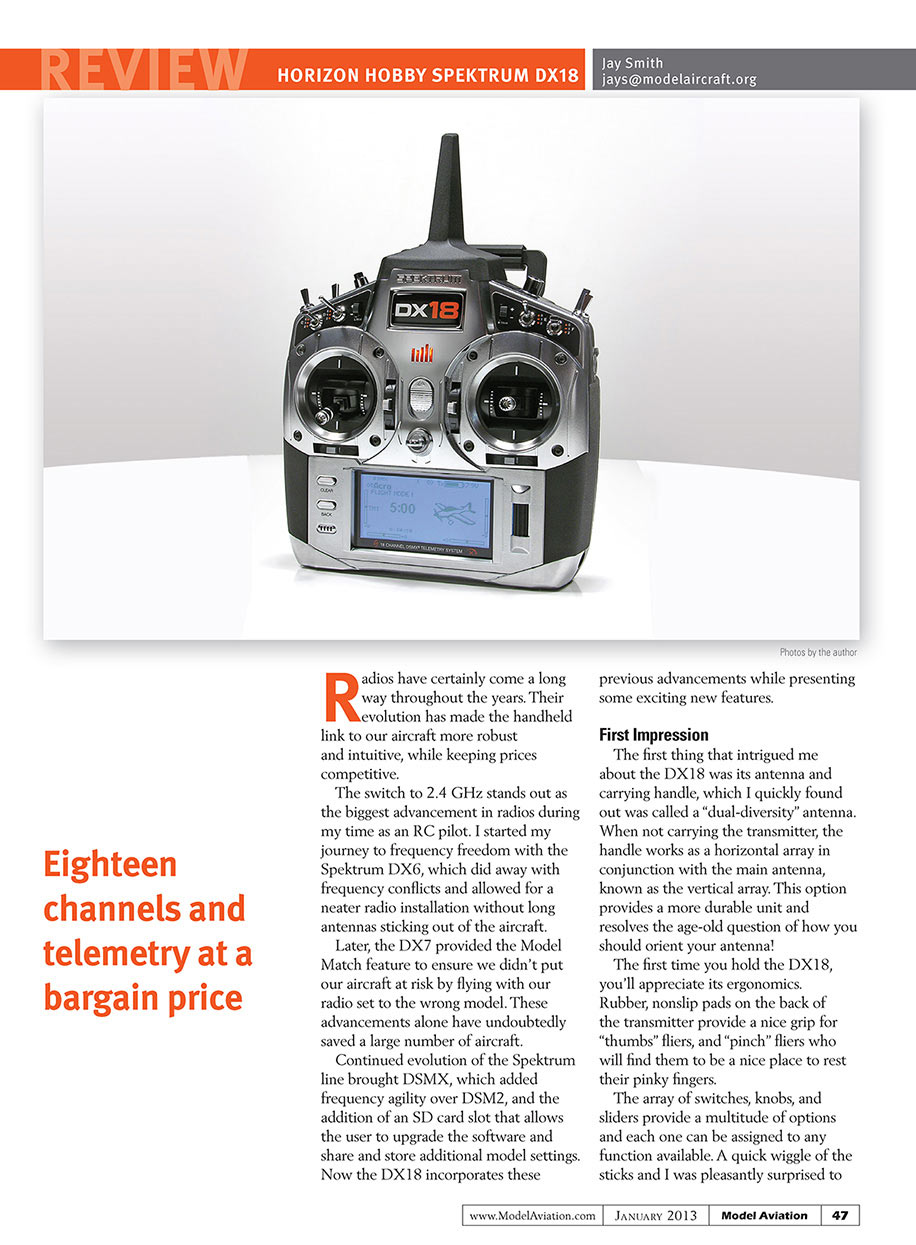
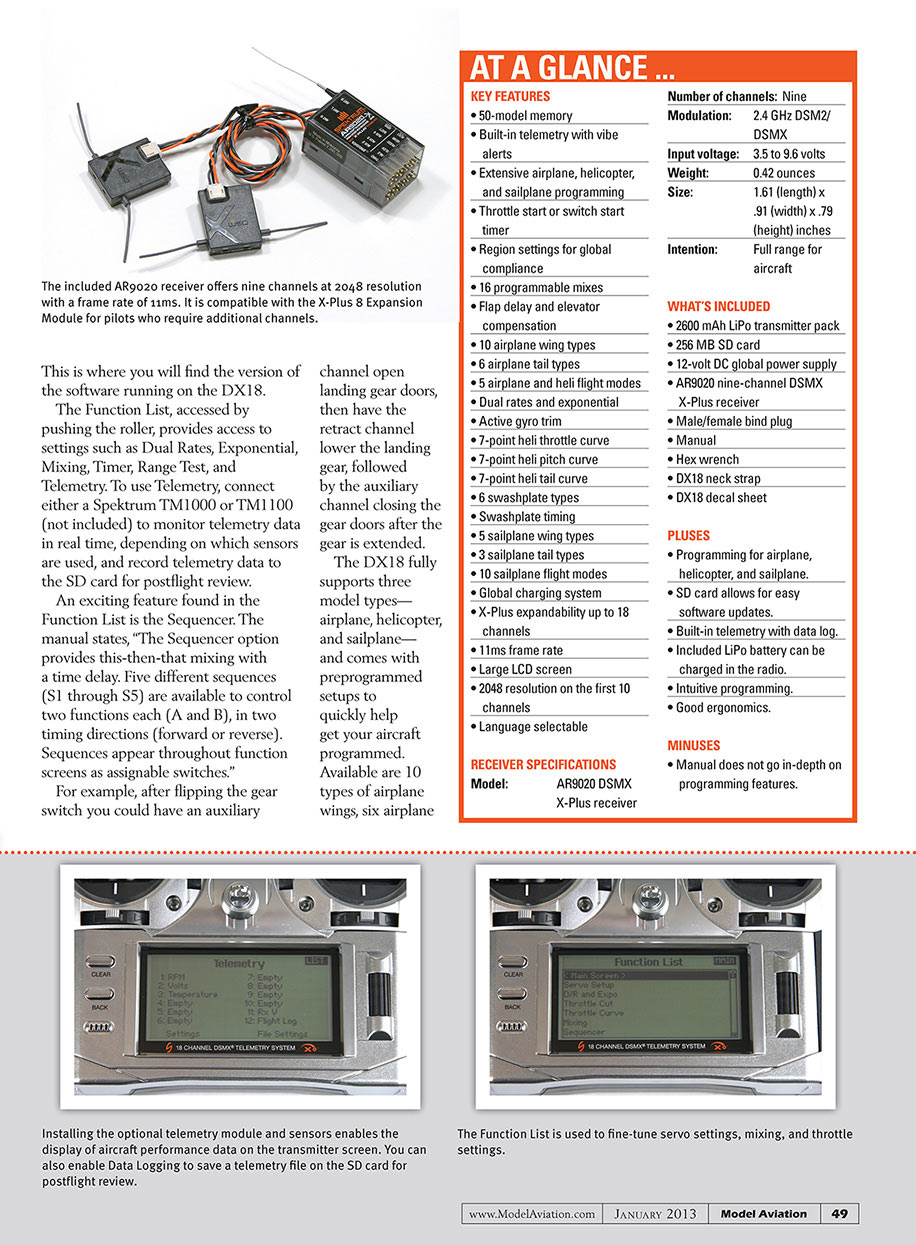
The first thing that intrigued me about the DX18 was its antenna and carrying handle, which I quickly found out was called a "dual-diversity" antenna. When not carrying the transmitter, the handle works as a horizontal array in conjunction with the main antenna, known as the vertical array. This option provides a more durable unit and resolves the age-old question of how you should orient your antenna!
The first time you hold the DX18, you'll appreciate its ergonomics. Rubber, nonslip pads on the back of the transmitter provide a nice grip for "thumbs" fliers, and "pinch" fliers who will find them to be a nice place to rest their pinky fingers.
The array of switches, knobs, and sliders provide a multitude of options and each one can be assigned to any function available. A quick wiggle of the sticks and I was pleasantly surprised to find good stick tension and the ability to make adjustments without the need to remove the rear of the case. Four rubber plugs conceal the adjustment screws and are well marked for easy identification.
A flip of the power switch and the Spektrum LED and backlit LCD display come to life. The region setting and your name, if you entered it, are displayed momentarily while the system boots up.
At a glance, the backlit main display provides the model memory number and model name in the top left, the transmitter charge level and voltage in the top right, as well as the timer and a model-memory timer, and all the trim settings.
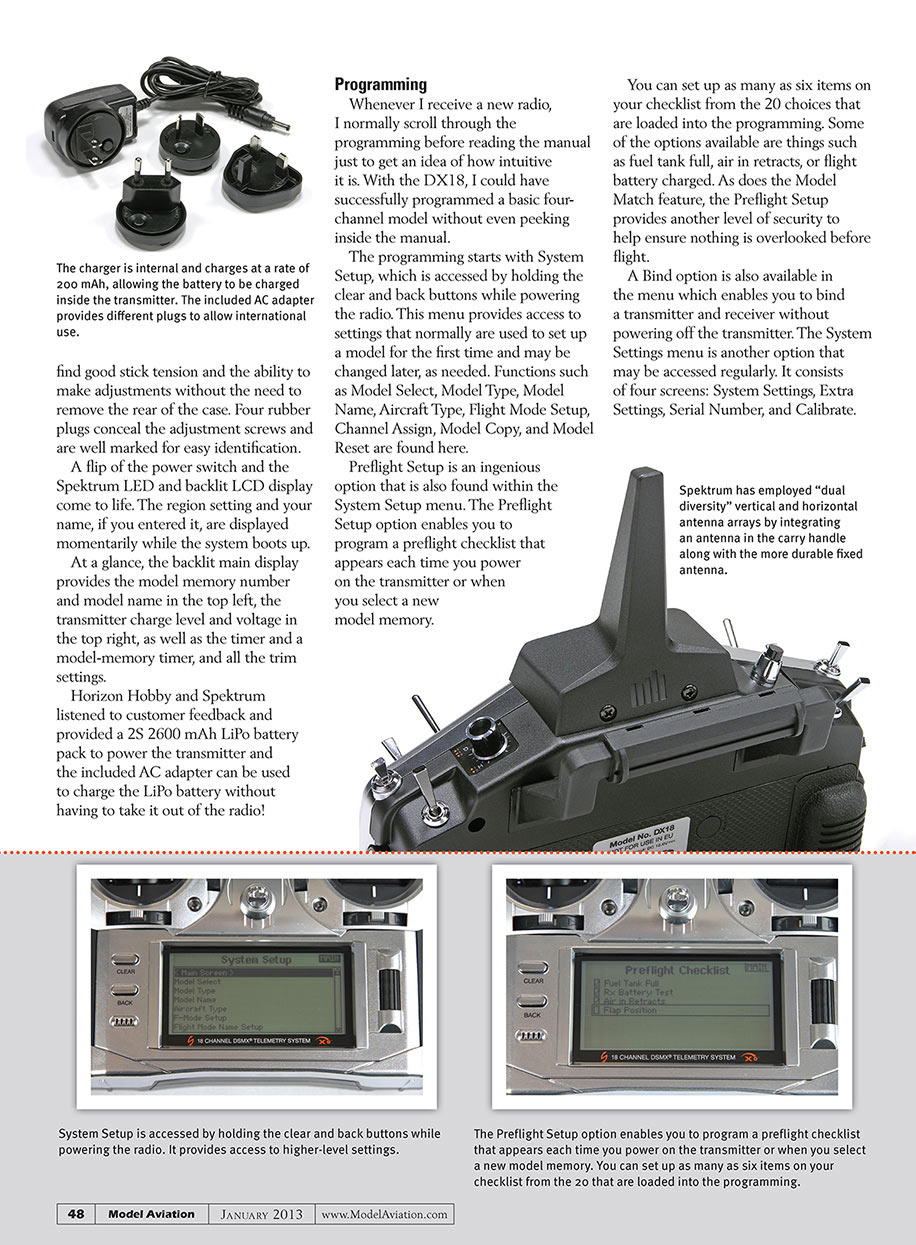
Horizon Hobby and Spektrum listened to customer feedback and provided a 2S 2600 mAh LiPo battery pack to power the transmitter and the included AC adapter can be used to charge the LiPo battery without having to take it out of the radio!
Programming
Whenever I receive a new radio, I normally scroll through the programming before reading the manual just to get an idea of how intuitive it is. With the DX18, I could have successfully programmed a basic four-channel model without even peeking inside the manual.
The programming starts with System Setup, which is accessed by holding the clear and back buttons while powering the radio. This menu provides access to settings that normally are used to set up a model for the first time and may be changed later, as needed. Functions such as Model Select, Model Type, Model Name, Aircraft Type, Flight Mode Setup, Channel Assign, Model Copy, and Model Reset are found here.
Preflight Setup is an ingenious option that is also found within the System Setup menu. The Preflight Setup option enables you to program a preflight checklist that appears each time you power on the transmitter or when you select a new model memory.
You can set up as many as six items on your checklist from the 20 choices that are loaded into the programming. Some of the options available are things such as fuel tank full, air in retracts, or flight battery charged. As does the Model Match feature, the Preflight Setup provides another level of security to help ensure nothing is overlooked before flight.
A Bind option is also available in the menu which enables you to bind a transmitter and receiver without powering off the transmitter. The System Settings menu is another option that may be accessed regularly. It consists of four screens: System Settings, Extra Settings, Serial Number, and Calibrate. This is where you will find the version of the software running on the DX18.
The Function List, accessed by pushing the roller, provides access to settings such as Dual Rates, Exponential, Mixing, Timer, Range Test, and Telemetry. To use Telemetry, connect either a Spektrum TM1000 or TM1100 (not included) to monitor telemetry data in real time, depending on which sensors are used, and record telemetry data to the SD card for postflight review.
An exciting feature found in the Function List is the Sequencer. The manual states, "The Sequencer option provides this-then-that mixing with a time delay. Five different sequences (S1 through S5) are available to control two functions each (A and B), in two timing directions (forward or reverse). Sequences appear throughout function screens as assignable switches."
For example, after flipping the gear switch you could have an auxiliary channel open landing gear doors, then have the retract channel lower the landing gear, followed by the auxiliary channel closing the gear doors after the gear is extended.
The DX18 fully supports three model types—airplane, helicopter, and sailplane—and comes with preprogrammed setups to quickly help get your aircraft programmed. Available are 10 types of airplane wings, six airplane tail types, five sailplane wing types, three types of sailplane tails, two sailplane throttle types, and six swashplate types.
Any of the three model types can be tweaked to provide the pilot with additional options. To get a better understanding of some of the features today’s top pilots demand and how the DX18 meets those demands, I enlisted the help of Robert Vess (airplanes), Bert Kammerer (helicopters), and Michael Smith (sailplanes). Their feedback can be found on www.ModelAviation.com in the “Online Features” section.
Receivers and the X-Plus 8 Expansion Module
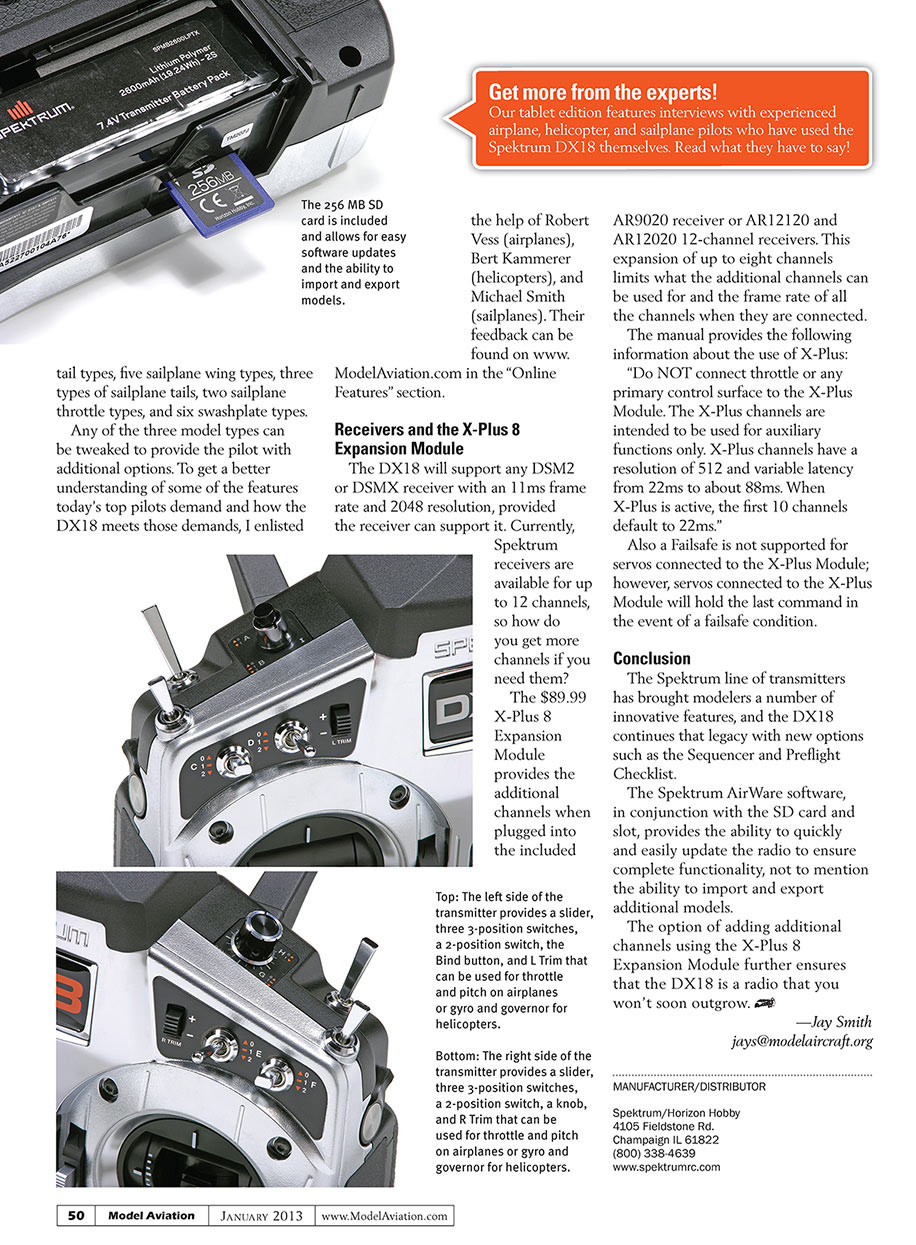
The DX18 will support any DSM2 or DSMX receiver with an 11 ms frame rate and 2048 resolution, provided the receiver can support it. Currently, Spektrum receivers are available for up to 12 channels, so how do you get more channels if you need them?
The $89.99 X-Plus 8 Expansion Module provides the additional channels when plugged into the included AR9020 receiver or AR12120 and AR12020 12-channel receivers. This expansion of up to eight channels limits what the additional channels can be used for and the frame rate of all the channels when they are connected.
The manual provides the following information about the use of X-Plus: “Do NOT connect throttle or any primary control surface to the X-Plus Module. The X-Plus channels are intended to be used for auxiliary functions only. X-Plus channels have a resolution of 512 and variable latency from 22ms to about 88ms. When X-Plus is active, the first 10 channels default to 22ms.”
Also a failsafe is not supported for servos connected to the X-Plus Module; however, servos connected to the X-Plus Module will hold the last command in the event of a failsafe condition.
Conclusion
The Spektrum line of transmitters has brought modelers a number of innovative features, and the DX18 continues that legacy with new options such as the Sequencer and Preflight Checklist.
The Spektrum AirWare software, in conjunction with the SD card and slot, provides the ability to quickly and easily update the radio to ensure complete functionality, not to mention the ability to import and export additional models.
The option of adding additional channels using the X-Plus 8 Expansion Module further ensures that the DX18 is a radio that you won’t soon outgrow.
—Jay Smith [email protected]
MANUFACTURER/DISTRIBUTOR
Spektrum/Horizon Hobby 4105 Fieldstone Rd. Champaign, IL 61822 (800) 338-4639 www.spektrumrc.com
Transcribed from original scans by AI. Minor OCR errors may remain.

