
Power Switch: FS One Flight Simulator
By Tom Sullivan
FLIGHT-SIMULATION software has come a long way. It seems that not long ago airplanes were simple stick figures filled in with solid colors. Today's simulators offer photorealistic models and scenery.
One of the latest systems on the market is Horizon's FS One Precision RC Flight Simulator. It claims to offer highly accurate models, airplanes developed by aerodynamicists, extensive high-alpha "post-stall" effects, and more. There is not enough space in this magazine to go through all the FS One's features and options, so I'll touch on as much as I can and point out a few concerns. If you still have questions after reading this review, visit the FS One web site or give Horizon Hobby a call.
What's in the box
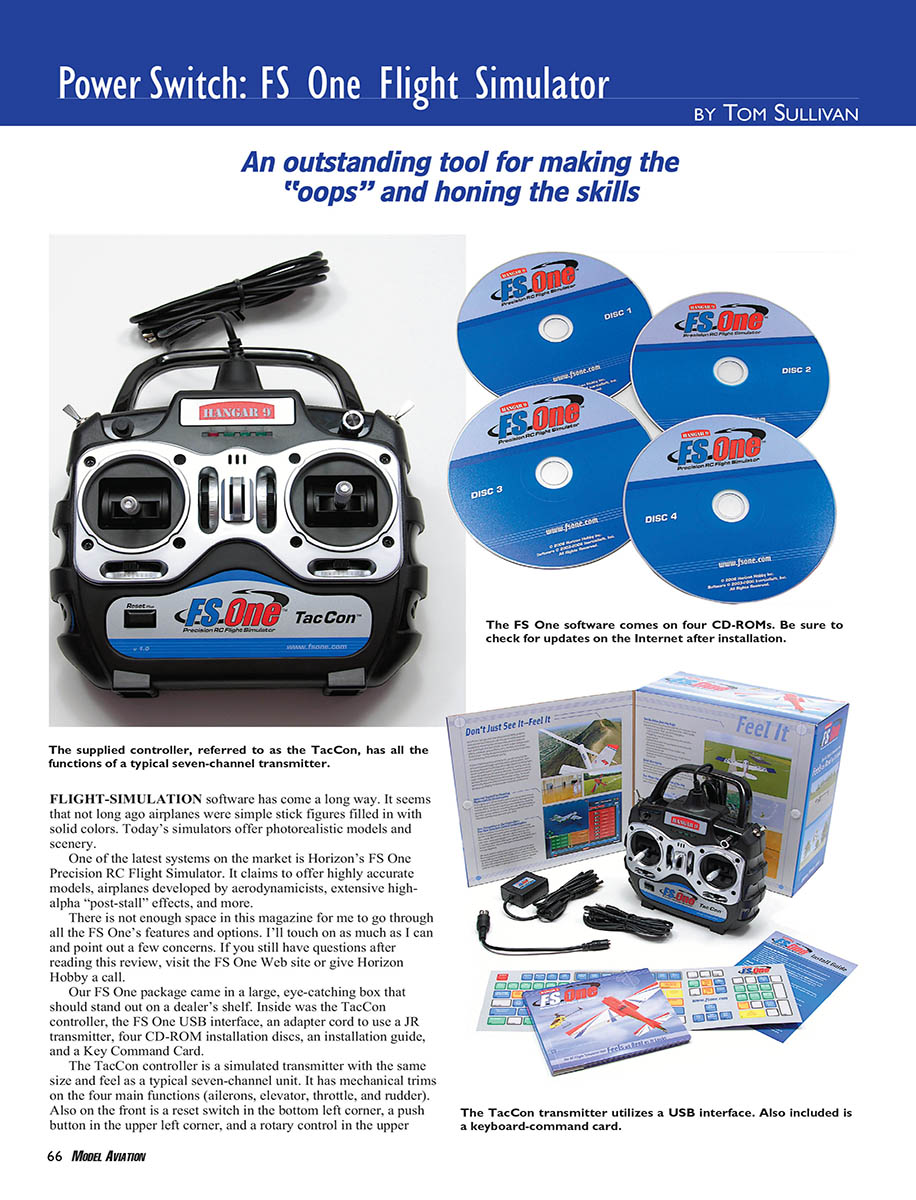
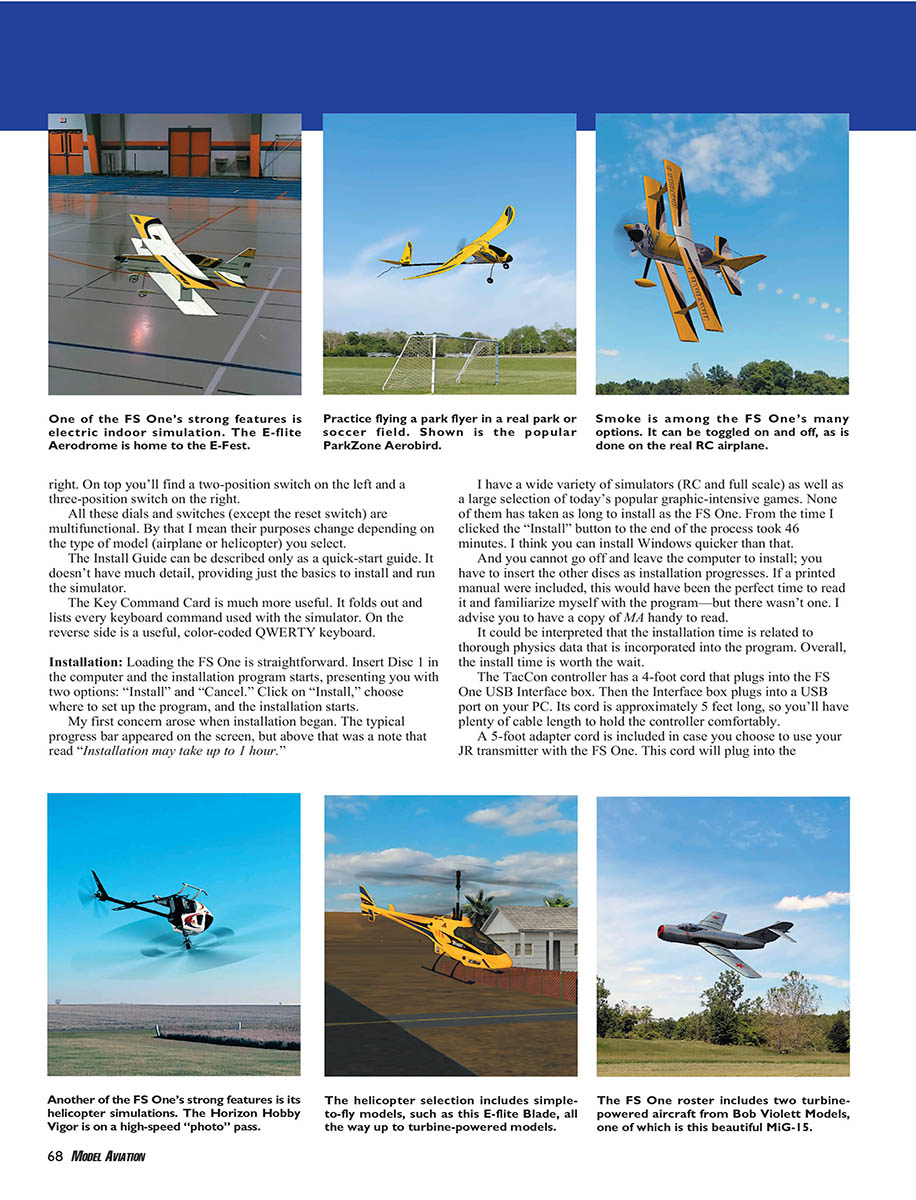
- TacCon simulated seven-channel controller (simulated transmitter)
- FS One USB interface box
- Adapter cord to use a JR transmitter (trainer-port adapter)
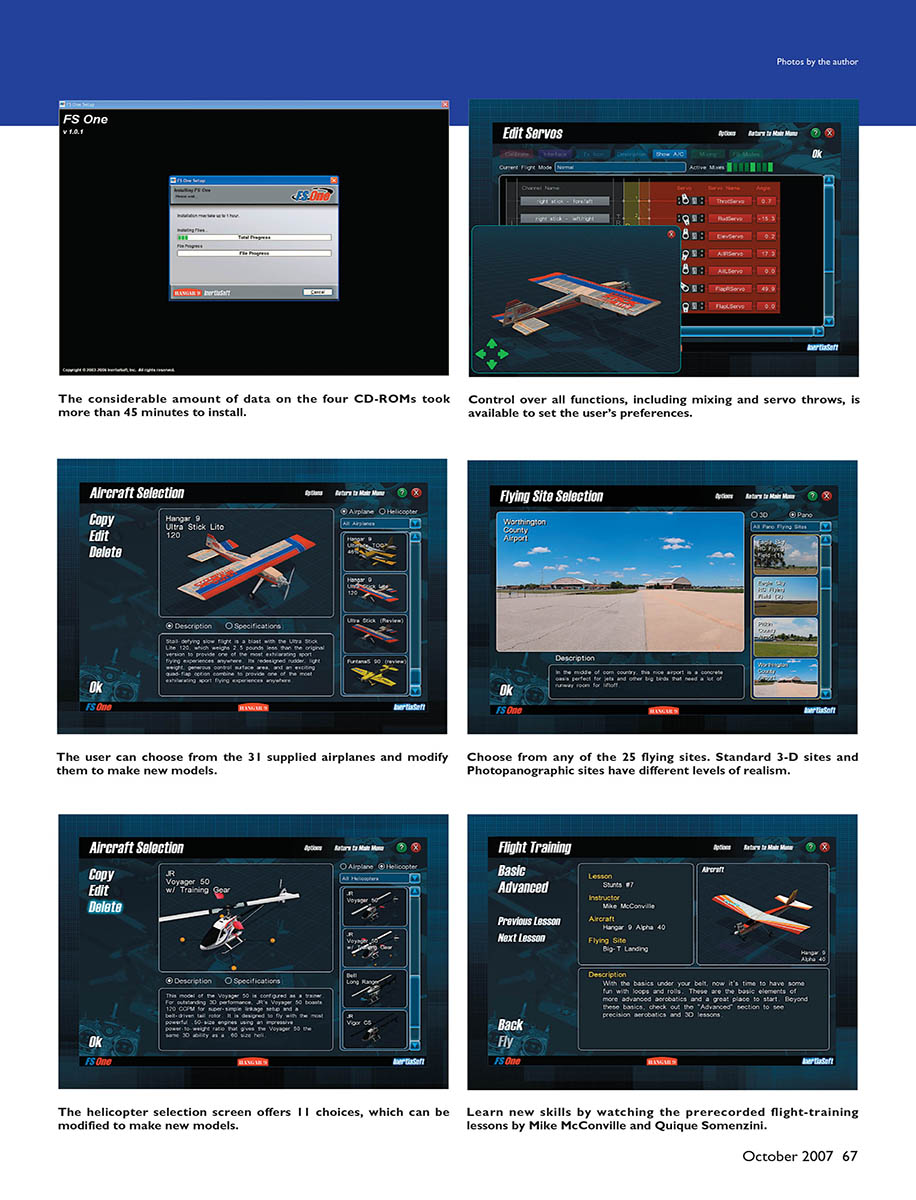
- Four CD-ROM installation discs
- Installation (quick-start) guide
- Key Command Card (fold-out listing every keyboard command; reverse side has a color-coded QWERTY keyboard)
The TacCon controller is a simulated transmitter with the same size and feel as a typical seven-channel unit. It has mechanical trims on the four main functions (ailerons, elevator, throttle, and rudder). Also on the front is a reset switch in the bottom-left corner, a push button in the upper-left corner, and a rotary control in the upper-right. On top you'll find a two-position switch on the left and a three-position switch on the right. All these dials and switches (except the reset switch) are multifunctional—their purposes change depending on the type of model (airplane or helicopter) you select.
Installation
Installation process
Loading the FS One is straightforward. Insert Disc 1 and the installation program starts, presenting you with two options: "Install" and "Cancel." Click "Install," choose where to set up the program, and the installation begins.
The considerable amount of data on the four CD-ROMs took more than 45 minutes to install on my test system. A progress bar appears on the screen with a note that "Installation may take up to 1 hour." From the time I clicked "Install" to the end of the process was about 46 minutes. You cannot walk away during installation—you must insert the other discs as installation progresses.
The Install Guide is a quick-start guide with only basic installation details. The Key Command Card is much more useful for learning shortcuts and controls. I advise having a copy of Model Airplane News (MA) or the on-screen manual handy to read while installing, since no printed manual is included.
Overall, the install time may be related to the thorough physics data incorporated into the program, and I think the install time is worth the wait.
Hardware connections
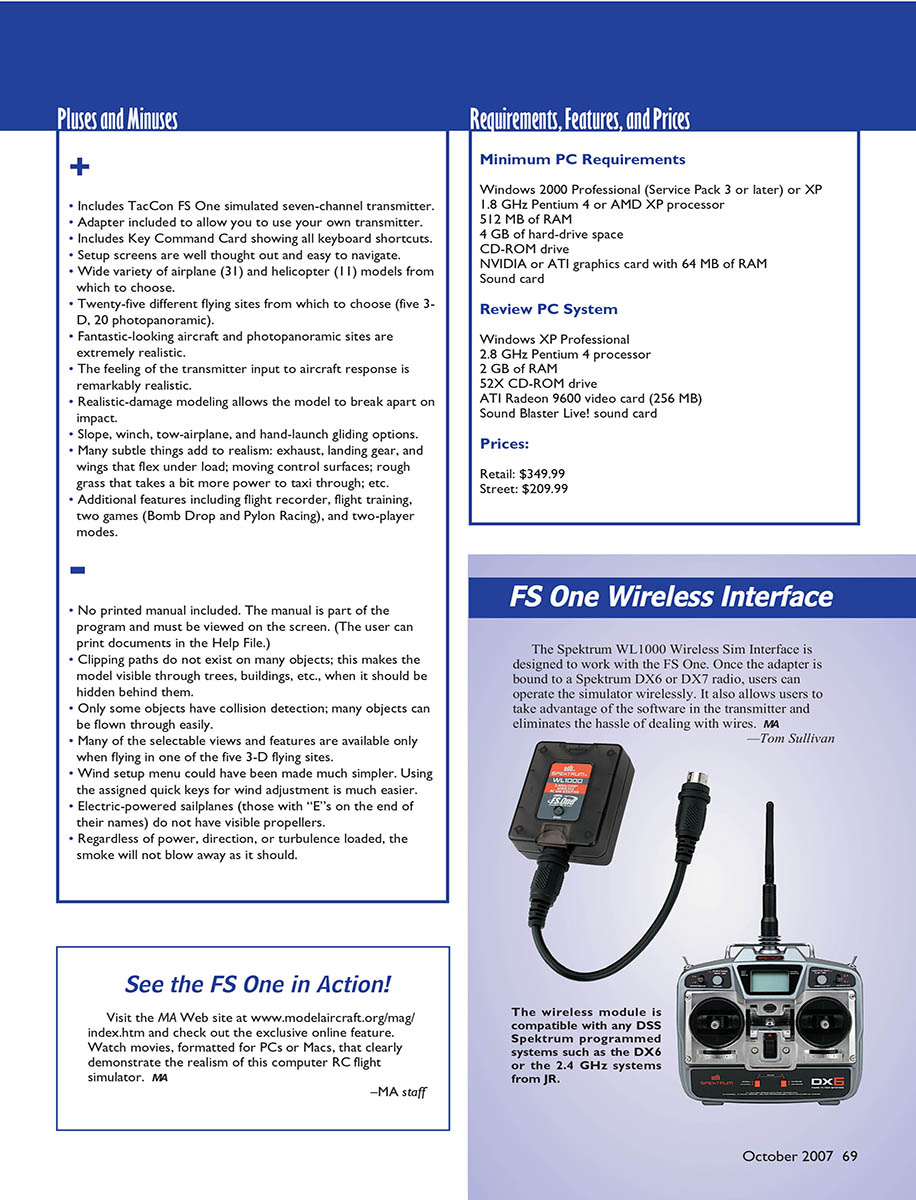
The TacCon controller has a 4-foot cord that plugs into the FS One USB Interface box. The Interface box plugs into a USB port on your PC; its cord is approximately 5 feet long, giving plenty of cable length to hold the controller comfortably. A 5-foot adapter cord is included in case you choose to use your JR transmitter with the FS One; this cord plugs into the Interface box and your transmitter’s trainer port.
Before you run FS One for the first time, register your copy online and download the latest updates. Version 1.0.4 was the most recent as of this writing and resolved a few issues; more updates have been released since.
Setup
Starting the simulator brings up a series of menu screens that are easy to read and well thought out. You can get to almost any portion of the simulator with just a few clicks. Most users will probably jump into the simulation by choosing the “Single Player Freestyle” option, then “Fly,” which loads the default mode and default flying site.
I suggest taking time to set a few options beforehand:
- Calibrate your controller (TacCon or your transmitter via adapter).
- Make sure video and audio settings match your computer’s capabilities.
- Review options for smoke, towlines, physics, and messages, but the defaults are reasonable.
From the main menu you have two basic modes: Single Player or Two Player. In either mode you can select Freestyle, Towplane/Sailplane, or Game simulations. Flight Training is available only in Single Player mode.
Selecting one of these options brings up screens to select a model, flying site, sky and wind conditions, recordings, and more. Current selections are shown in windows so you always know what’s loaded. You can change any choice by clicking the appropriate window.
Aircraft selection
The Aircraft Selection menu displays all available models with the selected model rotating in the center of the screen and a description below. A vertical slider on the right shows other models offered.
There are 31 airplanes and 11 helicopters covering sport, scale, electric, 3-D, turbine, trainer, sailplane, etc. Most are current Horizon Hobby aircraft, with a few generic models and a couple from Bob Violett Models.
You can use the Scaling Wizard and Aircraft Editor to increase or decrease any airplane's size and power. The FS One realistically depicts the effects of those changes on flight behavior. You can also customize colors, trim schemes, and decals with an external graphics editor.
Flying site selection
There are 25 flying sites: 20 "Photopanoramic" (photorealistic) sites and five "3-D" sites (basic three-dimensional models). The Photopanoramic sites are very lifelike; the 3-D sites allow you to choose sky type (cloud coverage, haze, time of day) and provide more variety in atmospheric conditions. Sites include traditional flying fields, indoor facilities, parks, hillsides, soccer fields, and even a parking garage.
Wind setup
The Wind Selection menu lets you choose steady or turbulent wind, thermals, wind speed, and direction. Instead of independent sliders for each parameter, you choose from a list of prepared wind conditions. Using assigned quick keys for wind adjustment is often easier than navigating the full wind menu.
Flying
Loading a simulation typically takes 15–30 seconds depending on selections. Once loaded, scenery and camera behavior vary by site. Photopanoramic sites look great though camera panning can seem a bit stiff; indoor and park-like sites present believable perspectives.
The flight modeling is very good. Models have realistic control response and fidelity: ground effect, prop torque, stall behavior, gyroscopic precession in spin entry, tip stalls, propwash, wind, thermals, and turbulence are all modeled with good accuracy. Stall and post-stall behavior on high-alpha models was particularly impressive.
TacCon provides a comfortable, familiar feel—stick centering is predictable and trims work as expected. For those who prefer their own transmitters, the trainer-port adapter and software mapping work well.
Damage modeling is realistic—aircraft can break apart, tumble, cartwheel, and ground-loop as in real life. Ground-handling varies by surface, so taxiing through grass feels different than on pavement.
The FS One offers many training aids: prerecorded lessons by Mike McConville and Quique Somenzini (basic and advanced), flight recordings with chase-camera playback, and telemetry overlays for inspection of control inputs and aircraft performance.
Multiplayer
Two-player mode allows head-to-head flying over a local network or the Internet. Connection setup is straightforward; local LAN sessions worked well in testing. Online performance depends on connection speed. Game missions add objectives and scoring for competitive practice.
Special Features
- Flight Training: Basic and Advanced prerecorded lessons by Mike McConville and Quique Somenzini. Lessons show the pilot flying the model, display stick movements, and include narration. Lessons are limited to fixed-wing aircraft.
- Flight Recording: Record, save, and replay flights. The package includes more than 160 recordings (many tied to Flight Training and Towplane features). To play a recording, you must also choose the corresponding flying site. You can record your own flights by pressing 'R' and save them to disk.
- Towplane/Sailplane: Fly either the towplane or the sailplane while the computer flies the other. You should load an appropriate recording and matching flying site. Note: electric-powered sailplanes have an "E" in their names and use the rotary knob as throttle; if not set to off, they can self-propel at start.
- Games: Bomb Drop and Pylon Racing provide diversions. Bomb Drop loads rockets/bombs to hit aerial or ground targets (single-player only). Pylon Racing is available in single- or two-player modes; set the number of pylons, laps, penalties, and select a permitted site and aircraft.
A Few Problems
Most difficulties are nuisances, but three major issues stand out:
- Clipping paths
- Many trees and buildings lack clipping paths, so models remain visible when they should be hidden behind objects. This is noticeable in several Photopanoramic sites (for example, Decatur Club Site).
- Collision detection
- Collision detection is inconsistent. Some objects have collision detection, many do not. In the Tri-City Parking Garage site you can often fly through parts of the garage with no damage. If you try to fly underneath your pilot position, the model will crash and pieces may fly upward.
- Towplane/Sailplane model-selection logic
- The simulator allows any model for towplane or sailplane roles, which can create unrealistic pairings (e.g., a tiny Piper J-3 towing a much larger sailplane or a turbine-powered helicopter paired with a sailplane). The software should limit available models to realistic combinations.
Other issues:
- Electric-powered sailplanes do not display visible propellers.
- Smoke effects do not always respond correctly to wind, direction, or turbulence.
- Many selectable views and features are available only in the five 3-D flying sites.
- Wind setup could be simplified; quick keys are easier to use.
I hope these clipping-path and collision-detection problems are addressed quickly in updates.
Pluses and Minuses
- Includes TacCon FS One simulated seven-channel transmitter.
- Adapter included to allow you to use your own JR transmitter.
- Includes Key Command Card showing all keyboard shortcuts.
- Setup screens are well thought out and easy to navigate.
- Wide variety of airplane (31) and helicopter (11) models.
- Twenty-five different flying sites (five 3-D, 20 Photopanoramic).
- Fantastic-looking aircraft and photopanoramic sites are extremely realistic.
- Transmitter input to aircraft response feels remarkably realistic.
- Realistic-damage modeling allows the model to break apart on impact.
- Slope, winch, tow-airplane, and hand-launch gliding options.
- Many subtle realism details: exhaust, flexing wings/landing gear, moving control surfaces, rough grass affecting taxiing, etc.
- Additional features including flight recorder, flight training, two games (Bomb Drop and Pylon Racing), and two-player modes.
- No printed manual included; the manual is part of the program and must be viewed on-screen (you can print documents from the Help File).
- Missing clipping paths make models visible through trees and buildings.
- Partial collision detection—many objects can be flown through easily.
- Many views/features are available only in the five 3-D sites.
- Wind setup menu could be simplified; quick keys are easier.
- Electric sailplanes do not have visible propellers.
- Smoke does not always react correctly to wind and turbulence.
Requirements, Features, and Prices
Minimum PC Requirements
- Windows 2000 Professional (Service Pack 3 or later) or Windows XP
- 1.8 GHz Pentium 4 or AMD XP processor
- 512 MB RAM
- 4 GB hard-drive space
- CD-ROM drive
- NVIDIA or ATI graphics card with 64 MB RAM
- Sound card
Review PC System
- Windows XP Professional
- 2.8 GHz Pentium 4 processor
- 2 GB RAM
- 52X CD-ROM drive
- ATI Radeon 9600 video card (256 MB)
- Sound Blaster Live! sound card
Prices:
- Retail: $349.99
- Street: $209.99
Support and Updates
Horizon has provided updates since release. Register your copy online and check for updates regularly—new patches have addressed wind parameters and other issues, and free downloadable aircraft and add-on packs (Hangar Pack) have been made available.
See the FS One in Action!
Visit the Model Airplane News web site at www.modelaircraft.org/mag/index.htm and check out the exclusive online feature. Watch PC- or Mac-formatted movies that demonstrate the realism of this RC flight simulator.
Bottom line
The FS One Precision RC Flight Simulator offers an excellent mix of realism, a wide selection of models, and useful training tools. Pilots will find it valuable for practicing maneuvers, setup, and general stick time—especially for helicopters and high-alpha 3-D flying. Some interface and visual quirks keep it from being perfect, but it remains one of the best commercially available RC flight simulators.
—Tom Sullivan [email protected]
Manufacturer / Distributor
Horizon Hobby, Inc. 4105 Fieldstone Rd. Champaign, IL 61822 (800) 338-4639 www.fsone.com
Other Review Sources
- RCM&E: May 2007
- Flying Models: April 2007
- Model Airplane News: February 2007
- Quiet Flyer: February 2007
- RCMF: May 2007
- www.masportaviator.com
Transcribed from original scans by AI. Minor OCR errors may remain.

