
Power Switch: FS One Flight Simulator
BY TOM SULLIVAN
An outstanding tool for making the "oops" and honing the skills
FLIGHT-SIMULATION software has come a long way. Not long ago airplanes were simple stick figures filled with solid colors; today's simulators offer photorealistic models and scenery. One of the latest systems on the market is Horizon's FS One Precision RC Flight Simulator. It claims to offer highly accurate models, airplanes developed by aerodynamicists, extensive high-alpha "post-stall" effects, and more.
I can't cover every feature here, but I'll touch on the major points, note a few concerns, and point you to the FS One website or Horizon Hobby if you have further questions.
Package contents
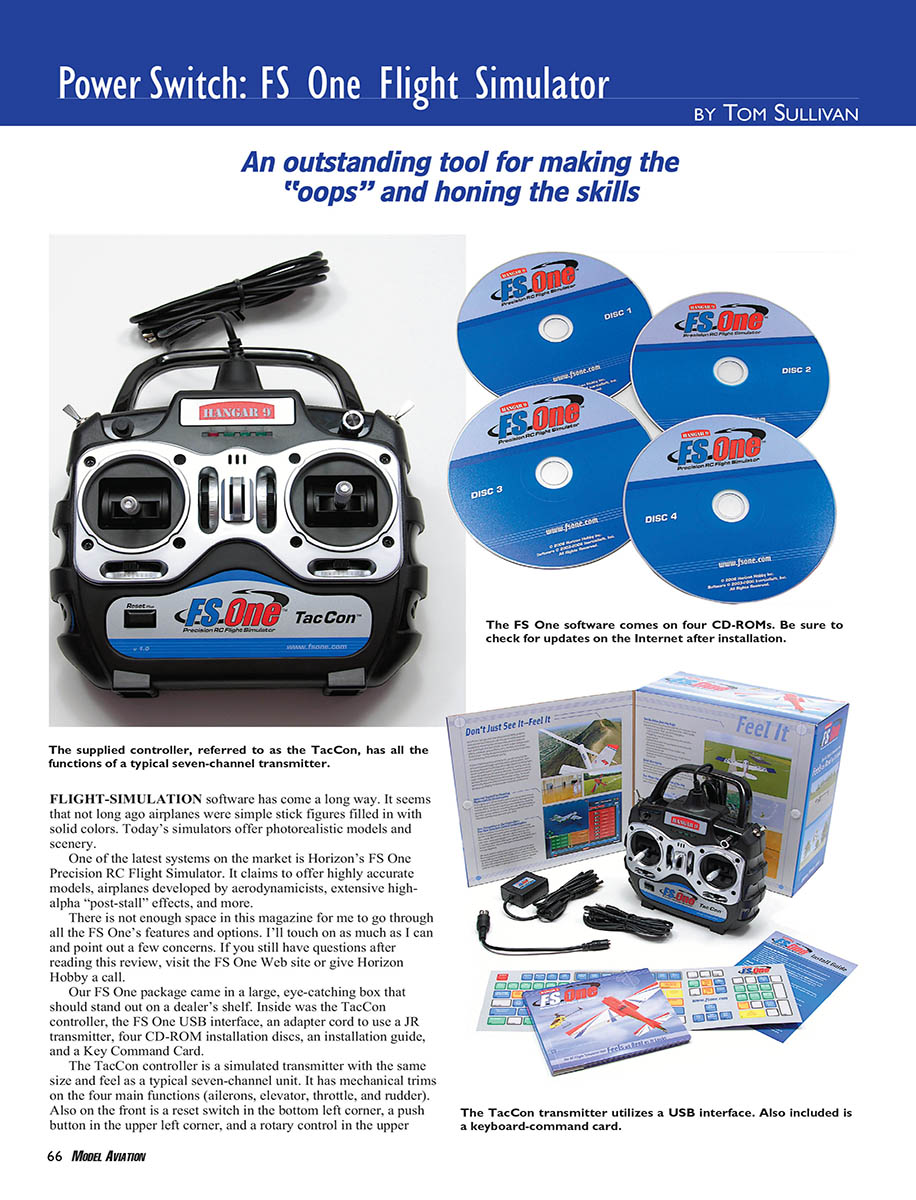
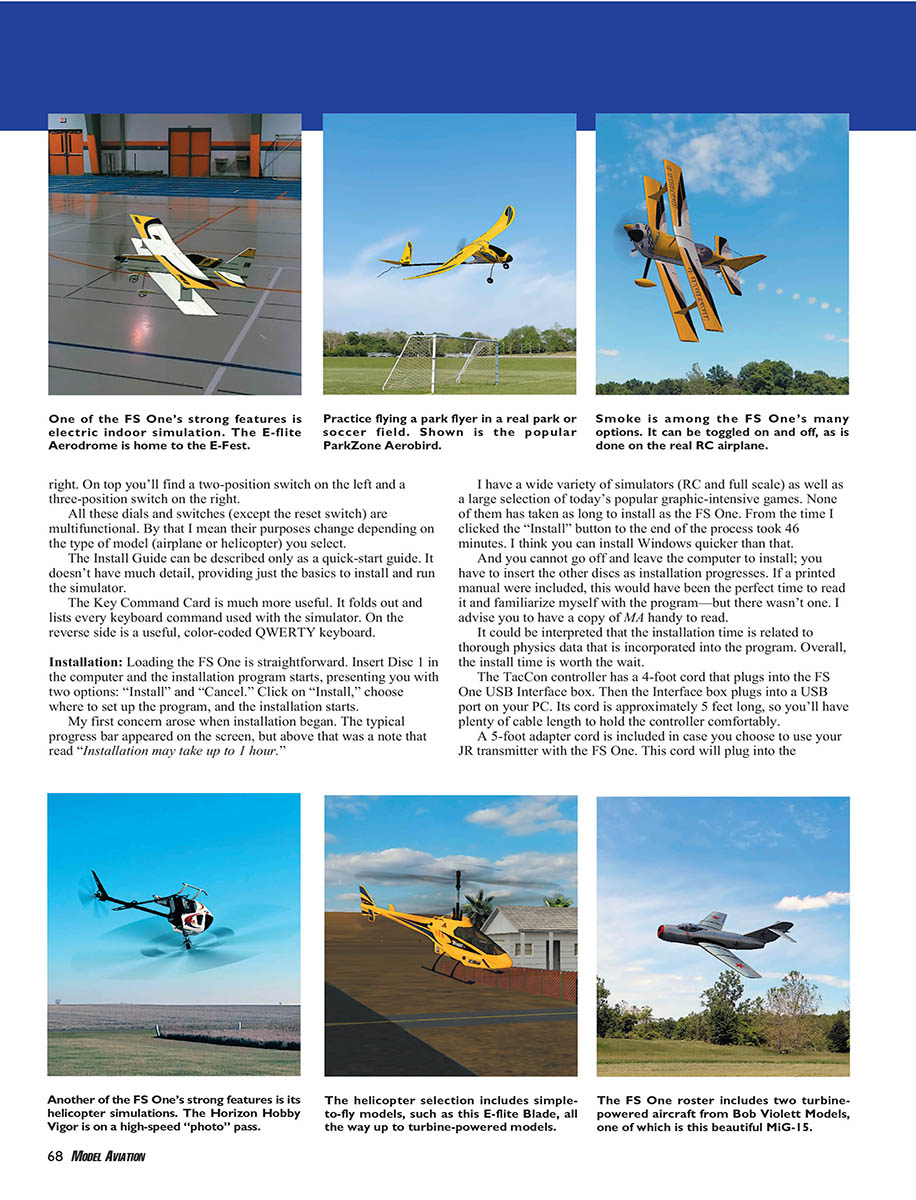
- TacCon controller (simulated transmitter with the size and feel of a typical seven-channel unit)
- FS One USB interface box
- JR transmitter adapter cable (5 ft)
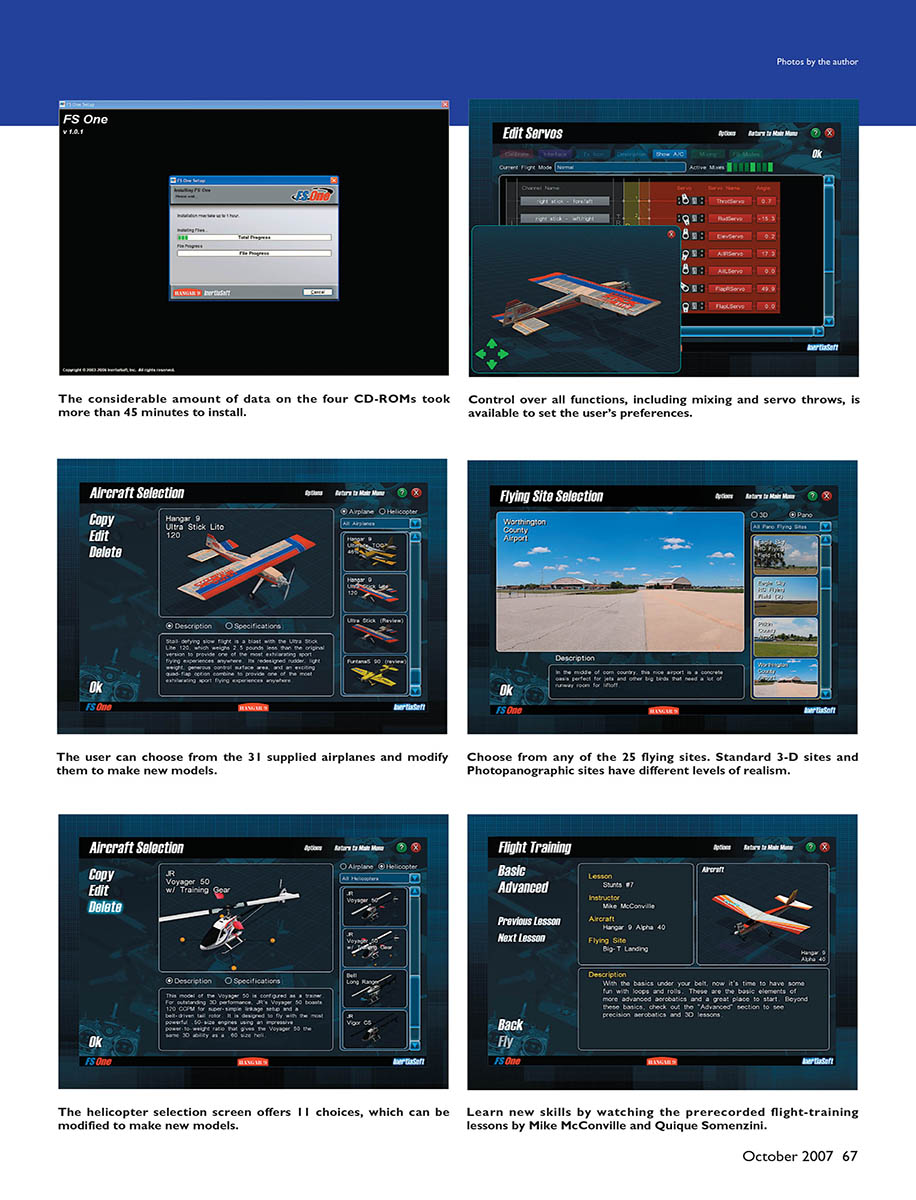
- Four CD-ROM installation discs
- Installation (quick-start) guide
- Key Command Card (fold-out, lists every keyboard command; reverse side has a color-coded QWERTY keyboard)
The TacCon has mechanical trims for ailerons, elevator, throttle, and rudder; a reset switch; a push button and a rotary control on the front; and a two-position switch (left) and three-position switch (right) on top. All switches and dials except the reset are multifunctional—their purposes change depending on whether you select an airplane or helicopter.
Installation
Process
Loading FS One is straightforward: insert Disc 1 and run the installer. Choose the install location and proceed. The program installs from four CDs and prompts for each disc during the process; you cannot walk away and let it run unattended.
- Total install time on my system: ~46 minutes (the installer warns it may take up to 1 hour).
- You should register the product online and download the latest updates before first run. At the time of writing, version 1.0.4 fixed several issues; a later patch, 1.0.7, addressed additional problems (including wind parameters) and added content.
The Install Guide is a quick-start and lacks depth; the Key Command Card is much more useful for day-to-day use.
Hardware connections
- TacCon cord: ~4 ft, plugs into the FS One USB Interface box.
- Interface box cord: ~5 ft, plugs into the PC USB port.
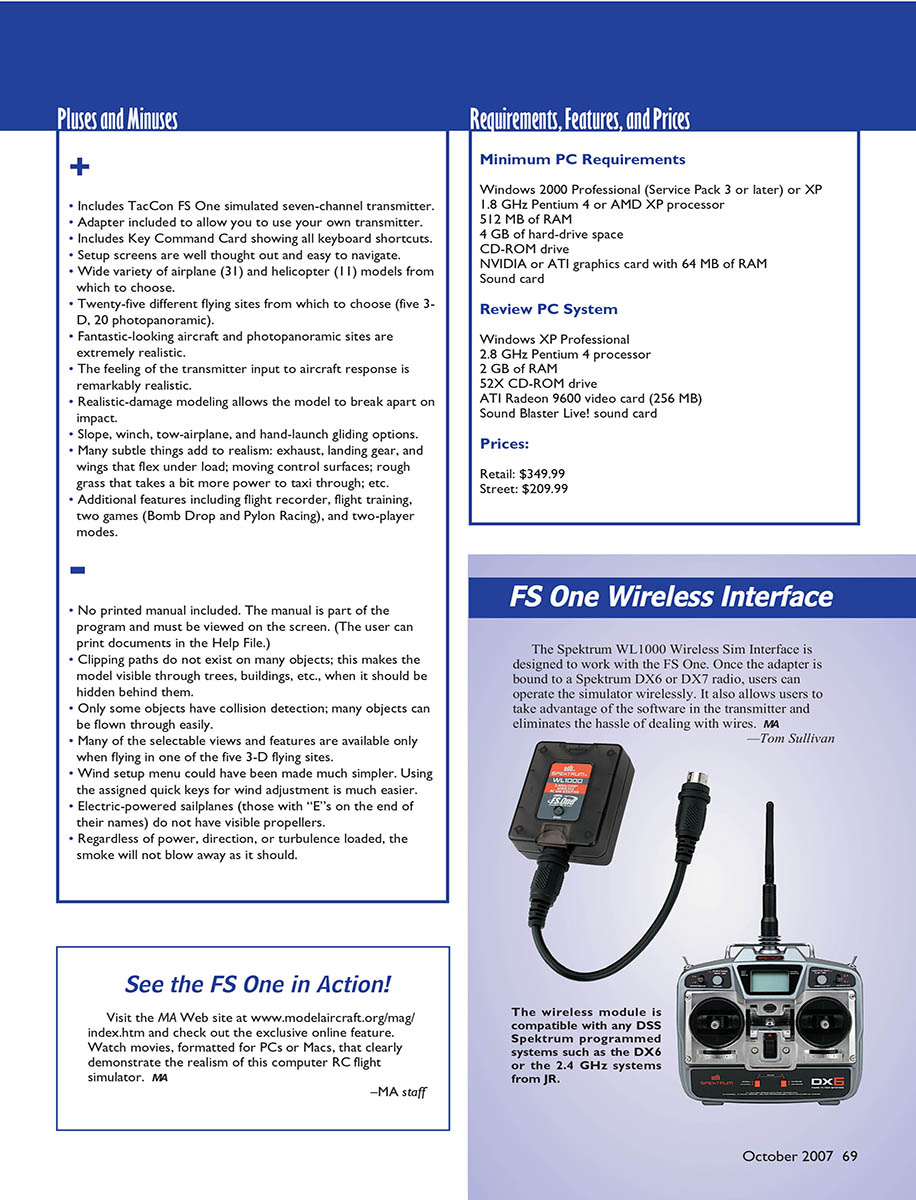
- JR adapter cord (~5 ft) lets you use a JR transmitter (plugs into the interface box and your transmitter’s trainer port).
Setup and Options
Starting the simulator presents clear, well-designed menu screens. Most features are accessible in a few clicks; more advanced options are available if you dig deeper.
Before flying:
- Calibrate your controller (TacCon or your transmitter).
- Verify video and audio settings match your PC.
- Default options for smoke, towlines, physics, and messages were acceptable for general use.
From the main menu you choose Single Player or Two Player, then Freestyle, Towplane/Sailplane, Game, or (in Single Player) Flight Training. Each selection brings up screens to choose model, flying site, sky/wind conditions, recordings, and more. Current selections are shown in dedicated windows for clarity.
Content and Customization
- Aircraft: 31 supplied airplanes (variety includes sport, scale, electric, 3-D, turbine, trainer, sailplane, etc.). Many are current Horizon Hobby aircraft, a few are generic or from Bob Violett Models. Aircraft can be modified to create new models.
- Helicopters: 11 choices, also modifiable.
- Flying sites: 25 sites (20 labeled "Photopanographic"—photorealistic—and 5 basic “3D” sites that use modeled scenery).
- Flight recordings: More than 160 prerecorded recordings included.
- Editors: Scaling Wizard and Aircraft Editor let you change size and power; changes are reflected in flight behavior. You can customize colors, trim schemes, and decals with graphics editors.
Setup: Flying Sites and Wind
- Photopanographic sites are highly realistic; 3D sites offer selectable skies (cloud coverage, haze, time of day).
- Site types include paved/grass runways, indoor fields, soccer fields, hillsides, parks, and a parking garage.
- Wind selection is presented as a long list of prepared wind conditions (steady/turbulent, thermals, speed, direction), rather than independent sliders—so you pick a preset that matches what you want.
Flying
Load times and display
- Typical simulation load: ~15–30 seconds depending on options.
- Full-screen mode is available; the default field of view can feel tight—adjust FOV for more situational awareness.
Flight modeling and realism
- Flight models are generally very good. The default Vigor airplane feels realistic; stalls and high-alpha effects are well simulated. Aerobatic models handle crisp 3-D maneuvers realistically.
- Helicopters are impressive; collective and cyclic feel authentic with careful calibration.
- The simulator models post-stall effects, tip stalls, torque and gyroscopic effects, propwash, ground effect, wind, thermals, and turbulence.
- Crash damage is realistic—aircraft break apart, tumble, cartwheel, or ground loop. Ground-handling varies by surface (grass vs pavement).
Tools and features for practice
- Flight Recorder: record flights and replay from different camera angles or fly along with recordings.
- Camera options: multiple views including head-on views to practice landings.
- Training: prerecorded lessons by Mike McConville and Quique Somenzini cover basic through advanced fixed-wing maneuvers; lessons show stick input and include audio commentary.
Controls
- TacCon: solid feel similar to hobby-grade transmitters (good for muscle-memory transfer). Responsive and reliable once configured.
- Calibration and channel mapping require a few extra steps; documentation for TacCon is sparse and multifunction switches take time to learn.
- JR transmitter support via adapter cable is a plus.
Special Features
- Flight Training:
- Basic and Advanced lessons by Mike McConville and Quique Somenzini.
- Covers takeoffs, landings, and advanced 3-D maneuvers (Harrier, Blender, Inverted Flat Spin).
- Lessons are limited to fixed-wing aircraft.
- Flight Recording:
- More than 160 recordings included.
- Press 'R' to record and save your own flights.
- When loading a recording, you must also select the referenced flying site manually.
- Towplane/Sailplane:
- Fly either the towplane or sailplane; the computer flies the other via a recording.
- Release the glider with the Insert key.
- Note: some gliders are actually electric (marked with an "E") and have a rotary throttle; if not set to off, they may taxi or move unexpectedly.
- Games:
- Bomb Drop: wing-fired rockets and bombs to hit aerial or ground targets (Single Player only). Options for limited/unlimited ammo.
- Pylon Racing: single- or two-player. Set pylons, laps, penalties, site limits, and aircraft.
Problems and Limitations
There are several important issues to be aware of:
- Clipping paths
- Many trees and buildings lack clipping paths. Aircraft should disappear or be occluded when flying behind objects but often remain visible.
- Example: Decatur Club Site (trees) and Tri-City Parking Garage site allow aircraft to be seen or to pass through walls where they should be hidden.
- Collision detection inconsistencies
- Some objects have collision detection, others do not.
- Example: Hot Springs museum site—some parked airplanes collide, others can be flown through; runway lights may crash you while other objects do not register collisions.
- Towplane/Sailplane model selection
- The simulator does not restrict model choices for towplane/sailplane scenarios. You can pair inappropriate combinations (e.g., turbine helicopter or tiny J-3 towing a heavy glider) that are unrealistic.
- Towline behaves oddly: very elastic and indestructible in my experience.
- Corrupted model files
- A few aircraft files can be corrupted and either fail to load or crash the program (I experienced problems with the Curtiss Jenny and Sopwith Pup). Horizon provided replacement files via website updates—check for updates after installation.
- Occasional physics/camera issues and stability
- Rare ground glitches: bouncing, clipping through terrain, camera jerks.
- I had one freeze; stability improved after updating to version 1.0.4. Later patches (1.0.7) addressed more issues.
These problems are unusual for a simulator at this price point and should be addressed in future updates.
Conclusion
FS One is a powerful and feature-rich RC flight simulator. Its strengths are realistic flight modeling, a wide variety of aircraft, and the Photopanographic scenery. The TacCon hardware is solid, and support for JR transmitters is welcome. Installation and initial configuration can be fiddly, and there are noteworthy issues with clipping paths, collision detection, and a few corrupted files—but many issues are addressed by patches and updates. Overall, FS One offers more than enough for pilots to practice, experiment, and enjoy both serious training and casual gaming.
I hope Horizon continues development, releases more add-ons, and resolves the remaining glitches.
Tom Sullivan [email protected]
Manufacturer/Distributor
Horizon Hobby, Inc. 4105 Fieldstone Rd. Champaign, IL 61822 (800) 338-4639 www.fsone.com
Other Review Sources
- RCM&E: May 2007
- Flying Models: April 2007
- Model Airplane News: February 2007
- Quiet Flyer: February 2007
- RCMF: May 2007
- www.masportaviator.com
Transcribed from original scans by AI. Minor OCR errors may remain.

