
Power Switch: Futaba 10C 2.4 GHz FASST System
Michael Ramsey
SO MANY CHOICES are available to the RC modeler. Besides every size of aircraft, there’s an abundance of helicopters from which to choose. If that weren’t enough, today’s seasoned aeromodeling enthusiast might even be scratching his or her head about what frequency to use.
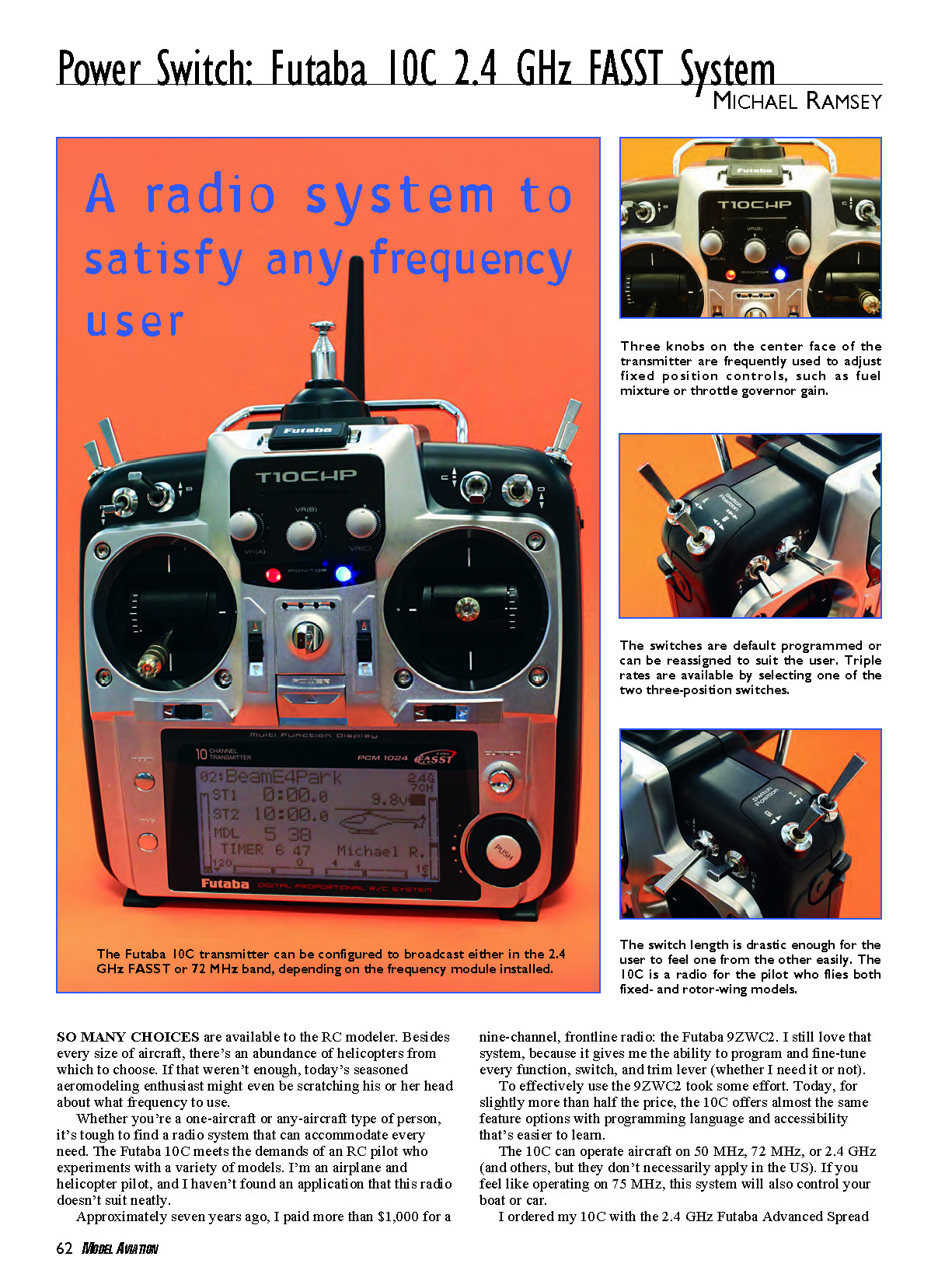
Whether you’re a one-aircraft or any-aircraft type of person, it’s tough to find a radio system that can accommodate every need. The Futaba 10C meets the demands of an RC pilot who experiments with a variety of models. I’m an airplane and helicopter pilot, and I haven’t found an application that this radio doesn’t suit neatly.
Approximately seven years ago I paid more than $1,000 for a nine-channel, frontline radio: the Futaba 9ZWC2. I still love that system, because it gives me the ability to program and fine-tune every function, switch, and trim lever (whether I need it or not). To effectively use the 9ZWC2 took some effort. Today, for slightly more than half the price, the 10C offers almost the same feature options with programming language and accessibility that’s easier to learn.
The 10C can operate aircraft on 50 MHz, 72 MHz, or 2.4 GHz (and others, though they don’t necessarily apply in the US). If you feel like operating on 75 MHz, this system will also control your boat or car.
I ordered my 10C with the 2.4 GHz Futaba Advanced Spread Spectrum Technology (FASST) module. Swapping the frequency module from the transmitter’s back panel can put the standard antenna to good use. This means that my investment in perfectly good 72 MHz receivers is still viable and able to take advantage of the 10C’s programmability.
The data-stream fidelity depends on the equipment chosen to work with the 10C; not all servos and receivers perform the same. With the included Futaba R6014FS 14-channel FASST receiver, the user gets the highest precision possible from the pure-digital data stream: 2048-step resolution. The 10C will work with any FASST receiver; however, below eight channels the resolution steps down to 1024 (still very good). Any Futaba narrow-band FM receiver can be used with the 10C, but only receivers marked "PCM1024" will operate at that resolution. The TP-72 or TP-FM module is required to operate the 10C on 72 MHz. It’s nice to have options.
Pilots who enjoyed the popular Futaba 9C radio should be happy to know that the 10C is downward compatible. A memory module such as Futaba’s CamPAC or an aftermarket compatible unit can be used to move any model stored in the 9C into the 10C. Without the memory module, there’s room for 15 models in the 10C. Each storage block contains all trim positions, switch settings, and channel functions, as well as the frequency band used. It will remember whether the model used PPM or PCM, but it won’t remember the channel number.
I don’t expect to use my 10C in 72 MHz mode too often. I’m spoiled by not having to concern myself with frequency conflicts, and the FASST system’s efficiency makes sense. FASST receivers are easy to link with the transmitter, and because the 2.4 GHz signal hops (Futaba calls it continuous channel shifting) hundreds of times per second, there’s almost no chance of same-channel interference.
Why upgrade from the 9C?
There are a couple things that faithful Futaba users will appreciate. Because the data between the aircraft and transmitter is totally digital when used with the TM-10 module, the model’s response is noticeably quicker. I’ve also found that the improvement in servo performance is similar to upgrading the power pack from 4.8 to 6.0 volts — servos seem to move sooner.
Servo grouping is a great reason to upgrade. When servos are programmed to work together, as in a dual-elevator or Cyclic/Collective Pitch Mixing (CCPM) swashplate setup, the signal is sent simultaneously. Futaba arranges the data flow so the proper servos get the message at the same time; therefore, all move with precision. Imagine flying with elevator halves moving at different times — what a hassle.
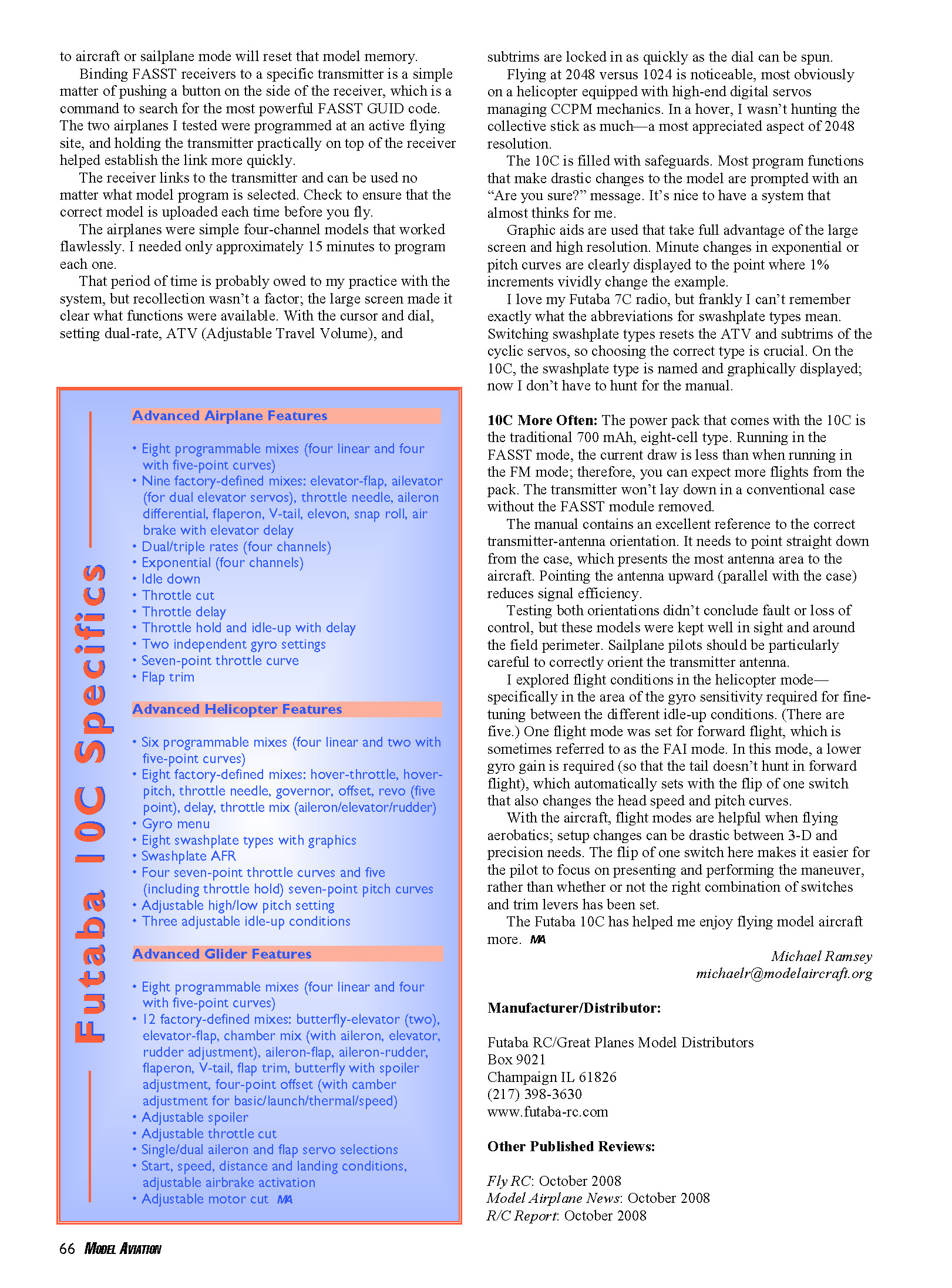
A reason the Futaba 9C was so popular was that its switches were preprogrammed with popular functionality but could be reassigned at the user's will. That’s a big benefit for those who use one radio to fly helicopters and airplanes. With the 10C, Futaba added Smart Switch Technology: combinations of joystick and/or switch positions will activate user-programmed flight conditions. This makes the transmitter easier to use and reduces pilot workload because functions activate with natural inputs without moving fingers off the sticks.
All 10 channels on the 10C are fully functional and proportional. When grouping a large number of servos it's nice to know Channel 10 has the same precision and fidelity as Channel 1. So now 9C users with ganged servos on Y harnesses can reduce some wiring.
Transmitter ergonomics and controls
The 10C transmitter is comfortable to hold, with rubber grips on the back to prevent slippage. The case has a limited amount of indentations and texture to reduce the possibility of dirt and oil settling and eventually ruining the finish. A minimal number of screws attaches the case halves, so getting in to make gimbal-tension adjustments is uncomplicated (I like tight sticks).
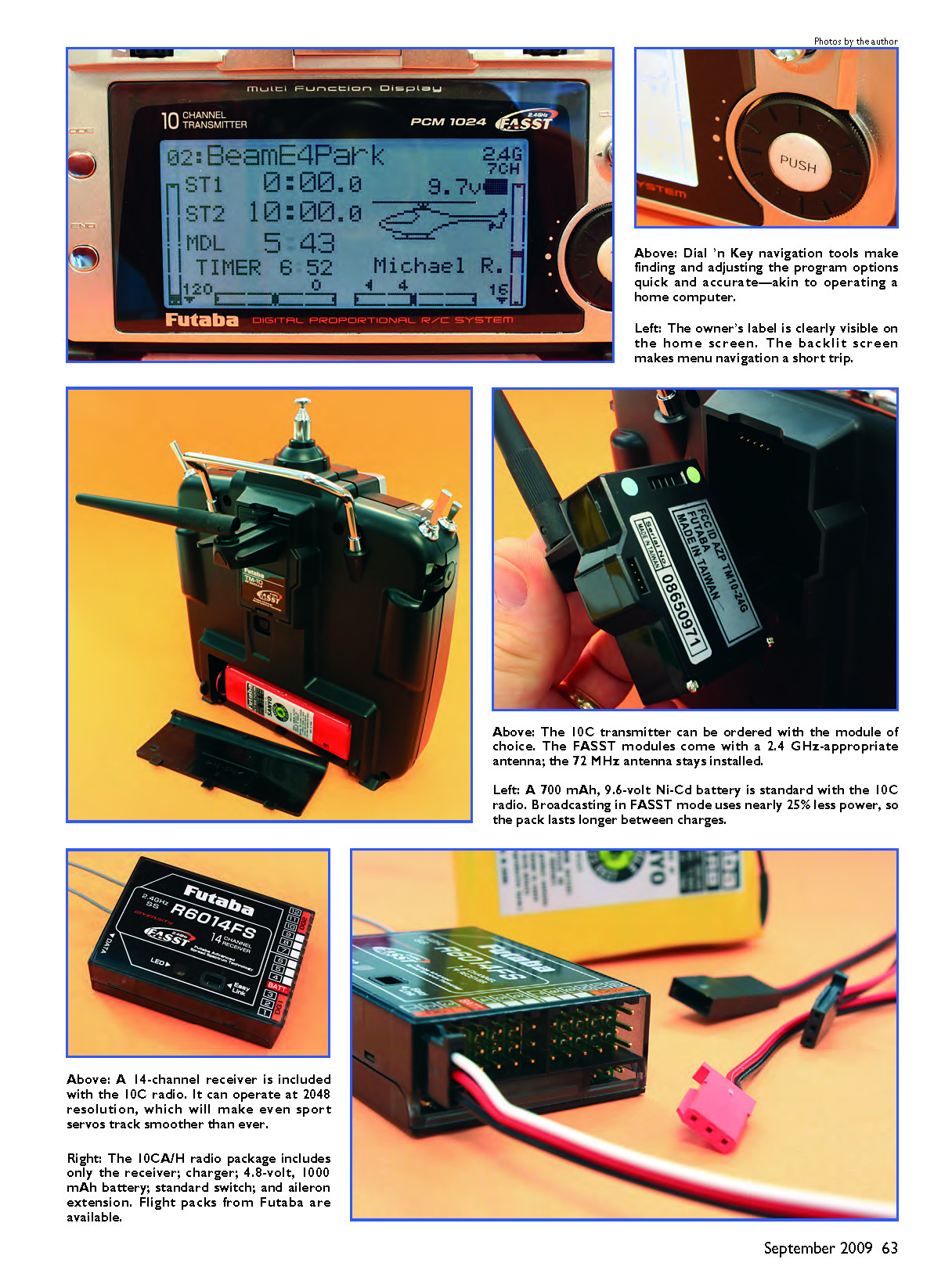
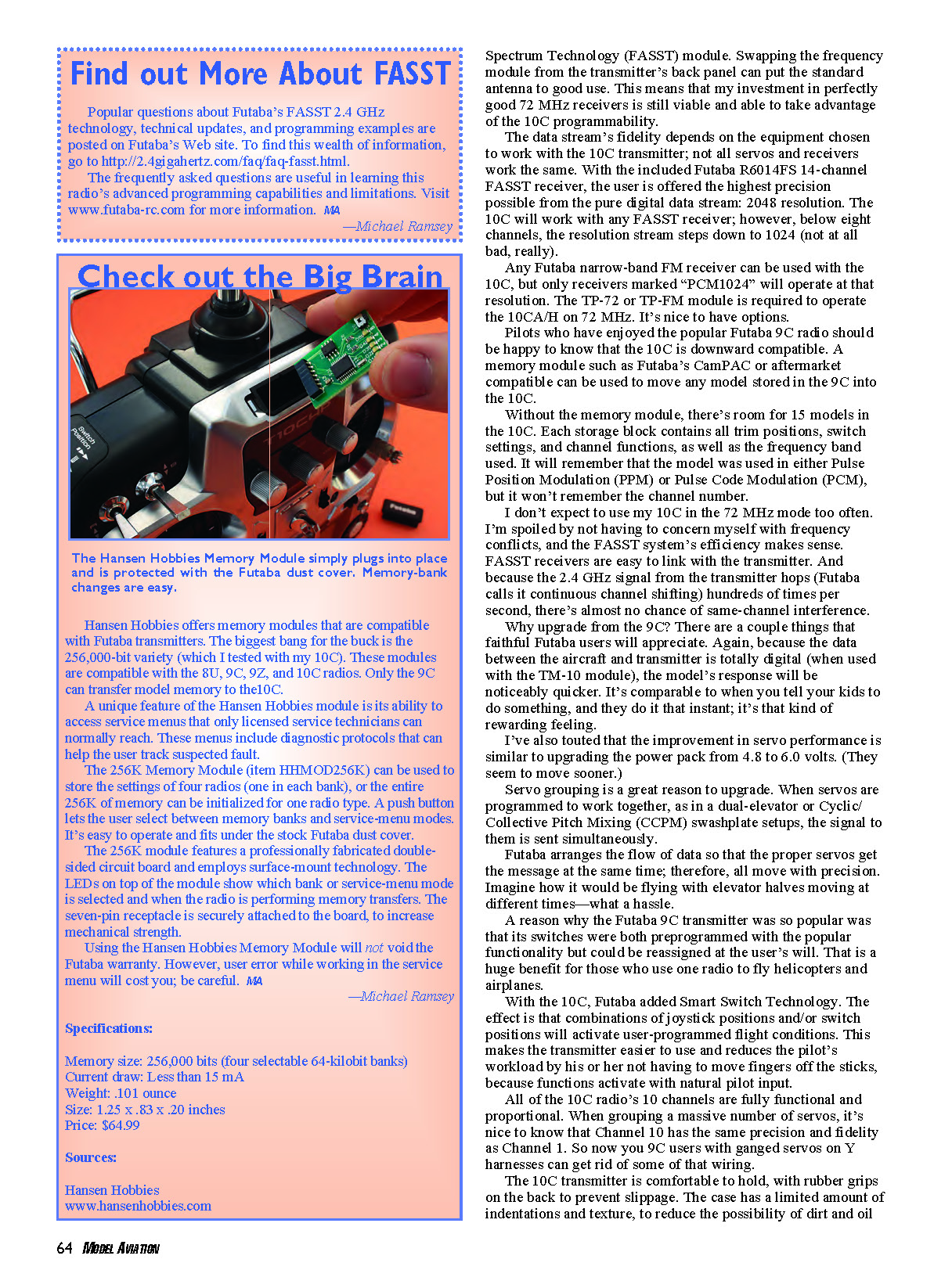
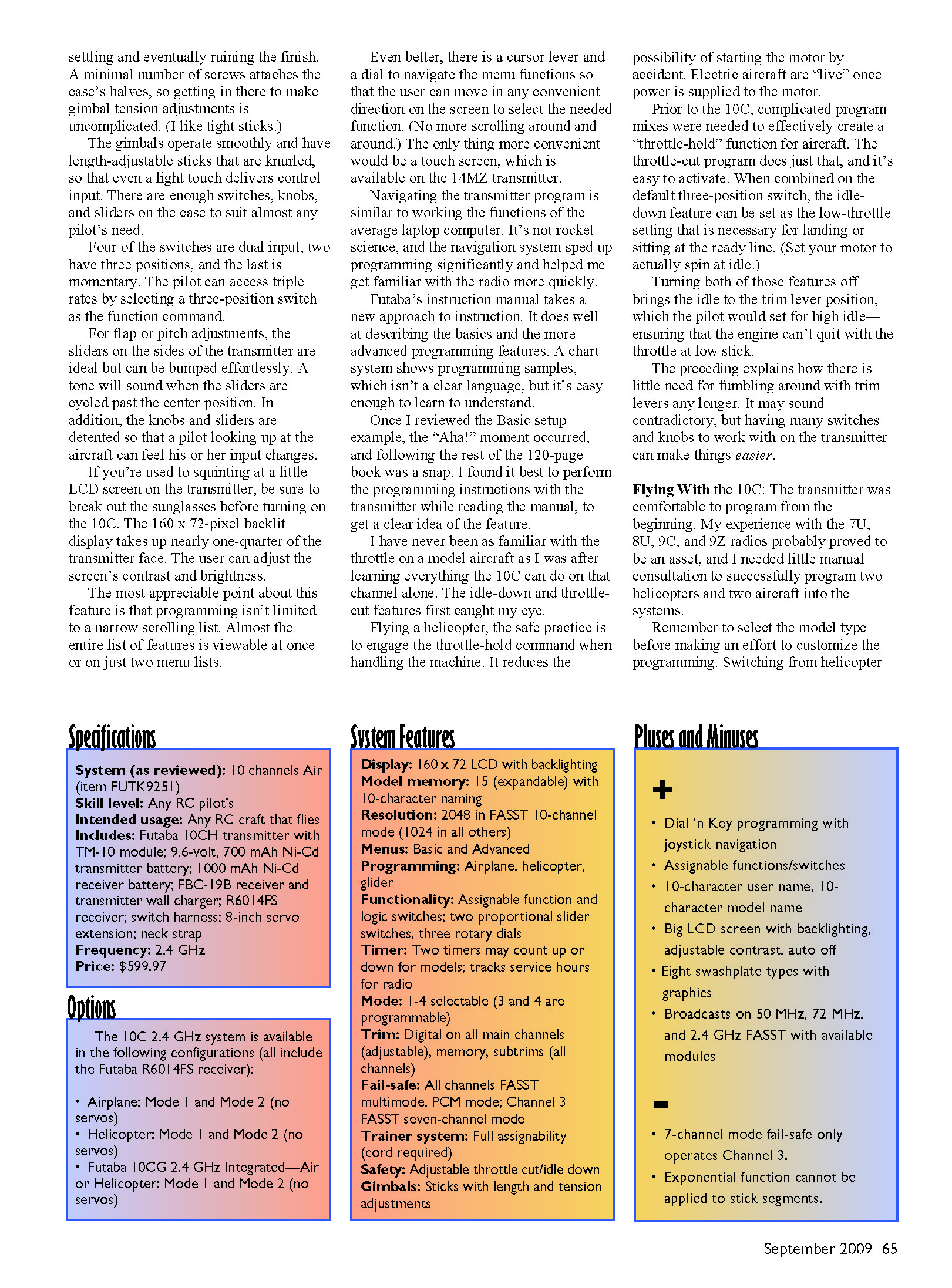
The gimbals operate smoothly and have length-adjustable, knurled sticks so even a light touch delivers control input. There are enough switches, knobs, and sliders on the case to suit almost any pilot’s need. Four of the switches are dual-input, two have three positions, and the last is momentary. The pilot can access triple rates by selecting a three-position switch as the function command.
For flap or pitch adjustments, the sliders on the sides are ideal but can be bumped easily. A tone will sound when the sliders are cycled past the center position. In addition, the knobs and sliders are detented so a pilot looking up at the aircraft can feel input changes.
If you're used to squinting at a little LCD screen on the transmitter, break out the sunglasses before turning on the 10C. The 160 × 72-pixel backlit display takes up nearly one-quarter of the transmitter face. The user can adjust the screen’s contrast and brightness. The programming isn’t limited to a narrow scrolling list — almost the entire list of features is viewable at once or on just two menu lists.
There is a cursor lever and a dial to navigate the menu functions so the user can move in any convenient direction on the screen to select a function. No more endless scrolling. The only thing more convenient would be a touch screen, which is available on the 14MZ transmitter.
Navigating the transmitter program is similar to working the functions of an average laptop computer. It’s not rocket science, and the navigation system sped up programming significantly and helped me get familiar with the radio more quickly.
Manual and learning curve
Futaba’s instruction manual takes a new approach to instruction. It describes the basics and the more advanced programming features well. A chart system shows programming samples; the language isn’t always perfectly clear, but it’s easy enough to learn. Once I reviewed the Basic setup example the “Aha!” moment occurred, and following the rest of the 120-page book was a snap. I found it best to perform the programming instructions with the transmitter while reading the manual to get a clear idea of each feature.
I have never been as familiar with the throttle on a model aircraft as I was after learning everything the 10C can do on that channel alone. The idle-down and throttle-cut features first caught my eye. Flying a helicopter, safe practice is to engage the throttle-hold command when handling the machine to reduce the possibility of starting the motor by accident. Electric aircraft are "live" once power is supplied to the motor.
Prior to the 10C, complicated program mixes were needed to effectively create a throttle-hold function. The throttle-cut program does just that and is easy to activate. When combined on the default three-position switch, the idle-down feature can be set as the low-throttle for landing or waiting at the ready line (set your motor to actually spin at idle). Turning both of those features off brings the idle to the trim-lever position, which the pilot would set for high idle — ensuring the engine won't quit at low stick.
Having many switches and knobs on the transmitter can actually make things easier; there’s little need for fumbling with trim levers any longer.
Flying With the 10C
The transmitter was comfortable to program from the beginning. My experience with the 7U, 8U, 9C, and 9Z radios was an asset, and I needed little manual consultation to successfully program two helicopters and two aircraft into the system. Remember to select the model type before customizing programming — switching from helicopter to aircraft or sailplane mode will reset that model memory.
Binding FASST receivers to a specific transmitter is a simple matter of pushing a button on the side of the receiver; it searches for the most powerful FASST GUID code. The two airplanes I tested were programmed at an active flying site, and holding the transmitter practically on top of the receiver helped establish the link more quickly. The receiver links to the transmitter and can be used no matter what model program is selected. Check to ensure the correct model is uploaded each time before you fly.
The airplanes were simple four-channel models that worked flawlessly. I needed only about 15 minutes to program each one. That speed is partly owed to my practice with the system, but the large screen also made it clear what functions were available. With the cursor and dial, setting dual-rate, ATV (Adjustable Travel Volume), and subtrims is as quick as spinning the dial.
Flying at 2048 versus 1024 is noticeable, most obviously on a helicopter equipped with high-end digital servos managing CCPM mechanics. In a hover I wasn’t hunting the collective stick as much — a most appreciated aspect of the 2048 resolution.
The 10C is filled with safeguards. Most program functions that make drastic changes to the model prompt an “Are you sure?” message. It’s nice to have a system that almost thinks for me.
Graphic aids take full advantage of the large screen and high resolution. Minute changes in exponential or pitch curves are clearly displayed so that 1% increments visibly change the example. I love my Futaba 7C radio, but I sometimes forget the abbreviations for swashplate types. Switching swashplate types resets the ATV and subtrims of the cyclic servos, so choosing the correct type is crucial. On the 10C, the swashplate type is named and graphically displayed; now I don't have to hunt for the manual.
Power pack, antenna orientation, and flight modes
The power pack that comes with the 10C is the traditional 700 mAh, eight-cell type. Running in FASST mode, the current draw is less than in FM mode; therefore, you can expect more flights from the pack. The transmitter won't fit in a conventional case with the FASST module installed, so the module must be removed for conventional storage.
The manual contains an excellent reference to the correct transmitter-antenna orientation: the antenna should point straight down from the case, which presents the most antenna area to the aircraft. Pointing the antenna upward (parallel with the case) reduces signal efficiency. Testing both orientations didn’t result in loss of control for models kept in sight and near the field perimeter, but sailplane pilots should be particularly careful to correctly orient the antenna.
I explored flight conditions in helicopter mode — specifically gyro sensitivity required for fine-tuning between different idle-up conditions (there are five). One flight mode was set for forward flight, sometimes referred to as FAI mode. In this mode a lower gyro gain is required so the tail doesn’t hunt in forward flight; this is automatically set with the flip of one switch that also changes head speed and pitch curves.
With aircraft, flight modes are helpful when flying aerobatics; setup changes can be drastic between 3-D and precision needs. Flipping one switch makes it easier for the pilot to focus on performing the maneuver rather than worrying whether the right combination of switches and trim levers is set.
The Futaba 10C has helped me enjoy flying model aircraft more.
Michael Ramsey [email protected]
Transcribed from original scans by AI. Minor OCR errors may remain.

