
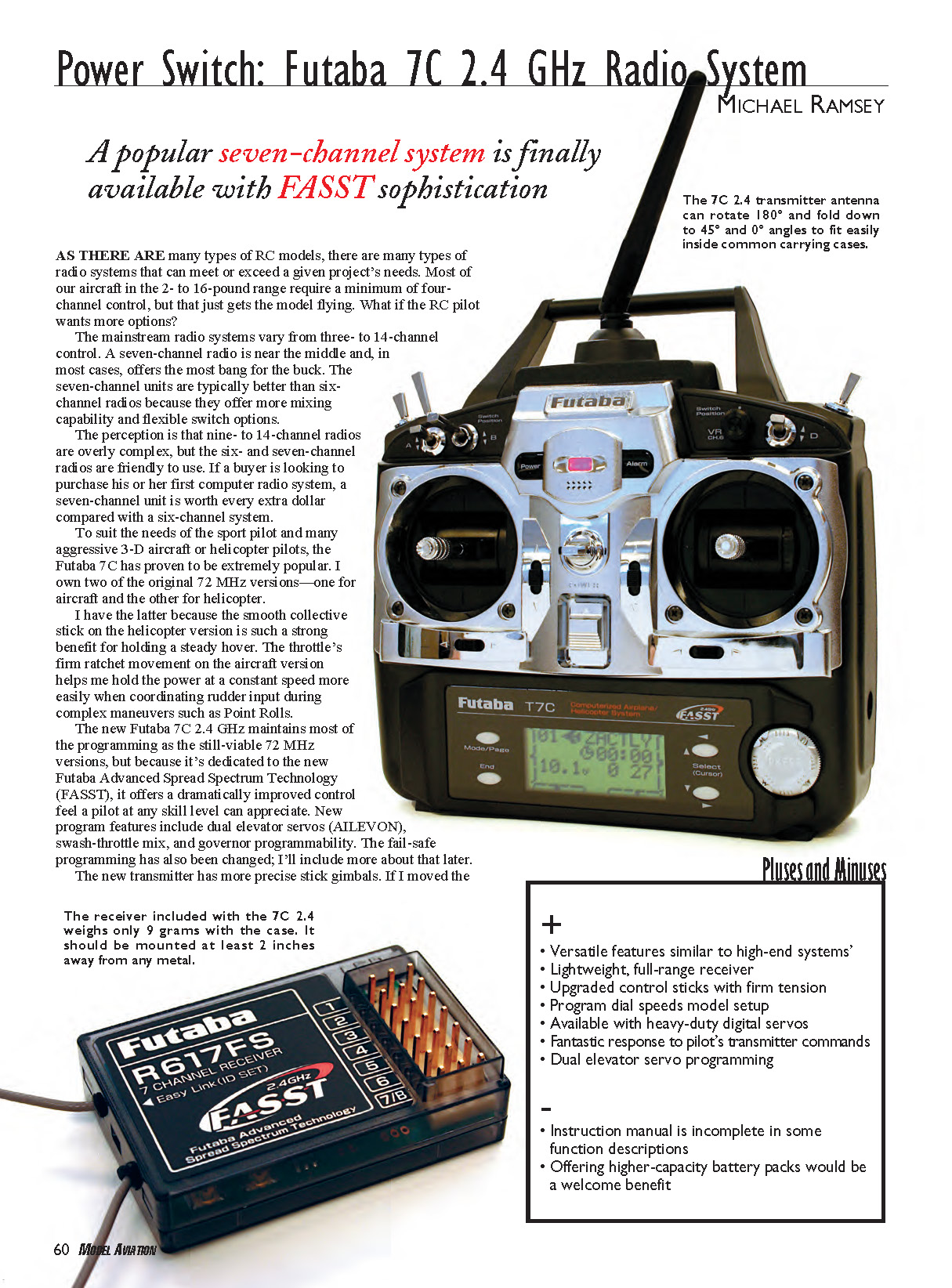
Power Switch: Futaba 7C 2.4 GHz Radio System
Michael Ramsey
A popular seven-channel system is finally available with FASST sophistication
AS THERE ARE many types of RC models, there are many types of radio systems that can meet or exceed a given project's needs. Most of our aircraft in the 2- to 16-pound range require a minimum of four-channel control, but that just gets the model flying. What if the RC pilot wants more options?
Mainstream radio systems vary from three- to 14-channel control. A seven-channel radio is near the middle and, in most cases, offers the most bang for the buck. Seven-channel units are typically better than six-channel radios because they offer more mixing capability and flexible switch options.
The perception is that nine- to 14-channel radios are overly complex, but six- and seven-channel radios are friendly to use. If a buyer is looking to purchase his or her first computer radio system, a seven-channel unit is worth every extra dollar compared with a six-channel system.
To suit the needs of the sport pilot and many aggressive 3-D aircraft or helicopter pilots, the Futaba 7C has proven to be extremely popular. I own two of the original 72 MHz versions—one for aircraft and the other for helicopter. I have the helicopter version because the smooth collective stick on that model is such a strong benefit for holding a steady hover. The throttle's firm ratchet movement on the aircraft version helps me hold the power at a constant speed more easily when coordinating rudder input during complex maneuvers such as point rolls.
The new Futaba 7C 2.4 GHz maintains most of the programming of the still-viable 72 MHz versions, but because it's dedicated to Futaba Advanced Spread Spectrum Technology (FASST), it offers a dramatically improved control feel a pilot at any skill level can appreciate. New program features include dual elevator servos (AILEVON), swash-throttle mix, and governor programmability. The fail-safe programming has also been changed; I'll include more about that later.
The new transmitter has more precise stick gimbals. If I moved the stick back and forth quickly on my older 7C radio, as is done while performing a "cracked" 3-D maneuver, the stick would soon start squeaking because of friction and bind. The new one doesn't do that. In addition, the stick tensions have been factory-adjusted to be tight—the way I like them.
Providing tight sticks shows forethought because with a FASST radio the stick movement is transmitted so much more quickly that it makes the servos move instantaneously. They act jittery in a way, but the servos are actually doing exactly what they're supposed to do. It means that the latency of the radio signal is almost zero. Futaba calls this ability "Real-Time Response," and it's my favorite advantage to using digital spread spectrum technology.
Overview
System (as reviewed): Futaba 7C 7-channel 2.4 GHz (FUTK7000)
Pilot skill level: Intermediate to advanced
Intended usage: 2- to 16-pound aircraft or helicopter
Includes:
- T7C 2.4 GHz transmitter
- R617FS FASST seven-channel, full-range receiver
- 1000 mAh, 4.8-volt Ni-Cd receiver battery
- 120-volt battery charger with 70 mA transmitter output and 100 mA receiver output
- Four S3152 digital high-torque servos
- 600 mAh, 9.6-volt Ni-Cd transmitter battery
- Switch harness with charge cord
- Black transmitter neck strap
- Servo-mounting hardware and instruction manual
Price: $349.98
Options
The 7C 2.4 GHz system is available in the following configurations (all include the Futaba R617FS receiver):
- Airplane version with four S3152 digital high-torque servos
- Helicopter version with four S3152 digital high-torque servos
- Airplane version with four S3004 standard ball-bearing servos
- Helicopter version with four S3001 standard ball-bearing servos
- Airplane version with no servos
- Helicopter version with no servos
The function dial makes programming easy and fast.
Pluses and Minuses
Pluses:
- Versatile features similar to higher-end systems
- Lightweight, full-range receiver
- Upgraded control sticks with firm tension
- Program dial speeds model setup
- Available with heavy-duty digital servos
- Fantastic response to pilot commands
- Dual elevator servo programming
Minuses:
- Instruction manual is incomplete in some function descriptions
- Offering higher-capacity battery packs would be a welcome benefit
Programming Features
Basic
- Ten-model memory
- Six-character model naming
- Dual rate/exponential
- Endpoint adjustment
- Subtrims
- Servo reversing
- Trim
- Adjustable throttle cut
- Fail-safe (for Channel 3 only)
- Trainer system
- Throttle curve normal (five points)
- Pitch curve normal (five points)
Advanced
- Three programmable mixes
- Flaperon
- Flap trim
- Air brake
- Elevator to flap
- Flap to elevator
- V-tail mixing
- Elevon mixing
- Aileron to rudder
- Ailevon mixing
- Ailevator mixing
- Snap
Helicopter
- Throttle curve (five points, Idle up 1 & 2)
- Pitch curve (five points, Idle up 1 & 2)
- Revo mixing
- Gyro
- Hovering throttle
- Hovering pitch
- Throttle hold
- Offset
- Six swashplate setups (five CCPM options)
- Governor select
- Swash-to-throttle mixing
Performance Impressions and Setup
What pilot wouldn't appreciate instant control response? The experience is equivalent to a high-speed servo upgrade or receiver-battery exchange from a four- to five-cell pack.
I tested the 7C 2.4 GHz system in one of my most sensitive and aerobatic foamies. Hanging the model on the propeller and holding it in a hover can be touchy because the skill demands almost precognitive pilot input. The old 7C worked great, but the new system gave me the feeling of being physically connected to the airplane. The smallest input I gave the transmitter stick produced an instant command to the aircraft. The sensation enhanced my confidence and my ability to fly more precisely.
If you ever have the chance to compare a 72 MHz system with the new FASST radio, check out how differently the servos work. In the 2.4 GHz unit they seem to not only move more quickly, but also to stop and start more precisely. If the control-stick tensions were soft, as they typically come with a new transmitter, it would be easier to move the stick and likewise easier to overcontrol the model. So there you have it: I was impressed after just holding the transmitter in my hand.
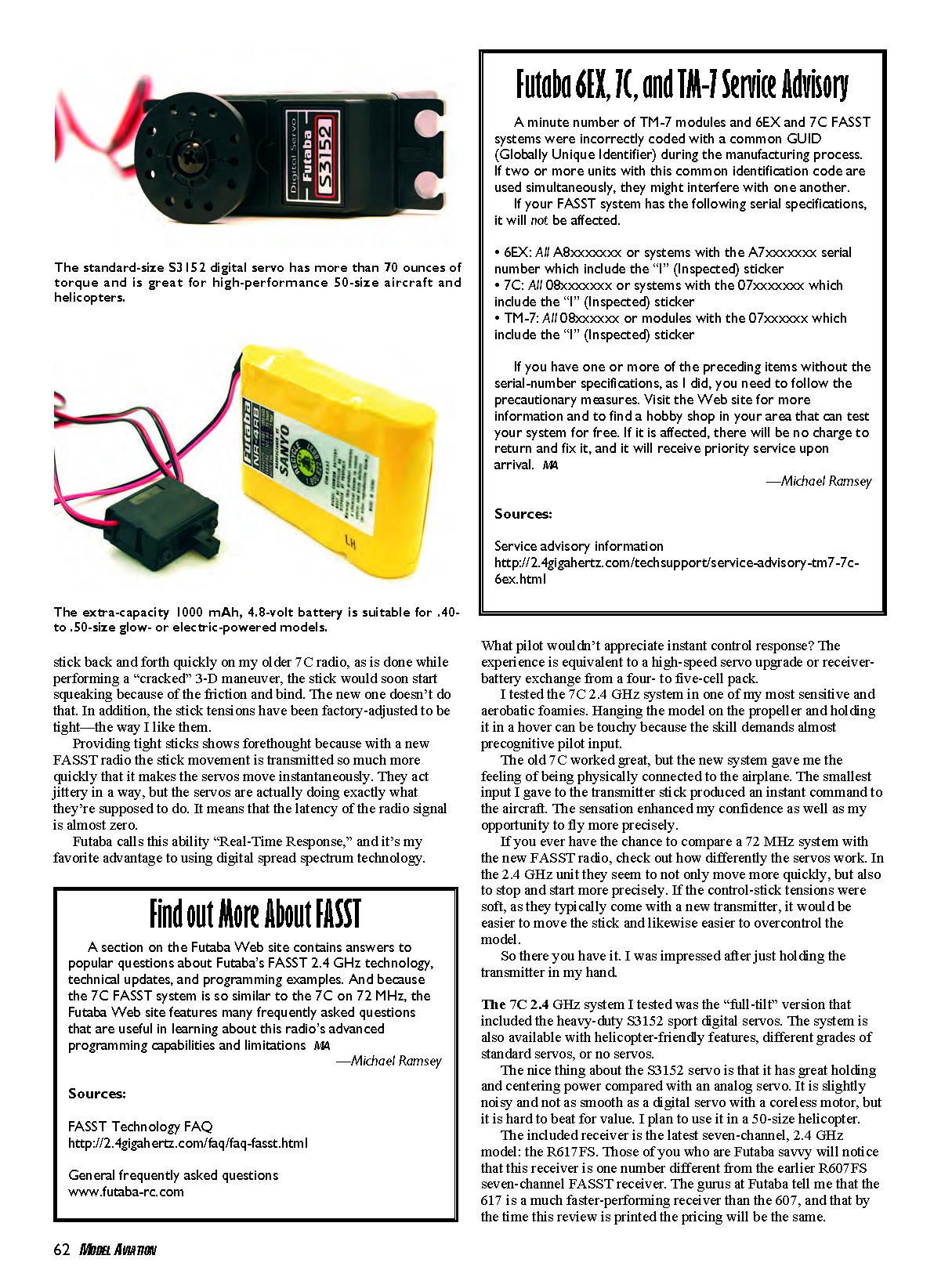
The 7C 2.4 GHz system I tested was the full-tilt version that included the heavy-duty S3152 sport digital servos. The system is also available with helicopter-friendly features, different grades of standard servos, or no servos. The nice thing about the S3152 servo is that it has great holding and centering power compared with an analog servo. It is slightly noisy and not as smooth as a digital servo with a coreless motor, but it is hard to beat for value. I plan to use it in a 50-size helicopter.
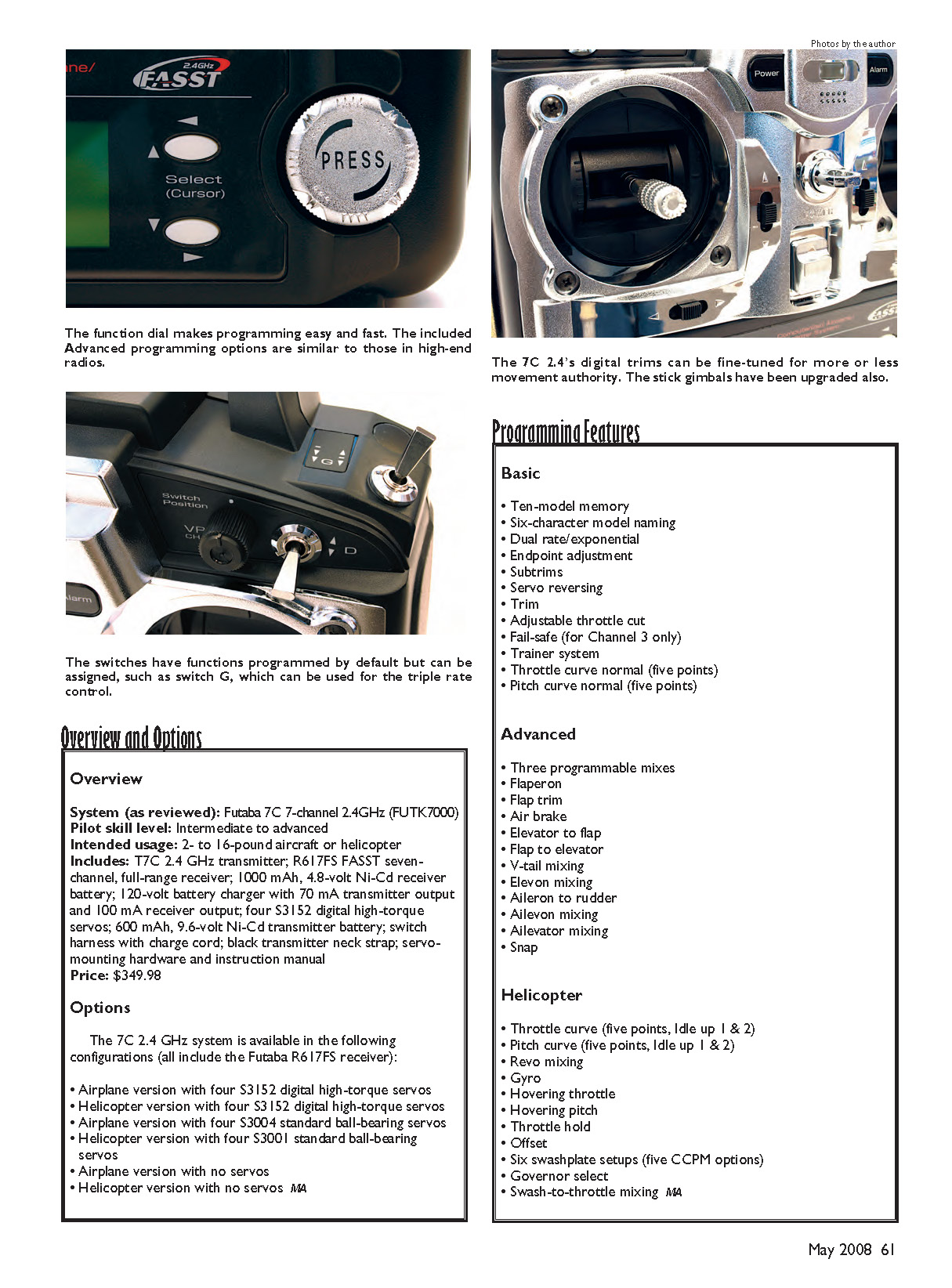
The included receiver is the latest seven-channel, 2.4 GHz model: the R617FS. Those who are Futaba savvy will notice that this receiver is one number different from the earlier R607FS seven-channel FASST receiver. The gurus at Futaba tell me that the 617 is a much faster-performing receiver than the 607, and that by the time this review is printed the pricing will be the same.
The receiver weighs 9 grams and offers range capabilities for any size model. Lightweight models or foamies can save 2 grams if the user substitutes the case for heat-shrink wrap. The included receiver is bound to the transmitter, and binding other Futaba FASST receivers to the system proved to be a simple matter.
During testing I mounted the receiver with only double-stick foam tape, but in larger models I’d wrap the unit in foam rubber. Metal objects, batteries, and servos should be kept at least a few inches away from the receiver antennas. The two short antennas should be mounted so that they are perpendicular to each other and should never cross. To assure this I secured the ends of each antenna with tape.
The “Power Down Mode” on the transmitter electronically reduces the output power so a static range test can be conducted. Three indicators on the transmitter notify the user when this mode is active—one on the 72 x 32-dot LCD screen, one on the back of the transmitter where a signal LED will flash red, and an audio signal that will sound every three seconds. Why all the warnings? It isn’t a good idea to fly with the transmitter in this condition.
There’s little worry about accidentally activating this function. Once the range check is complete, cycle the power switch and full range is restored. As with the old systems, the user should be able to walk 30–50 paces away from the model with no glitches. As an added safety measure, the transmitter will automatically return to normal output mode after 90 seconds in Power Down Mode.
I’m comfortable with the 7C radio and its program features and menus. I find the edit keys in combination with the command dial easy to operate. The menu and value being adjusted can be reached as fast as the operator can rotate the dial. I found the setup to be oversensitive at first, but it didn’t take long for me to adapt and appreciate how the dial’s precision allowed me to program more quickly. Since using the dial I find computer radios with only buttons to operate the programming functions antiquated.
The 7C’s features are split into a Basic and an Advanced menu. Those familiar with four- to six-channel radio systems will find the Basic menu offers familiar features and all the functions needed to get an aircraft or helicopter into the air. To tweak the model, pushing the Mode button brings the user into the Advanced menu, which calls up mixing functions and wing- and tail-type options.
Pilots who fly larger aircraft have lamented that a seven-channel radio was inadequate for airplanes equipped with dual elevator servos. These systems wouldn’t allow a mix to link a slave channel to the master channel’s trim lever. The only viable option was to add a servo accessory to the model, such as the Futaba SR-10, that would allow independent adjustment of the two servos outside the normal radio programming. Only high-end radios, typically eight to 14 channels, accommodated this mix—until now. The sensible 7C 2.4 can fulfill this long-awaited need.
The AILEVON feature alone is enough reason for me to want this radio. However, the system’s setup wasn’t at all clear in the manual. The instructions don’t mention what channels the elevator and aileron in this mix feature use. Look for an online FAQ or manual update in the near future.
Obviously two of the four servos go into the assigned aileron and elevator channels. Channel 5 is used for the second elevator servo, and Channel 6 is used for the second aileron. With that information, following the radio menu and the manual will get the model trimmed and ready to fly.
Jets are coming back in a big way and in all sizes; these pilots will appreciate the AILEVON programming feature as well. It allows a jet with independent servos on the elevators and ailerons to swap or share those transmitter stick functions. The elevators can function as ailerons and vice versa. This is a fun option to program on 3-D airplanes too. The AILEVON mix, like all mixing, can be set to be active all the time or switch selectable.
When digital trims first came out, it didn't take long for me to want nothing else. What I like most is that every program of the 10 available in this radio remembers where I left the trim. I never have to center the trim levers again unless I want to. What was awkward until now was that the user didn't have control over how quickly the trim lever could move its corresponding surface.
The TRIM function in the Basic menu is used to control the trim sensitivity. On a new model the user might want trims to have more movement per "beep" so that adjustments happen more rapidly. Later the step count on the trim can be decreased so the control can be fine-tuned. Along with the 100 steps in the SUB-TRIM function and the 40 steps in the trim levers themselves, this radio can help the user dial in a model perfectly.
The 7C's TRAINER feature is, by default, an inhibited function; the spring-loaded switch used for that feature is popular for other jobs. I use the spring-loaded switch (SW-F) for the THROTTLE CUT feature; that way if I bump it while flying, killing the engine is less likely to happen.
When a buddy box is connected, or any compatible four-channel radio, the functionality and mixing stored in the 7C transmitter can be experienced through the basic buddy box or likewise inhibited. I could not think of a use for this detailed feature until someone wanted to try my airplane but I didn't want to hand that person my transmitter midflight. A buddy box adds a measure of safety, and the 7C's functionality can still be experienced. The buddy-box pilot could experience my EXPO and triple rates with just the flip of a switch.
The six switches and single dial are assignable for some applications. The default program assignments are based on popular demand, and I found most of them to my liking. On 3-D and aerobatic models I simplify the dual-rate change operation by locating the aileron, elevator, and rudder rates on one switch instead of three.
Because I locate my rates on one switch, I can take advantage of the one three-position switch (SW-D) and have triple rates. The triple-rate feature is a vivid example of how diverse the switch assignments are and how personalized the 7C radio can be set up. Such features make higher-end systems more attractive.
It's important to remember that when the user sets up dual rates, the rate is adjustable on both sides of the control-stick center point. Depending on the model's CG location, control input isn't always translated to the model's reactions. The pilot has to compensate by not driving the stick harder one way than the other. By adjusting the DUAL RATE on both sides of the stick, the user can harmonize stick input requirements.
When adjusting control throws on the 7C, the user can primarily manipulate the amount of throw and resolution with the endpoint (E. POINT) program. This function's default setting is 100% on both sides of center, which can be increased to 140%. That permits full deflection from the servo, but it also increases the number of steps available to reach those ends. The opportunity for precise servo movement is therefore increased, which is a bonus for precision aerobatics pilots.
The DUAL RATE function can also be used to control the limit of throw on the aileron, elevator, or rudder. If the E. POINT is set to 140% and the DUAL RATE is set to 140% (which isn't recommended but can be done), the transmitter-stick bottom point will move inward; the last few degrees of stick movement won't change the servo location. I experienced this situation because I was looking for every bit of travel from the servo for a 3-D model. If the E. POINT values are increased to their full potential, don't increase the DUAL RATE value to more than 110%; that's the most travel you can get out of the servo and still have full range in the control stick. The instruction manual diagrams on page 33 were helpful regarding these surface-movement conditions.
Because I have used the 7C systems for a while and am comfortable with them, the transmitter battery gets lots of exercise. The stock 600 mAh transmitter Ni-Cd has lasted me only approximately an hour. To be cautious, I stop flying when the battery voltage drops to less than 9.6 V. The typical battery drain on a 7C FASST system is 180 mA. That’s low compared to a 72 MHz system that drains 250 mA on average. I should be getting more than three hours of operation, so maybe I have a bad battery. Futaba advises that it’s safe to operate the transmitter when the voltmeter reads close to 9.0 V, so perhaps I’m overcautious.
The good news is that I’ll never lose my programming data. The internal hardware uses an EEPROM (Electrically Erasable Programmable Read-Only Memory) chip that doesn’t need a power source to retain data. Now that NiMH batteries are so popular, I’d like to see this radio equipped with a 1100–1400 mAh transmitter pack. The 10-model memory is almost full on the systems I have, and it would be nice if the transmitter battery lasted longer so I could fly most of those models after a single charge.
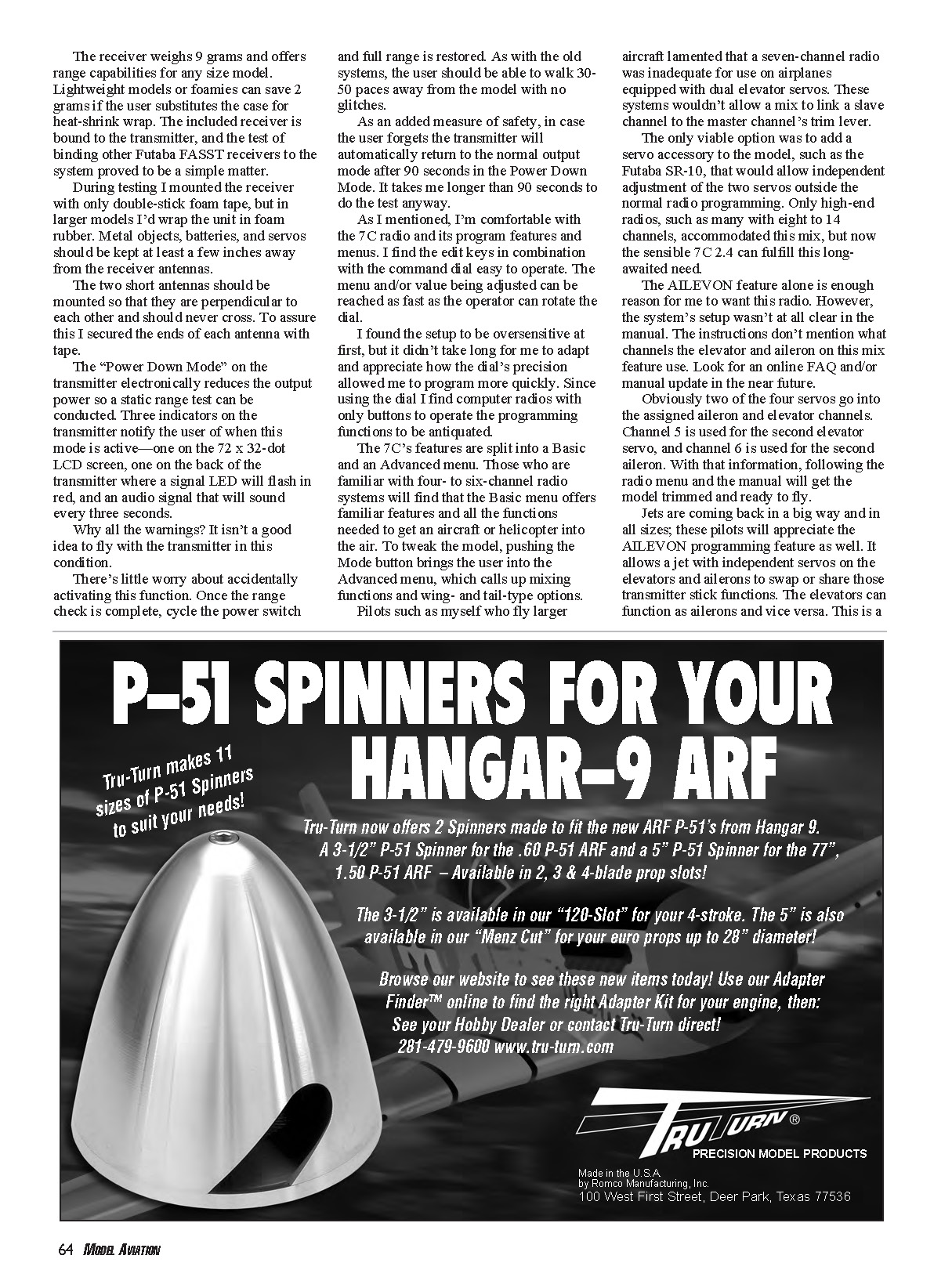
The included receiver pack is a convenient 4.8-volt, 1000 mAh Ni-Cd pack. If the pack drops to less than 3.8 volts during a high-load maneuver, the receiver will automatically recognize the battery condition and go into fail-safe mode. By default, the programming reduces the throttle to idle but leaves the remaining controls functioning so that the pilot may guide the model to a safe landing point.
No matter what radio system is used, we as RC pilots must consider contingencies. The fail-safe feature in the 7C 2.4 operates only on the throttle channel. Whether it’s an aircraft or helicopter, the default fail-safe setting may be inadequate. Anytime a pilot programs a new model, he or she should make sure the default setting is satisfactory or custom-program the fail-safe to suit. Do not skip this step, and be sure to test its function by shutting down the transmitter and observing the reaction of the engine/motor.
Anyone looking to step up from a four- or six-channel radio will find that the Futaba 7C 2.4 GHz FASST system is not just a tremendous value, but it will almost instantly improve his or her piloting. That’s probably because of the enhancement of digital spread-spectrum technology and because the advanced feature options and fine-tuning capability allow the pilot to grow and improve.
The 7C system is user-ready right out of the box, which means anyone familiar with a four- or six-channel radio will feel comfortable and may want to use the advanced features. The manual is fairly clear about what the programming functions can do and gives examples of why the feature would be needed, which I found helpful. Some of the most popular programming features, such as flaperons and CCPM (Cyclic Collective Pitch Mixing), are already set; all the user has to do is activate the feature and fine-tune the values. High-end niceties such as the switch assignments and feel of the gimbals are a welcome bonus.
Find out More About FASST
A section on the Futaba web site contains answers to popular questions about Futaba's FASST 2.4 GHz technology, technical updates, and programming examples. Because the 7C FASST system is so similar to the 7C on 72 MHz, the Futaba web site features many frequently asked questions that are useful in learning about this radio's advanced programming capabilities and limitations.
—Michael Ramsey [email protected]
Sources:
- FASST Technology FAQ: http://2.4gigahertz.com/faq/faq-fasst.html
- General frequently asked questions: www.futaba-rc.com
Manufacturer/Distributor: Great Planes Model Distributors Box 9021 Champaign, IL 61826 (217) 398-3630 www.futaba-rc.com
Other Review Sources:
- Backyard Flyer, September 2007
- Model Airplane News, January 2008 and February 2008
- R/C Report, March 2008
Transcribed from original scans by AI. Minor OCR errors may remain.

