
Power Switch: JR X9303 2.4 GHz Helicopter Radio System
Tom Schwyn
Based on the world-class 9303 computer system, JR brings spread spectrum to a high-end radio
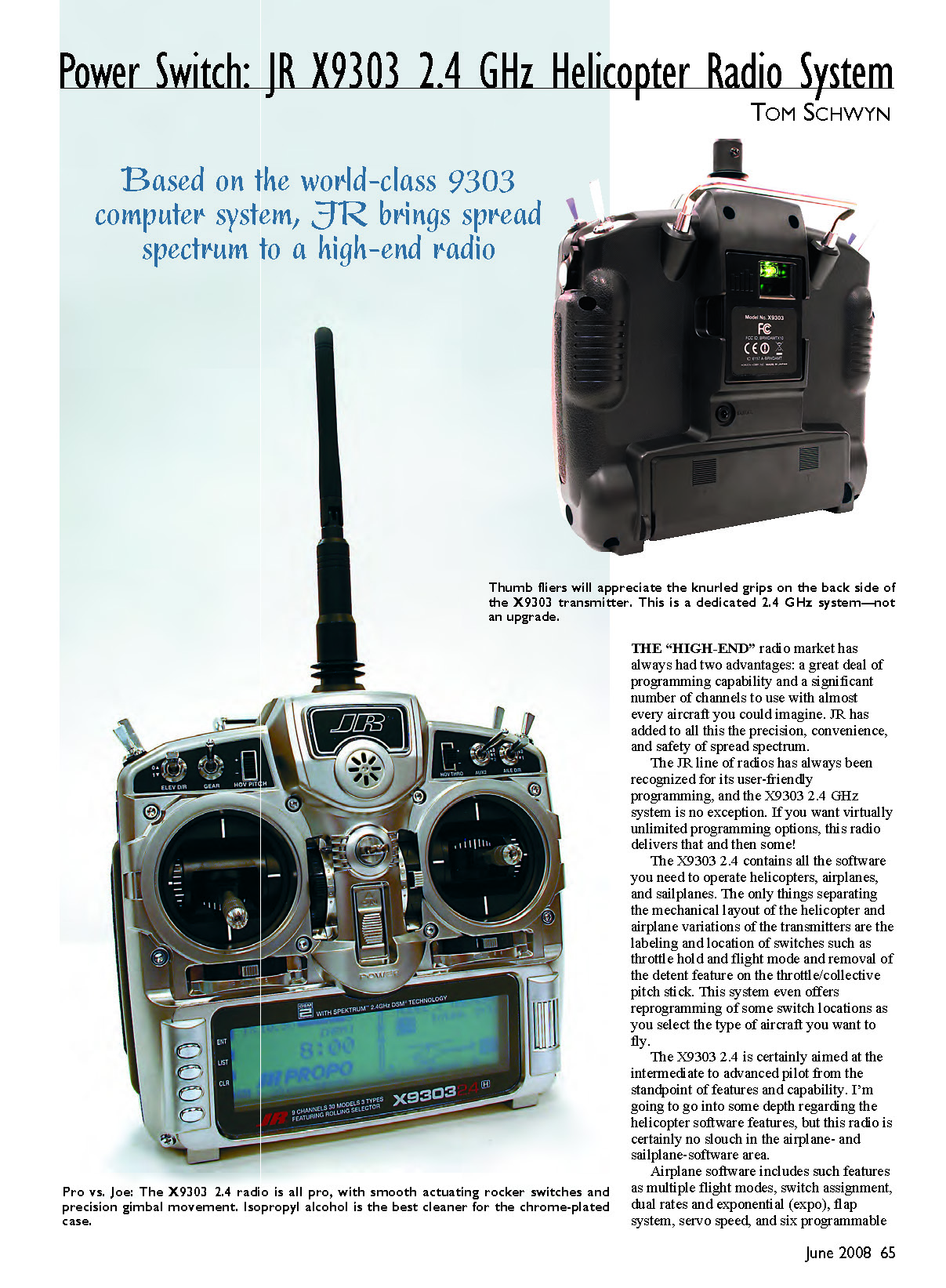
The "high-end" radio market has always had two advantages: a great deal of programming capability and a significant number of channels to use with almost every aircraft you could imagine. JR has added to all this the precision, convenience, and safety of spread spectrum.
The JR line of radios has always been recognized for its user-friendly programming, and the X9303 2.4 GHz system is no exception. If you want virtually unlimited programming options, this radio delivers that and then some.
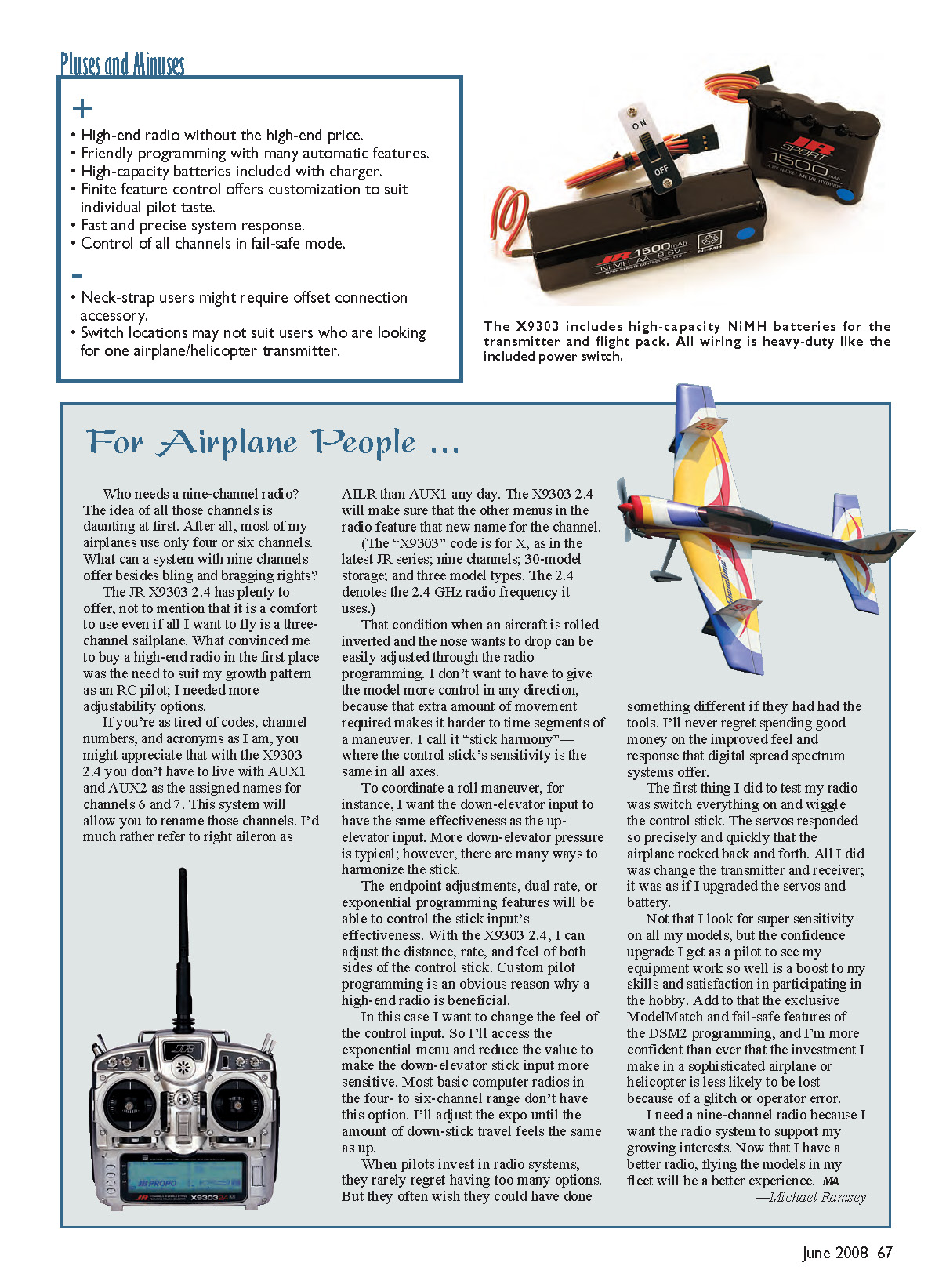
The X9303 2.4 contains all the software you need to operate helicopters, airplanes, and sailplanes. The only things separating the mechanical layout of the helicopter and airplane variations of the transmitters are the labeling and location of switches such as throttle hold and flight mode, the removal of the detent feature on the throttle/collective pitch stick, and the reprogramming of some switch locations as you select the type of aircraft you want to fly.
The X9303 2.4 is certainly aimed at the intermediate to advanced pilot from the standpoint of features and capability. I’m going to go into some depth regarding the helicopter software features, but this radio is certainly no slouch in the airplane- and sailplane-software area.
Airplane software includes such features as multiple flight modes, switch assignment, dual rates and exponential (expo), flap system, servo speed, and six programmable mixes.
For Airplane People ...
Who needs a nine-channel radio? The idea of all those channels is daunting at first. After all, most of my airplanes use only four or six channels. What can a system with nine channels offer besides bling and bragging rights?
The JR X9303 2.4 has plenty to offer, not to mention that it is a comfort to use even if all I want to fly is a three-channel sailplane. What convinced me to buy a high-end radio in the first place was the need to suit my growth pattern as an RC pilot; I needed more adjustability options.
If you’re as tired of codes, channel numbers, and acronyms as I am, you might appreciate that with the X9303 2.4 you don’t have to live with AUX1 and AUX2 as the assigned names for channels 6 and 7. This system will allow you to rename those channels. I’d much rather refer to right aileron as AILR than AUX1 any day. The X9303 2.4 will make sure that the other menus in the radio feature that new name for the channel.
(The “X9303” code is for X, as in the latest JR series; nine channels; 30-model storage; and three model types. The 2.4 denotes the 2.4 GHz radio frequency it uses.)
That condition when an aircraft is rolled inverted and the nose wants to drop can be easily adjusted through the radio programming. I don’t want to have to give the model more control in any direction, because that extra amount of movement required makes it harder to time segments of a maneuver. I call it “stick harmony”—where the control stick’s sensitivity is the same in all axes.
To coordinate a roll maneuver, for instance, I want the down-elevator input to have the same effectiveness as the up-elevator input. More down-elevator pressure is typical; however, there are many ways to harmonize the stick.
The endpoint adjustments, dual-rate, or exponential programming features will be able to control the stick input’s effectiveness. With the X9303 2.4, I can adjust the distance, rate, and feel of both sides of the control stick. Custom pilot programming is an obvious reason why a high-end radio is beneficial.
In this case I want to change the feel of the control input. So I’ll access the exponential menu and reduce the value to make the down-elevator stick input more sensitive. Most basic computer radios in the four- to six-channel range don’t have this option. I’ll adjust the expo until the amount of down-stick travel feels the same as up.
When pilots invest in radio systems, they rarely regret having too many options. But they often wish they could have done something different if they had had the tools. I’ll never regret spending good money on the improved feel and response that digital spread spectrum systems offer.
The first thing I did to test my radio was switch everything on and wiggle the control stick. The servos responded so precisely and quickly that the airplane rocked back and forth. All I did was change the transmitter and receiver; it was as if I upgraded the servos and battery.
Not that I look for super sensitivity on all my models, but the confidence upgrade I get as a pilot to see my equipment work so well is a boost to my skills and satisfaction in participating in the hobby. Add to that the exclusive ModelMatch and fail-safe features of the DSM2 programming, and I’m more confident than ever that the investment I make in a sophisticated airplane or helicopter is less likely to be lost because of a glitch or operator error.
I need a nine-channel radio because I want the radio system to support my growing interests. Now that I have a better radio, flying the models in my fleet will be a better experience.
—Michael Ramsey
I used an Align T‑Rex 450SA to test the X9303 2.4. This helicopter is a great buy; it comes as an ARF, 95% assembled, and will perform just about any 3-D maneuver the pilot can imagine.
The T‑Rex includes a swashplate system using Cyclic Collective Pitch Mixing (CCPM). This type of control offers one of the most precise "feels" you can get to control the head of a helicopter, and it takes advantage of the multiple software options the X9303 2.4 offers. The T‑Rex 450SA requires the addition of servos, receiver, gyro, ESC, motor, and battery.
The helicopter special interest has grown tremendously in the last few years, and it now offers a larger variety of aircraft in glow and electric configurations. The models offer several features that are common to both power sources, such as gyros, governors, and, in many cases, CCPM swashplate systems that the X9303 2.4 is more than capable of managing. The T‑Rex 450SA will show them off for this review.
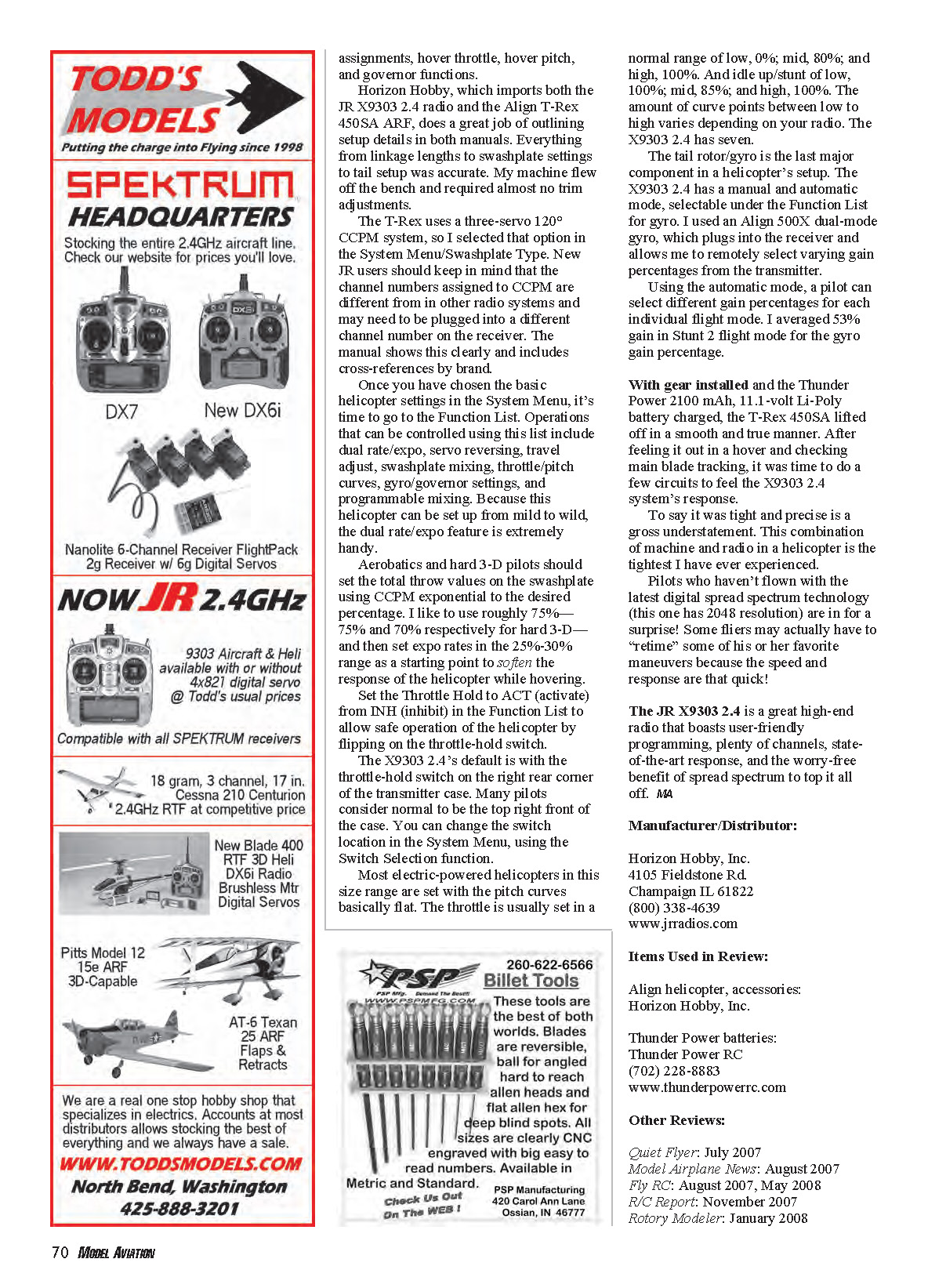
Let's get started by installing the radio and looking at some of the more sophisticated features it offers. I used the JR DS285 Digital Hi‑Speed Sub‑Micro servos. These little gems are very fast and ultraprecise—all in a package that is incredibly small for its power and size.
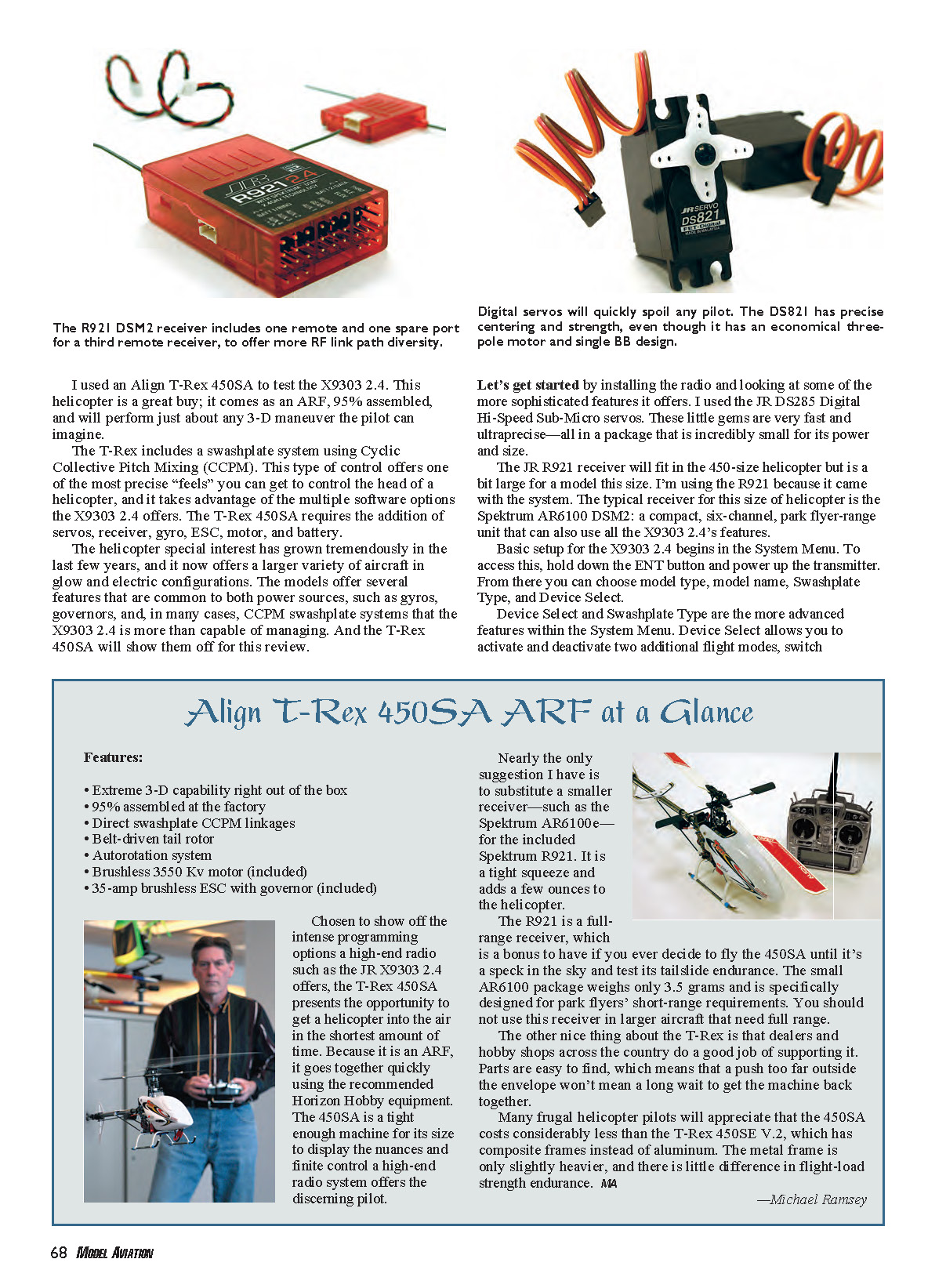
The JR R921 receiver will fit in the 450‑size helicopter but is a bit large for a model this size. I'm using the R921 because it came with the system. The typical receiver for this size of helicopter is the Spektrum AR6100 DSM2: a compact, six‑channel, park‑flyer‑range unit that can also use all the X9303 2.4's features.
Basic setup for the X9303 2.4 begins in the System Menu. To access this, hold down the ENT button and power up the transmitter. From there you can choose model type, model name, Swashplate Type, and Device Select.
Device Select and Swashplate Type are the more advanced features within the System Menu. Device Select allows you to activate and deactivate two additional flight modes, switch assignments, and other items per model.
Horizon Hobby, which imports both the JR X9303 2.4 radio and the Align T‑Rex 450SA ARF, does a great job of outlining setup details in both manuals. Everything from linkage lengths to swashplate settings to tail setup was accurate. My machine flew off the bench and required almost no trim adjustments.
The T‑Rex uses a three‑servo 120° CCPM system, so I selected that option in the System Menu/Swashplate Type. New JR users should keep in mind that the channel numbers assigned to CCPM are different from other radio systems and may need to be plugged into a different channel number on the receiver. The manual shows this clearly and includes cross‑references by brand.
Once you have chosen the basic helicopter settings in the System Menu, it's time to go to the Function List. Operations that can be controlled using this list include dual rate/expo, servo reversing, travel adjust, swashplate mixing, throttle/pitch curves, gyro/governor settings, and programmable mixing. Because this helicopter can be set up from mild to wild, the dual rate/expo feature is extremely handy.
Aerobatics and hard 3‑D pilots should set the total throw values on the swashplate using CCPM exponential to the desired percentage. I like to use roughly 75%—75% and 70% respectively for hard 3‑D—and then set expo rates in the 25%–30% range as a starting point to soften the response of the helicopter while hovering.
Set the Throttle Hold to ACT (activate) from INH (inhibit) in the Function List to allow safe operation of the helicopter by flipping on the throttle‑hold switch.
The X9303 2.4's default throttle‑hold switch location is the right rear corner of the transmitter case. Many pilots consider normal to be the top right front of the case. You can change the switch location in the System Menu, using the Switch Selection function.
Most electric‑powered helicopters in this size range are set with the pitch curves basically flat. The throttle is usually set in a normal range of low, 0%; mid, 80%; and high, 100%. Idle up/stunt is commonly set low, 100%; mid, 85%; and high, 100%. The number of curve points between low and high varies depending on your radio. The X9303 2.4 has seven.
The tail rotor/gyro is the last major component in a helicopter's setup. The X9303 2.4 has a manual and automatic mode, selectable under the Function List for gyro. I used an Align 500X dual‑mode gyro, which plugs into the receiver and allows me to remotely select varying gain percentages from the transmitter.
Using the automatic mode, a pilot can select different gain percentages for each individual flight mode. I averaged 53% gain in Stunt 2 flight mode for the gyro gain percentage.
With gear installed and the Thunder Power 2100 mAh, 11.1V Li‑Po battery charged, the T‑Rex 450SA lifted off in a smooth and true manner. After feeling it out in a hover and checking main blade tracking, it was time to do a few circuits to test the X9303 2.4 system's response.
To say it was tight and precise is a gross understatement. This combination of machine and radio in a helicopter is the tightest I have ever experienced.
Pilots who haven't flown with the latest digital spread spectrum technology (this one has 2048 resolution) are in for a surprise! Some fliers may actually have to "retime" some of his or her favorite maneuvers because the speed and response are that quick!
The JR X9303 2.4 is a great high‑end radio that boasts user‑friendly programming, plenty of channels, state‑of‑the‑art response, and the worry‑free benefit of spread spectrum to top it all off.
Manufacturer/Distributor
Horizon Hobby, Inc. 4105 Fieldstone Rd. Champaign, IL 61822 (800) 338-4639 www.jrradios.com
Items Used in Review
- Align helicopter, accessories: Horizon Hobby, Inc.
- Thunder Power batteries: Thunder Power RC, (702) 228-8883, www.thunderpowerrc.com
- JR DS285 Digital Hi‑Speed Sub‑Micro servos
- JR R921 receiver
- Align 500X dual‑mode gyro
- Thunder Power 2100 mAh, 11.1V Li‑Po battery
Other Reviews
- Quiet Flyer: July 2007
- Model Airplane News: August 2007
- Fly RC: August 2007, May 2008
- R/C Report: November 2007
- Rotary Modeler: January 2008
Transcribed from original scans by AI. Minor OCR errors may remain.

