
Power Switch: MRC Reflex XTR Simulator
TOM SULLIVAN
An RC flight simulator that is all about keeping it "real" and not being simply a computer game
MODEL RECTIFIER Corporation’s (MRC’s) Reflex XTR simulator is one of the first of a new generation of extremely photo-realistic flight simulators. At the core of this realism is the patented "PANOlusion Engine." Everything you see (aircraft, scenery, objects, etc.) is created from actual photographs to give the simulator a real look.
The software comes with airplane and helicopter simulations as well as a Model Editor. The CD-ROM also contains the instructions; while I would have preferred a printed manual, the instructions are viewable in any web browser. The best instruction resource is the on-demand Help screen (the "?" at the top of the screen), which is available while the Reflex XTR simulator is running.
Let’s see what the Reflex XTR simulation is all about. Reviewing any simulator package can be lengthy, so I’ll touch on the highlights.
First Impressions
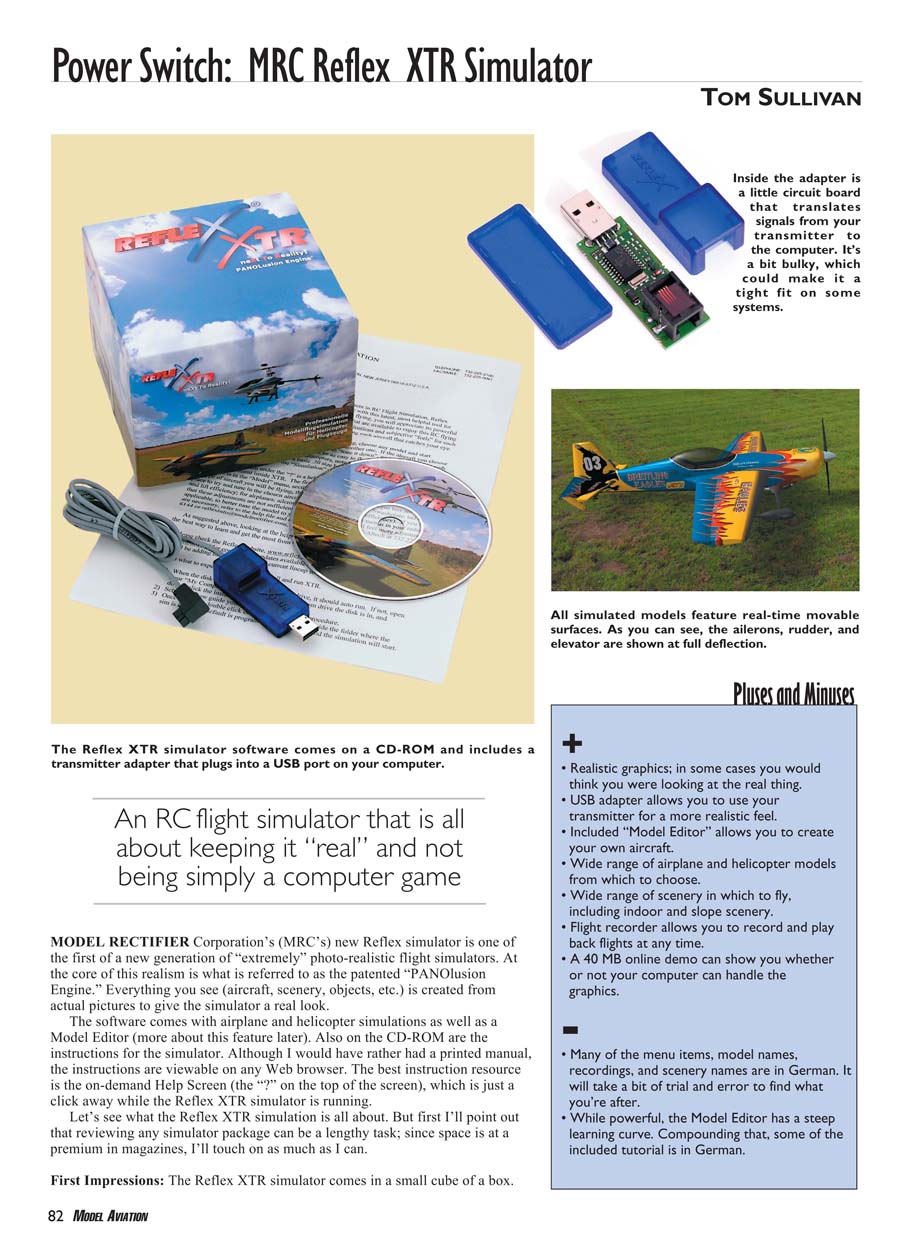
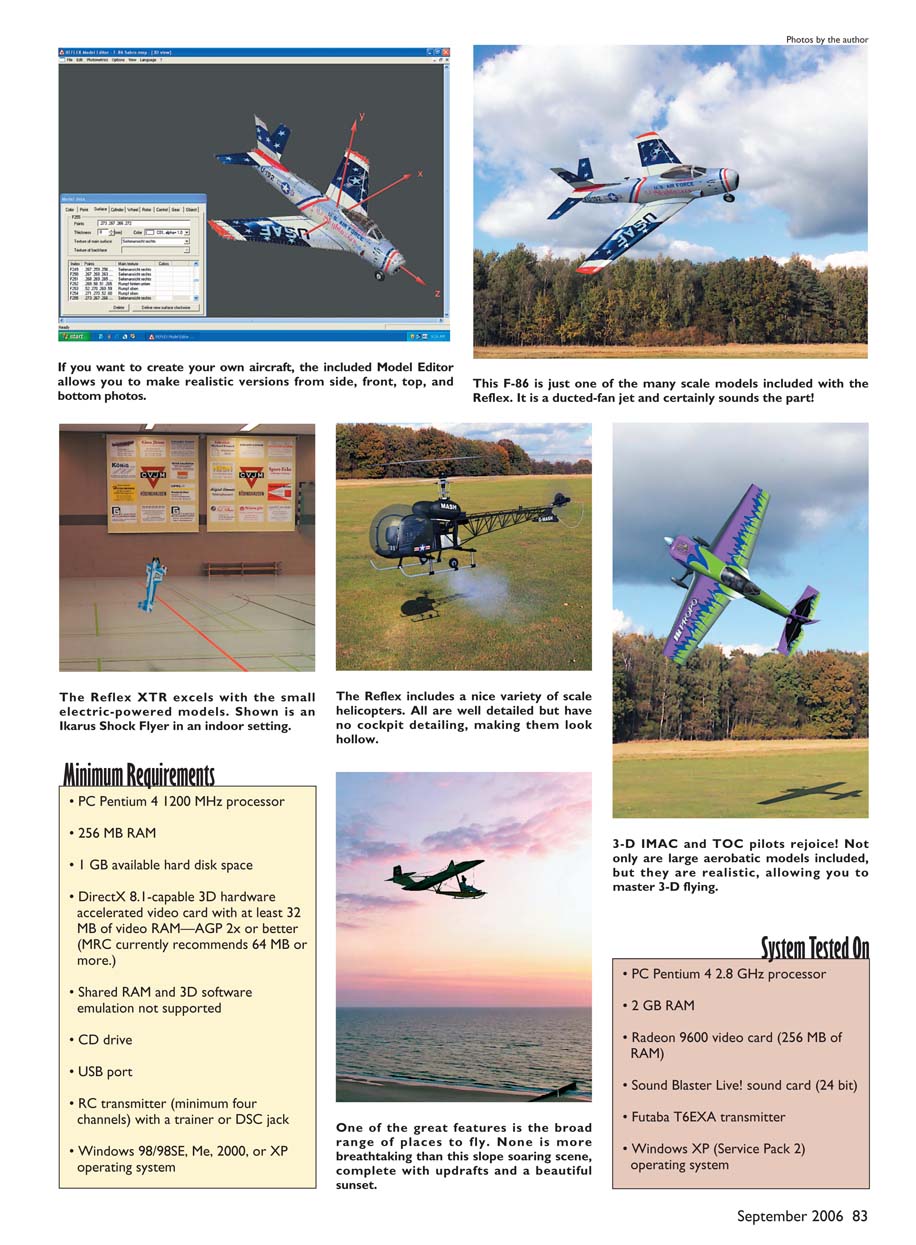
The Reflex XTR simulator comes in a small cube-shaped box. Inside are the CD-ROM and a sheet with basic getting-started information. Also included is a USB adapter that allows you to use your own transmitter. Inside the adapter is a small circuit board with a USB plug on one end and a telephone-style socket on the other. At 2.25 inches long and roughly 0.875 inch square, the adapter’s size may make it a tight fit on some systems. Plugging into the socket is a cord (approximately 6 feet long) with a trainer or DSC plug on the end; our review system came with the square Futaba trainer plug, which fit my Futaba T6EXA. The system can be ordered configured for different radio brands.
System Tested On
- PC Pentium 4 2.8 GHz processor
- 2 GB RAM
- Radeon 9600 video card (256 MB RAM)
- Sound Blaster Live! sound card (24 bit)
- Futaba T6EXA transmitter
- Windows XP (Service Pack 2)
Minimum Requirements
- PC Pentium 4 1200 MHz processor
- 256 MB RAM
- 1 GB available hard disk space
- DirectX 8.1-capable 3D hardware-accelerated video card with at least 32 MB video RAM—AGP 2x or better (MRC recommends 64 MB or more)
- Shared RAM and 3D software emulation not supported
- CD drive
- USB port
- RC transmitter (minimum four channels) with a trainer or DSC jack
- Windows 98/98SE, Me, 2000, or XP
Pluses and Minuses
- Realistic graphics; in many cases you would think you were looking at the real thing.
- USB adapter allows use of your own transmitter for a more realistic feel.
- Included Model Editor allows you to create your own aircraft.
- Wide range of airplane and helicopter models.
- Wide range of scenery, including indoor and slope locations.
- Flight recorder allows you to record and play back flights.
- A 40 MB online demo can show whether your computer can handle the graphics.
- Many menu items, model names, recordings, and scenery names are in German, so it may take trial and error to find things.
- The Model Editor is powerful but has a steep learning curve; some included tutorials are in German.
Installation
Installing the Reflex XTR simulator is straightforward. Plug the USB adapter into an available USB port, then insert the CD-ROM. The installer asks a few choices about language and installation folder and completes in under a minute. The installer also offers an uninstall option.
Using the Simulator
The Reflex XTR program requires the USB adapter to be connected and your transmitter to be plugged in and turned on. When you run the simulator you'll see a window with menus along the top and a model sitting on the ground in the center.
Many will hit the F4 key to start the simulation, but defaults may not match your transmitter. On my Futaba the default channel assignments were incorrect, and my first flight ended in a crash. Run the Calibrate Center routine in the Radio menu, then use the channel-assignment window (F7) and follow the step-by-step directions to assign controls and functions. You can assign up to eight channels and have separate assignments for airplanes and helicopters.
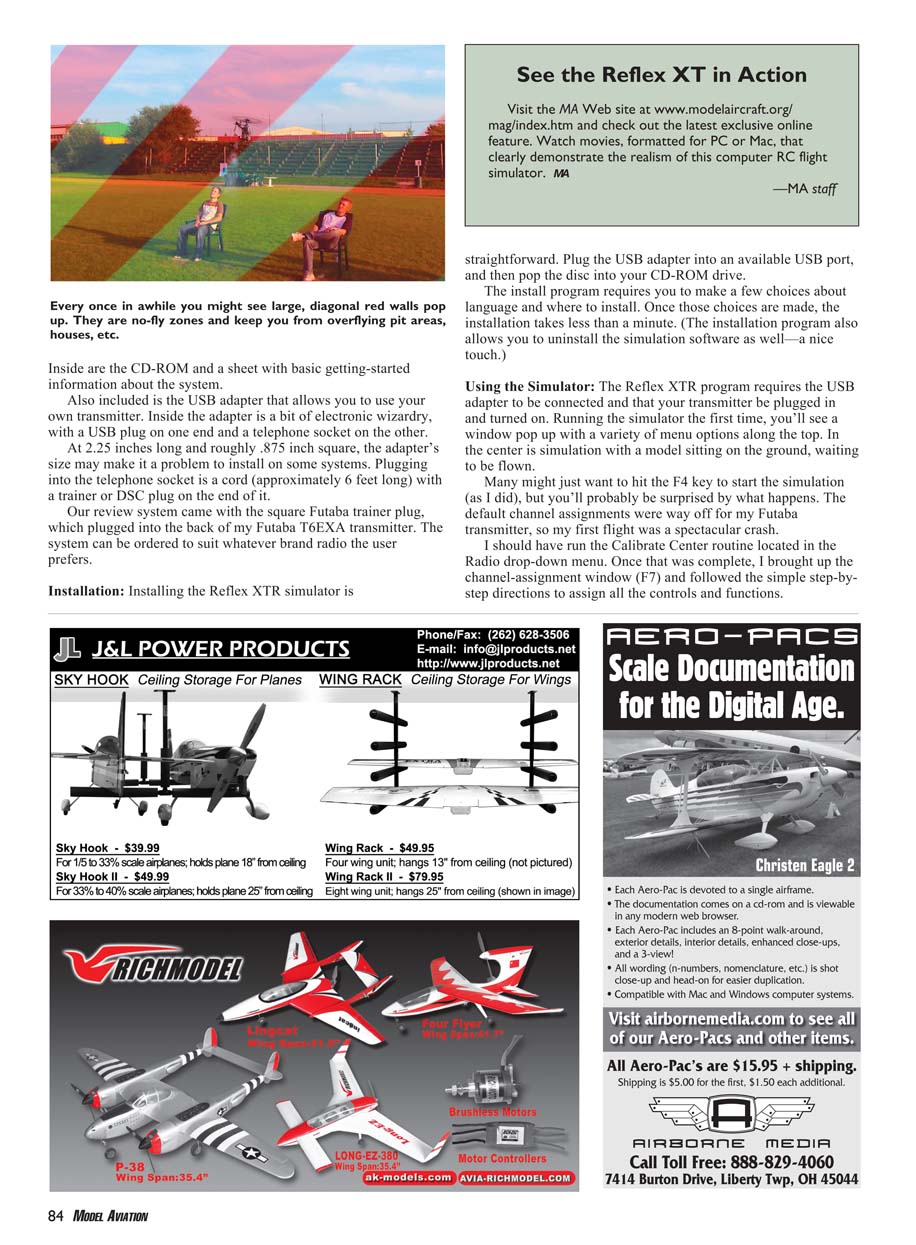
With channels assigned, throttling up felt surprisingly realistic. All control surfaces (ailerons, elevator, rudder) respond in real time, and exhaust from the muffler increases with throttle. Taxiing on grass shows the model bumping along like the real thing. After rotation and liftoff, cruising around the field reveals a high level of scene detail—trees, grass, shrubs, buildings, a pit area, and more.
Reflex protects no-fly zones (pit areas, houses, etc.) with visible barriers: below a certain altitude the model is stopped and returned to the runway; above about 23 feet you can fly through the zone. Each scenery has a buffer zone allowing you to turn the model around.
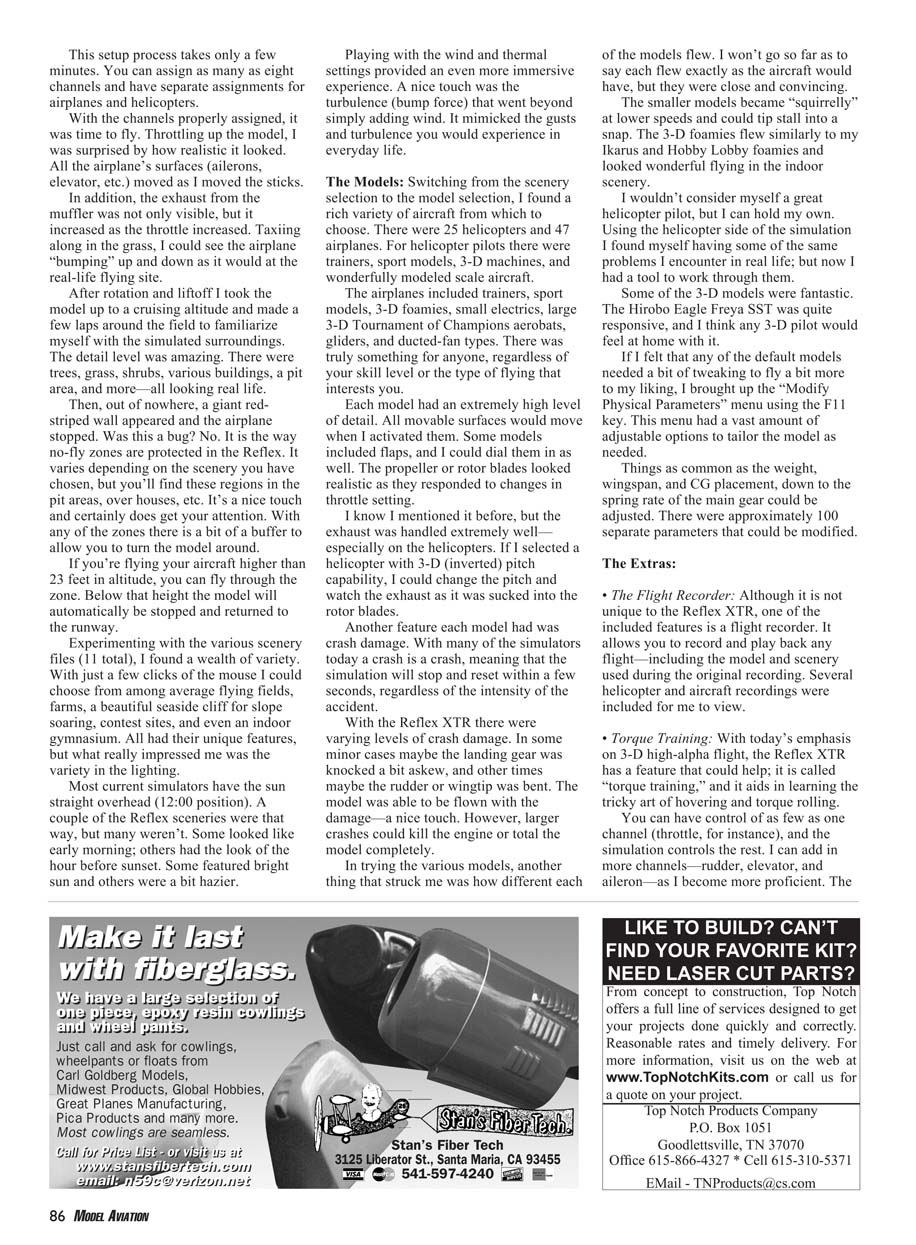
There are 11 scenery files, including average flying fields, farms, seaside cliffs for slope soaring, contest sites, and an indoor gymnasium. Lighting varies—some sceneries look like early morning or the hour before sunset, others are bright or hazy. Wind, thermal settings, and turbulence (bump force) provide a realistic environmental feel beyond simple steady wind.
The Models
There are 25 helicopters and 47 airplanes, covering trainers, sport models, 3-D machines, scale aircraft, foamies, electrics, gliders, and ducted-fan types. Each model has a high level of visual detail and real-time movable surfaces. Many models include flaps and realistic propeller/rotor behavior tied to throttle. Exhaust effects are particularly well done—on helicopters you can see exhaust sucked into the rotor disk when applying inverted pitch.
Crash damage is modeled at multiple levels: minor crashes may bend a landing gear or wingtip and still leave the model flyable; larger crashes can kill the engine or total the model completely. Flight characteristics vary by model and are convincing: small models become squirrely at low speed and can tip-stall into a snap; 3-D foamies handle like real indoor foam models; some 3-D helicopter models (for example, the Hirobo Eagle Freya SRT) are very responsive.
If a default model needs tweaking, use the Modify Physical Parameters menu (F11). About 100 parameters can be adjusted: weight, wingspan, CG placement, main-gear spring rate, and many more.
The Extras
- Flight Recorder: Record and play back any flight, including the model and scenery used during the original recording. Several example recordings are included.
- Torque Training: A training mode to assist with 3-D high-alpha flight techniques such as hovering and torque rolls. You can start with control of as few as one channel (throttle) while the simulation controls the others. Add channels as you improve. The simulation resets to the training position if the aircraft crashes or gets too out of control. Helicopters have a Hover Training mode that works similarly.
- Model Editor: A powerful editor that lets you create new aircraft or modify existing ones using side, top, front, and bottom photographs of a real model. Models can be viewed and rotated in 3-D space. The learning curve is steep and some included tutorials are in German; MRC is aware and working on translations. There is a brief Acrobat guide online showing how to photograph a model properly, but much of the editor use requires trial and error.
MRC has provided continued free updates to the software since release, fixing bugs and adding features and scenery. Owners can download updates from the MRC web site. Several short movies demonstrating the Reflex XTR simulator are available on the MRC web site in QuickTime and Windows Media formats—these help convey features that are hard to describe in words.
The Reflex XTR is an impressive system. It may lack some multiplayer features found in other simulators, but it is a solid, realistic flight simulator designed for RC pilots to hone their skills. Its realism, wide range of scenery and models, and the ability to use your own transmitter make it a valuable training tool, provided your PC meets or exceeds the minimum specifications.
Manufacturer/Distributor
Model Rectifier Corporation 80 Newfield Ave. Edison, NJ 08837 (732) 225-6144 www.modelrectifier.com/products/rcFlightSimulators/index.asp Retail price: $299
Products Used in Review
- Futaba T6EXA transmitter — Great Planes Model Distributors
Transcribed from original scans by AI. Minor OCR errors may remain.

