
Giant Scale ARF finer points
Also included in this column:
- Firewall installation
- Correct hinge-installation method
- Neat control horns
I recently began the assembly process of my Thunder Tiger 40% Extra 260. This is a well-built model and is one of the best almost-ready-to-fly models I have seen thus far. While building this airplane I found a few key areas I would like to discuss, since many of these steps are required by most giant-scale ARFs on the market today. To begin, I will show you how to check the thrust of your firewall when you need to install the firewall yourself. Then I will show you how to properly hinge a given surface and how to drill for control-horn bolts. Let’s begin.
Installing the Firewall
Because quite a few giant-scale engine options exist on the market, some manufacturers leave the firewall installation to the builder. On this airplane I decided to use the Desert Aircraft DA-170 power plant.
After I determined where the firewall would be positioned with regards to depth, I wanted to check the thrust to make sure no upthrust or downthrust existed (right thrust is predetermined). To do that I used the Hangar 9 Angle Pro. If you have been following my columns, you may remember this tool; I used it in the last column to check control-surface deflection.
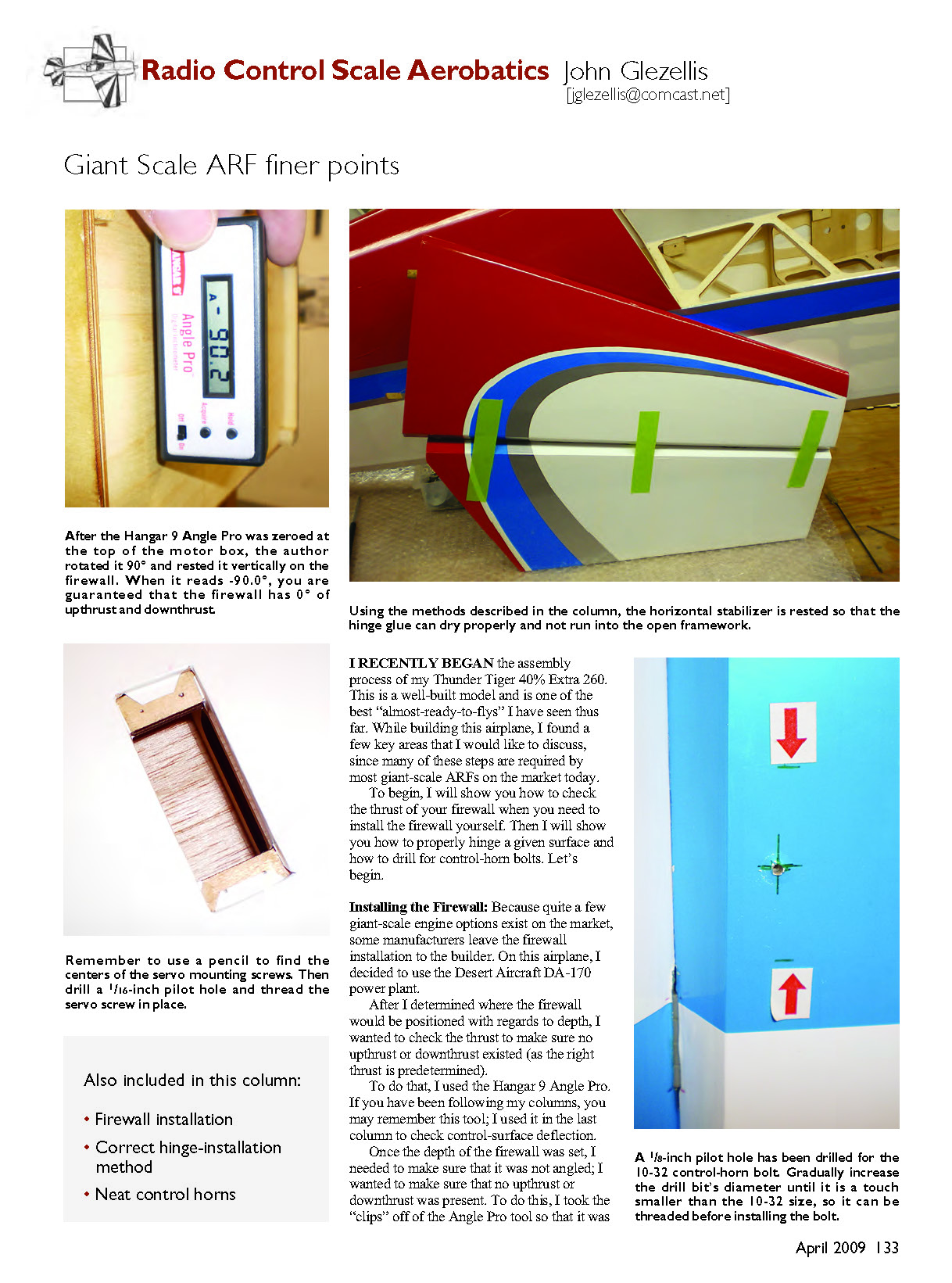
Once the depth of the firewall was set, I needed to make sure that it was not angled; I wanted to ensure no upthrust or downthrust was present. To do this, I removed the clips from the Angle Pro so that it was just the meter. I turned it on, placed it on top of the motor box, and zeroed the meter by touching the “Acquire” button. Once this meter showed a value of 0°, I rotated it 90° and placed it on the firewall to obtain a value of -90°. Once you obtain this value you are safe to mark the location of the firewall and epoxy it in place. If your meter does not show a value of -90° after you rotate it, move the firewall accordingly until you obtain this value. Once you are satisfied, you can proceed to the next step.
Use 30-minute epoxy and spruce triangular stock to reinforce the firewall position. I highly recommend that once you have applied epoxy and positioned the firewall you double-check the thrust using the Hangar 9 Angle Pro to ensure the firewall is level with regard to upthrust and downthrust.
Let’s Talk Hinges
The Thunder Tiger Extra 260 comes preslotted for the included pin-style hinges. When using pinned hinges, it is important to roughen the surface of the hinge that will be glued into the control surface. Regarding adhesive, I always use Zap Hinge Glue; it gives you enough time to install the hinges and is water-based, so cleanup is a breeze compared to older techniques.
Once the hinges are set in the control surface, apply a very thin film of glue to the hinge area in the stabilizer and slide the hinge into place. Be sure to keep the hinge pin centered in the hinge slot. Once the glue has dried, ream the hinge hole to accept the listed hinge-pin diameter. On larger surfaces you may want to install two hinges side by side. On this airplane I used three hinges per half stabilizer and four per half elevator.
I do not hinge all surfaces at one time. I hinge only the elevator and leave the horizontal stabilizers for the following day. The reason is simple: if the proper amount of glue is used, it will run/drip well inside the surface if the control surface is built up.
When hinging the elevator, insert enough adhesive in each hinge slot on the elevator (usually two to three insertions). Then add glue to half of each hinge. Next, insert all hinges into the elevator and position the elevator so that the leading edge (LE) is pointed downward. Doing so allows any excess glue within the elevator to remain on the hinge and close to its mounting area, resulting in a stronger bond. Clean any excess glue on the hinge point at this time using paper towels and water.
The following day, repeat this process for the horizontal stabilizer. Insert glue in all hinge slots, place a bead of glue on each of the hinges (which have already been glued into the elevators), and install the elevator on the stabilizer. Use masking tape to pull the stabilizer and elevator tightly together so that no gap is present between the control surfaces.
Make sure the stabilizer and elevator are positioned so that excess glue will not run, as mentioned earlier. This method ensures extra glue remains on the hinge and provides a better bond.
Control Horns, Control Horns, Control Horns
After hinging the airplane, the next order of business is to mount the servos and find the proper location to drill for the control-horn bolts.
On this model I opted to use the 10-32 Swivel Clevis Horn from Hangar 9, JR DS8711 servos, and JR 1½-inch aluminum servo arms for the elevator and aileron surfaces. Because these servos are powerful, I am using one servo per elevator half and two servos per aileron half.
After installing the servo and servo arm, determine where the control horn needs to be. Thunder Tiger marks the location of the hard points for the control horns. The hard points are light plywood plates located on the upper and lower parts of the control surface.
I found the center of the plate, determined how far back the bolt needed to be, and marked this location with a pencil. Next, I drilled a 1/8-inch pilot hole from the lower surface to the upper surface of the elevator and made sure the drill bit was aligned so it would exit at the same point on the upper surface as it started on the lower surface.
If your hole is slightly misaligned, correct it by using a slightly larger drill bit. Once you are satisfied, increase the size of the drill bit until it is just a touch smaller than the control-horn bolt. Since I was using a 10-32 bolt, I used a 10-32 tap and threaded the hole so the bolt would mount securely in the control surface.
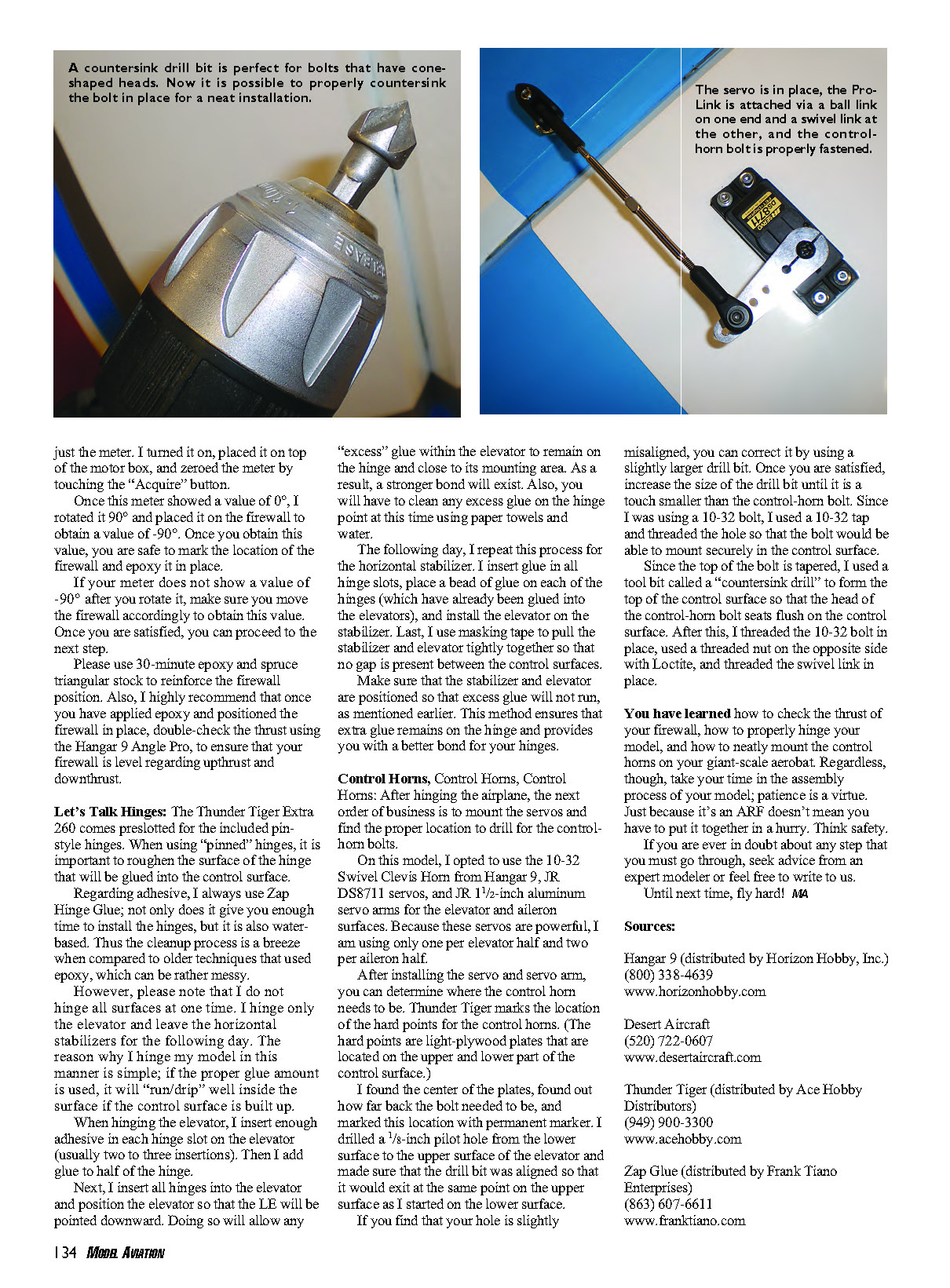
Because the top of the bolt is tapered, I used a countersink drill to form the top of the control surface so the head of the control-horn bolt seats flush. After this, I threaded the 10-32 bolt in place, used a nut on the opposite side with Loctite, and threaded the swivel link in place.
You have now learned how to check the thrust of your firewall, properly hinge your model, and neatly mount the control horns on your giant-scale aerobot. Take your time during assembly; patience is a virtue. Just because it’s an ARF doesn’t mean you have to put it together in a hurry. Think safety.
If you are ever in doubt about any step, seek advice from an expert modeler or feel free to write to us.
Until next time, fly hard! MA
Sources:
- Hangar 9 (distributed by Horizon Hobby, Inc.)
- Phone: (800) 338-4639
- www.horizonhobby.com
- Desert Aircraft
- Phone: (520) 722-0607
- www.desertaircraft.com
- Thunder Tiger (distributed by Ace Hobby Distributors)
- Phone: (949) 900-3300
- www.acehobby.com
- Zap Glue (distributed by Frank Tiano Enterprises)
- Phone: (863) 607-6611
- www.franktiano.com
Transcribed from original scans by AI. Minor OCR errors may remain.

