
Technical Review
FMA Direct's Flight Systems 5 (FS5) is a new concept in RC receiver circuit design. Although the company does offer complete RC systems (transmitter, receiver, servos, batteries, etc.), one of its primary product lines for many years has been aftermarket RC receivers designed so that almost any FM (also known as Pulse Position Modulation, or PPM) transmitter on the market can operate them.
Most RC transmitters employing a microcomputer chip provide model memory or data storage for multiple aircraft. The idea is that you need only one transmitter capable of operating many receivers in different aircraft. FMA Direct has made a business of supplying these individual (or extra) receivers to the RC enthusiast.
The FS5 is the company's newest aftermarket RC receiver. It is small — 1 5/8-inch long, 13/16-inch wide, 9/16-inch high — and weighs a mere 0.4 ounce. It employs FM dual-conversion circuitry. The current model has five channel functions; an eight-channel-capable version will be available soon.
You must purchase the operating crystal separately from FMA Direct. The FS5 receiver (part 905FM72) has a retail price of $99.95. The crystal (part RXQTM72-XX, where "XX" is the channel number) is an additional $12.95.
The FS5 is also a universal receiver in the sense that it can operate with high or low FM deviation automatically. So whether you have Futaba or Hitec on the high side or JR or Airtronics on the low side, you will be able to operate this unit.
Digital Signal Recognition (DSR)
One of the FS5’s most distinctive features is a proprietary circuit called Digital Signal Recognition (DSR). This circuit measures and stores your transmitter's unique characteristics and continuously compares incoming signals against your transmitter's stored "signature." The claim is that DSR rejects signals from sources other than your transmitter.
I tested this by placing a second RC transmitter nearby operating on the same frequency (channel). How close the interfering transmitter was to the operating transmitter affected the result. Close by, the FS5 sensed massive interference and went into fail-safe. At a distance, I was able to retain control of the aircraft while the DSR circuit worked to maintain primary control. In this regard, the FS5 offers significant protection against direct on-channel interference.
System complexity and documentation
The FS5 is part of an overall system with many features that can benefit the RC flier and promote safety. With all features combined, operation becomes moderately complex. If you read the excellent 22-page document titled "The FMA Flight System: New technologies for protecting RC aircraft" (go to www.fmadirect.com/site/fma.htm?body=Support, scroll down to "Technical Documents," and select "FMA Flight Systems White Paper"), you might feel the system is sophisticated. Don’t be scared away — the FS5 as a standalone receiver is straightforward to install and use, and additional features (fail-safe programming, interference indications, data download, Co-Pilot integration) can be added later as desired.
Key features and benefits
- Programmable fail-safe behavior similar to Pulse Code Modulation (PCM) systems, now available in an FM receiver.
- Dual-conversion circuitry for excellent sensitivity and selectivity, with rejection of second- and third-order intermodulation.
- Universal compatibility with high- and low-deviation FM systems.
- Small and lightweight — suitable for indoor, parking-lot RC, up to large 1/4-scale models.
- Optional extras: remote switch/LED assembly, PC interface software, and FMA Co-Pilot self-stabilizing device.
Fail-safe operation
If interference is received while flying, the FS5 holds (freezes) all primary controls (aileron, elevator, rudder, and throttle) at their last known positions before the interference. The controls will not jitter or move hard over when interference is received.
If the transmitter signal is lost (out-of-range, transmitter dropped out of service, or transmitter battery failure), the controls also lock at the last known position.
Because freezing at the last position may leave the aircraft in an undesirable attitude, the FS5 allows you to program preset control positions for the four primary controls plus the auxiliary (fifth) channel. Preset examples include slight up-elevator, slight right rudder/aileron, and low or idle throttle. These presets are stored in the receiver memory and remain until you change them.
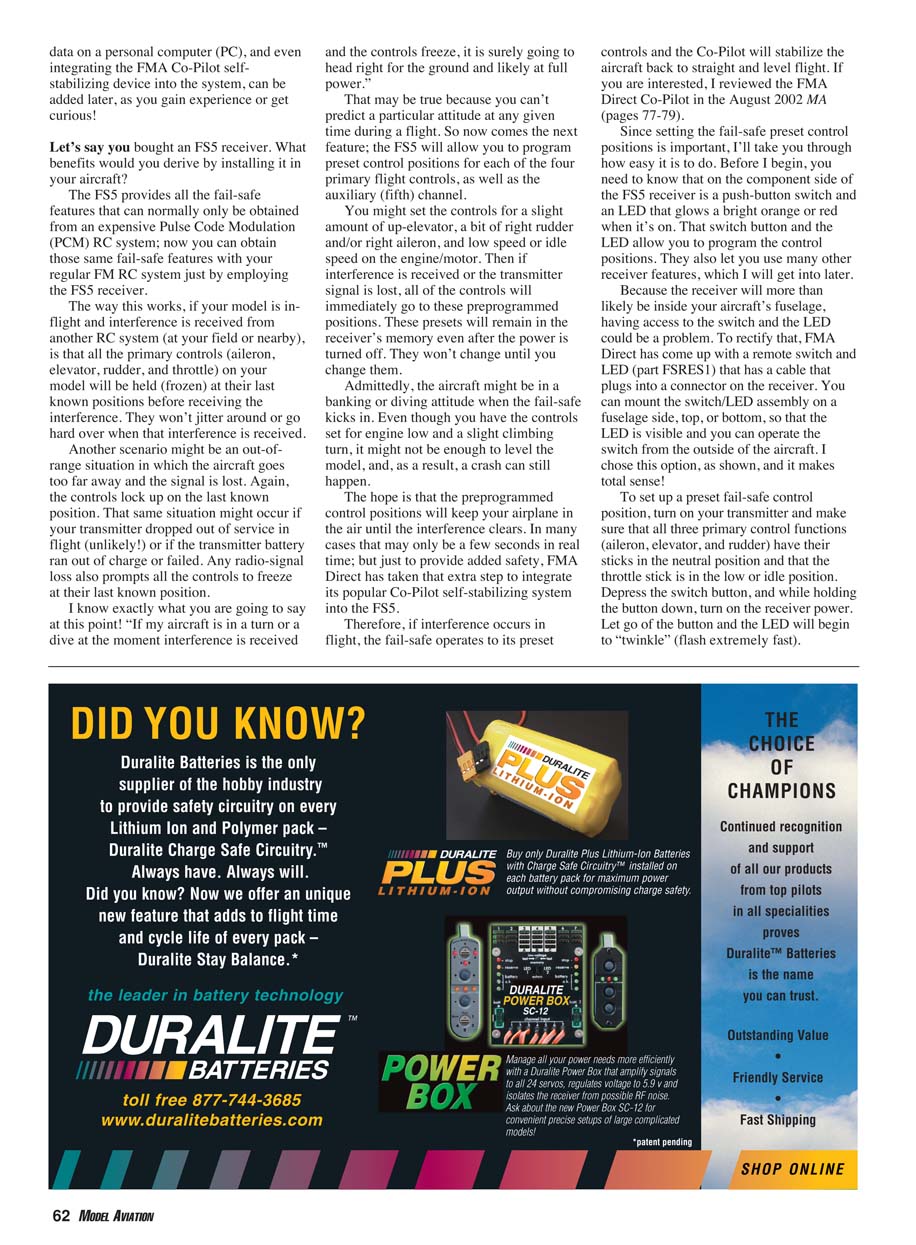
Admittedly, a preset may not always be enough to recover the aircraft from a banking or diving attitude. To improve safety, FMA Direct integrates the Co-Pilot self-stabilizing system with the FS5. With Co-Pilot, if fail-safe activates, the receiver moves to the preset positions and Co-Pilot can then stabilize the aircraft to straight and level flight.
Programming fail-safe presets
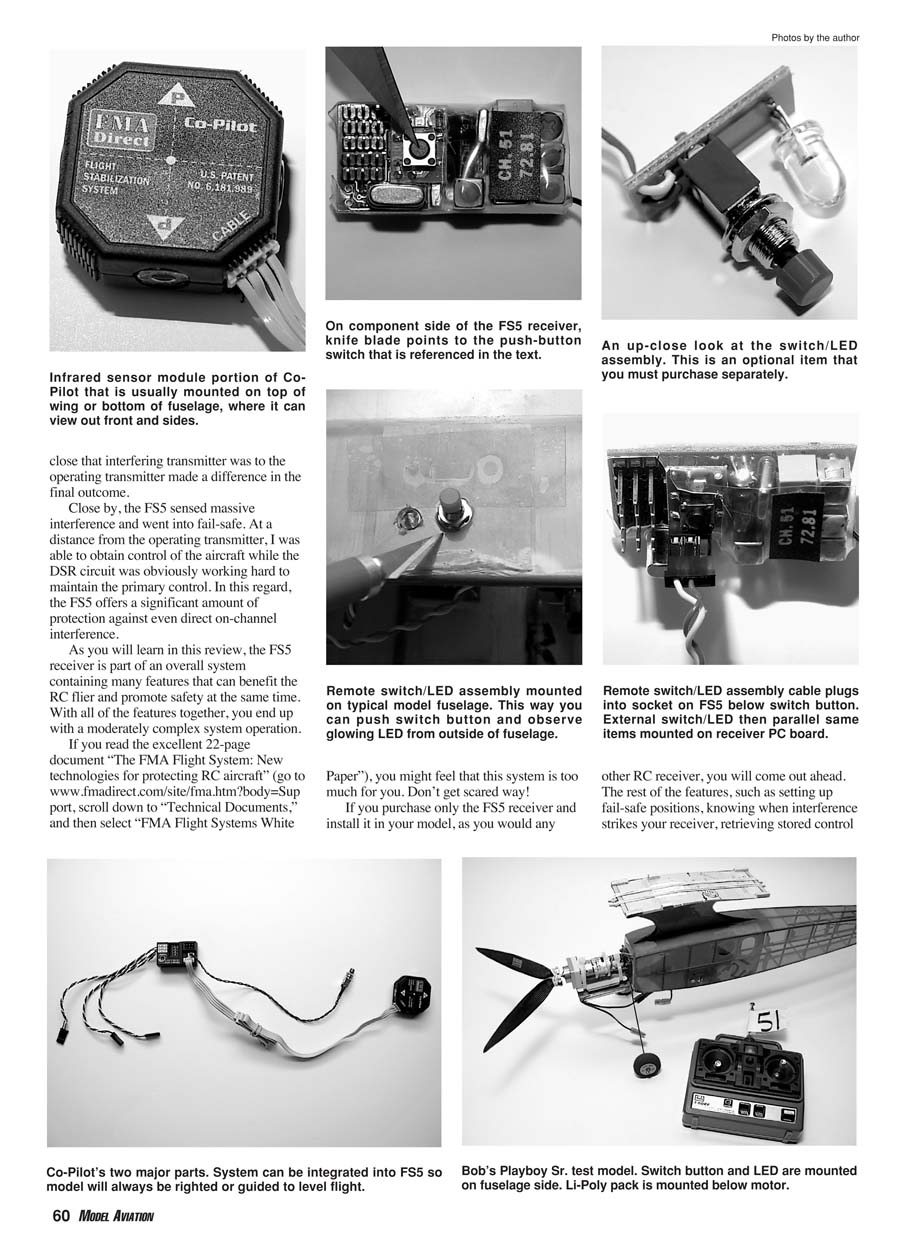
The FS5 has a push-button switch and an LED on the receiver. Because receivers are often placed inside the fuselage, FMA Direct offers a remote switch/LED (part FSRES1) with a cable that plugs into the receiver. This allows mounting the switch/LED assembly where it is visible and accessible.
To set preset fail-safe positions:
- Turn on the transmitter and ensure aileron, elevator, and rudder sticks are neutral and the throttle stick is at low/idle.
- Depress the receiver’s switch button and, while holding it, turn on the receiver power.
- Release the button; the LED will twinkle (flash rapidly).
- Press the switch once to step to the first channel; the LED will begin to pulse more slowly.
- Move the control to the desired preset position and press the switch again to record that setting.
- Repeat for each channel you want to preset.
Example for setting up-elevator: Apply up-elevator on the transmitter stick, press the button once to record, then immediately let the elevator stick spring back to neutral. Turn the receiver power off to exit setup mode; the preset is stored permanently.
To verify: Power the receiver with the transmitter on. Move the sticks to confirm normal control. Turn off the transmitter to simulate signal loss; the elevator should move to the preset fail-safe position. Turn the transmitter back on to return to normal control.
LED indications and diagnostics
Beyond fail-safe and presets, the FS5 provides multiple diagnostic functions using the LED and the push-button:
- Frequency clear check: Power the receiver with the transmitter off. One blink = frequency clear; proceed to fly. A continuous series of blinks = recent interference; investigate before flying (someone may be using your channel).
- Battery voltage readout: Press the button once. The LED gives a long blink for each 1.0 volt and a short blink for each 0.1 volt. Example: four long blinks and nine short blinks = 4.9 volts.
- Post-flight fail-safe indicator: After landing, keep transmitter and receiver on and observe the LED. Solid/steady orange/red = no interference during flight. Blinking = fail-safe occurred; count blinks to determine how many times fail-safe activated.
- Glitch meter / bad frames: Press the button three times after landing to read the number of "bad frames" recorded during the flight. Note that it takes 50 consecutive bad frames for the receiver to enter fail-safe. You may see bad frames recorded without entering fail-safe. When power is turned off, stored flight data is lost.
Range checking
You can use the FS5 for ground range testing. Collapse the transmitter antenna (to reduce power) and have someone walk away with the transmitter while operating a control such as elevator. With transmitter and receiver on, observe the LED:
- No blinking = pass.
- Blinking = number of blinks indicates number of bad frames received during the test.
If the test shows bad frames, investigate antenna placement, nearby noise sources (e.g., servos), or equipment problems.
PC interface and Flight Systems Viewer software
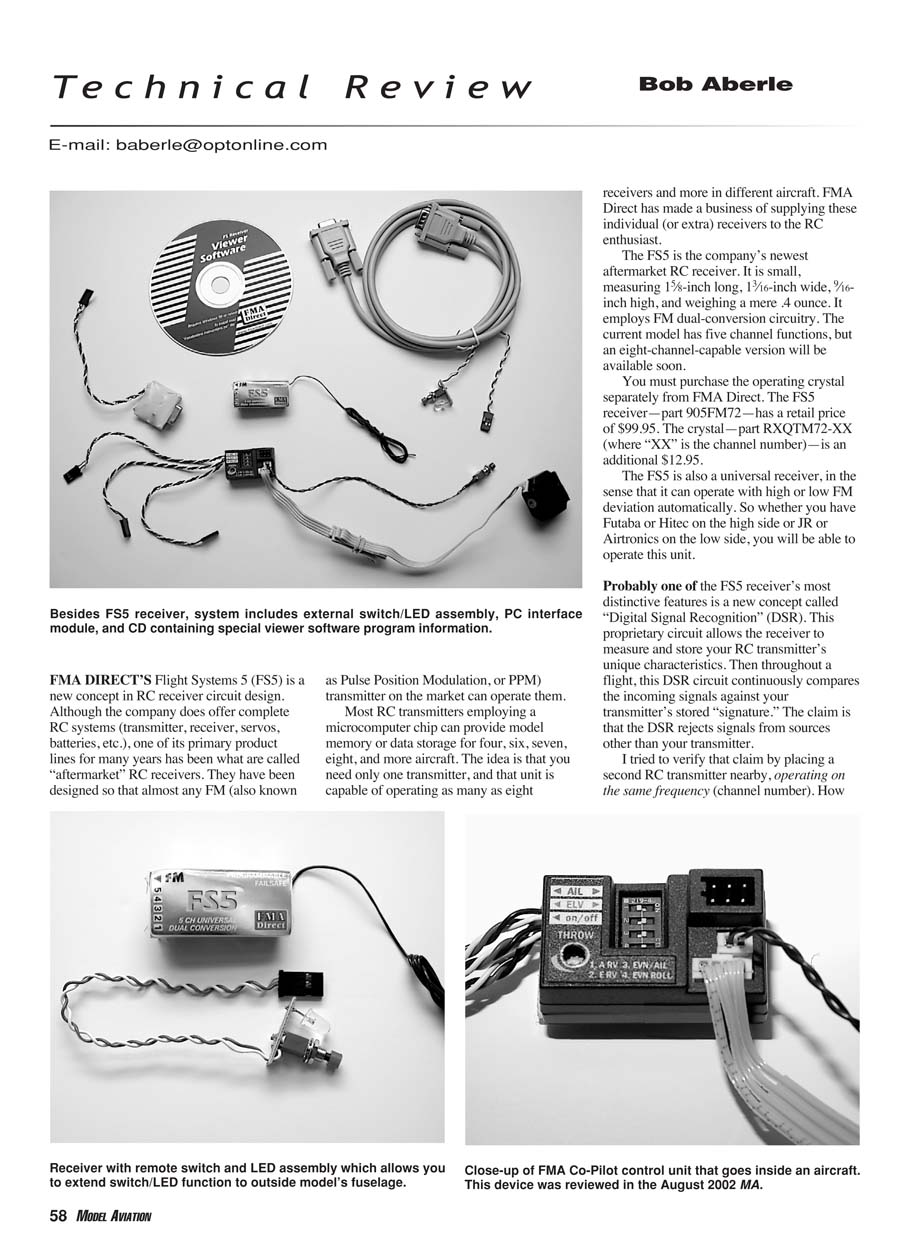
FMA Direct offers a Flight Systems Receiver Viewer Software package consisting of:
- A PC interface module (part PSM1) that connects between the FS5 receiver (Channel 1 port) and a PC serial port.
- A nine-pin-to-nine-pin serial cable to extend the distance between the interface module and the PC.
- A CD with the viewer software.
The software is intended for Windows 98 or later and Internet Explorer 6.0 or later. Because flight data is only stored while receiver power is applied, a laptop is recommended for downloading data at the flying field.
For more technical details, refer to the FMA Flight Systems white paper and the FMA Direct website for component and system part numbers and prices.
Summary
The FS5 is first and foremost an excellent new RC receiver: small, lightweight, and versatile. It offers dual-conversion circuitry with strong sensitivity and selectivity, rejection of intermodulation, and programmable fail-safes available out of the box. Extras such as the PC interface and the Co-Pilot self-stabilizing system are optional add-ons when you want them.
Manufacturer:
- FMA Direct Inc.
- 5716A Industry Ln., Frederick, MD 21704
- Sales: (800) 343-2934
- Technical: (301) 668-7614
Transcribed from original scans by AI. Minor OCR errors may remain.

