
West Mountain Radio Computerized Battery Analyzer
Technical Review - 2005/03
Author
Bob Aberle E-mail: [email protected]
Overview
Thirty years ago the first hobby Ni-Cd battery tester appeared (the Flite‑Life). It discharged four‑cell receiver packs or eight‑cell transmitter packs at a fixed 300 mA load; you read the discharge time from a household clock and calculated capacity in mAh. Since then, many battery-testers have added timing and load integration so capacity can be read directly in mAh, and most will test a single cell up to 20–36 cell packs.
What’s been missing is a tester that applies realistic high load currents for electric-power enthusiasts. A 300–500 mA load is useful for radio packs but gives little information for batteries that must supply 10–20 A to motors — a battery can test “OK” at low current yet fail quickly in flight. West Mountain Radio’s Computerized Battery Analyzer (CBA) addresses this need at an attractive introductory street price of $89.95.
Features and Specifications
- Supported battery chemistries: Ni‑Cd, NiMH, Li‑Ion, Li‑Poly, alkaline, carbon‑zinc, mercury, lead‑acid.
- Ni‑Cd and NiMH: 1 to 38 cells.
- Li‑Poly: up to 10 cells.
- Maximum load: 40 A or 150 W (whichever limit is reached first).
- Maximum test voltage: up to 48.0 V.
- Minimum load setting: 0.500 A (500 mA).
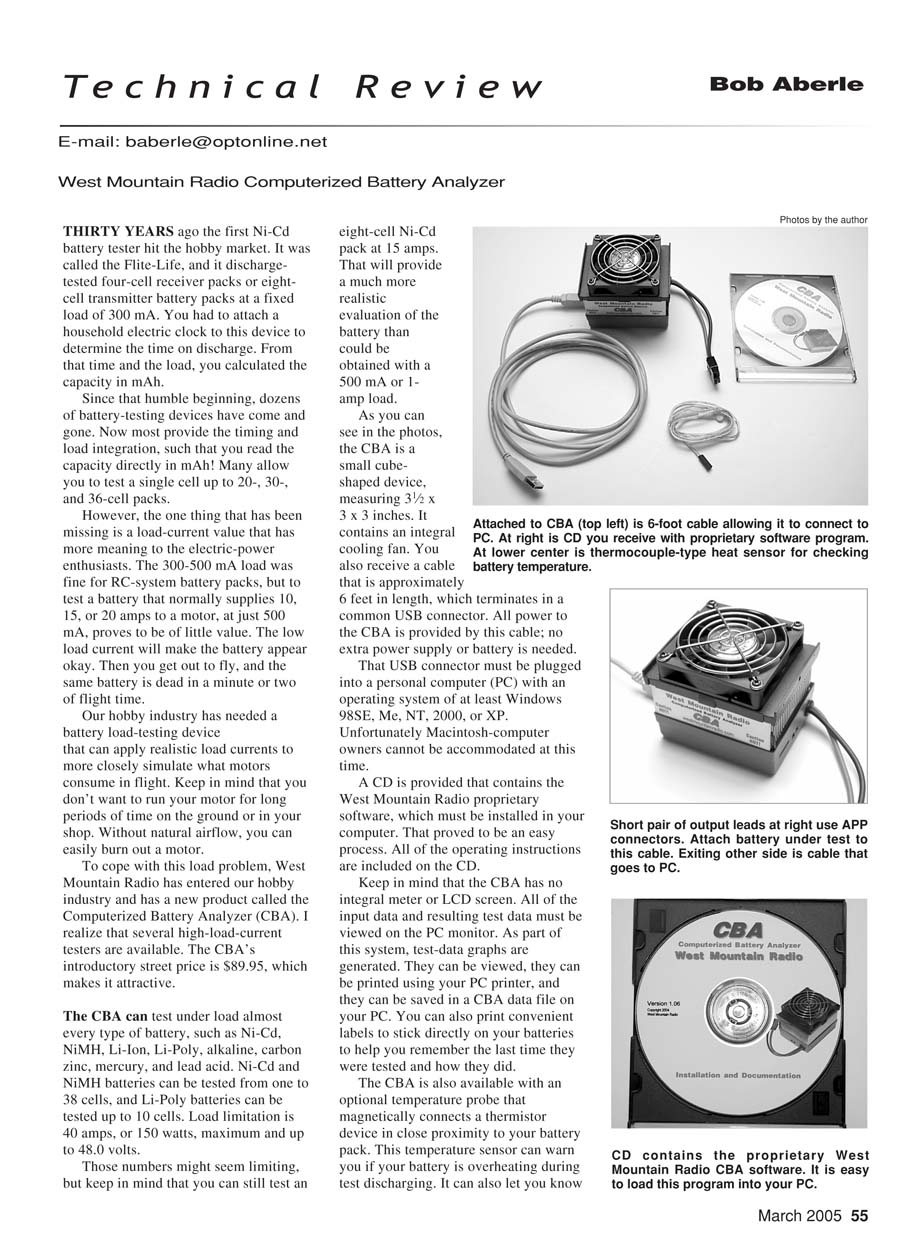
- Size: approximately 3-1/2 × 3 × 3 inches (cube‑shaped).
- Cooling: integral cooling fan.
- Connection: ~6 ft cable terminating in a USB connector; device is powered entirely from the USB port (no external power supply required).
- Output connector: Anderson Power Pole (APP) connectors; adapters required if battery uses different connectors.
- PC requirements: Windows 98SE, Me, NT, 2000, or XP (no Macintosh support at the time of review).
- Safety/automatic cutoff:
- Ni‑Cd and NiMH cutoff default: 0.9 V per cell.
- Li‑Poly cutoff default: 2.8 V per cell.
- Optional magnetic temperature probe (thermistor) available; software will terminate a test if a battery temperature limit is exceeded.
Operation
- Install the West Mountain Radio software from the supplied CD; the installation is straightforward and the user manual is included on the CD.
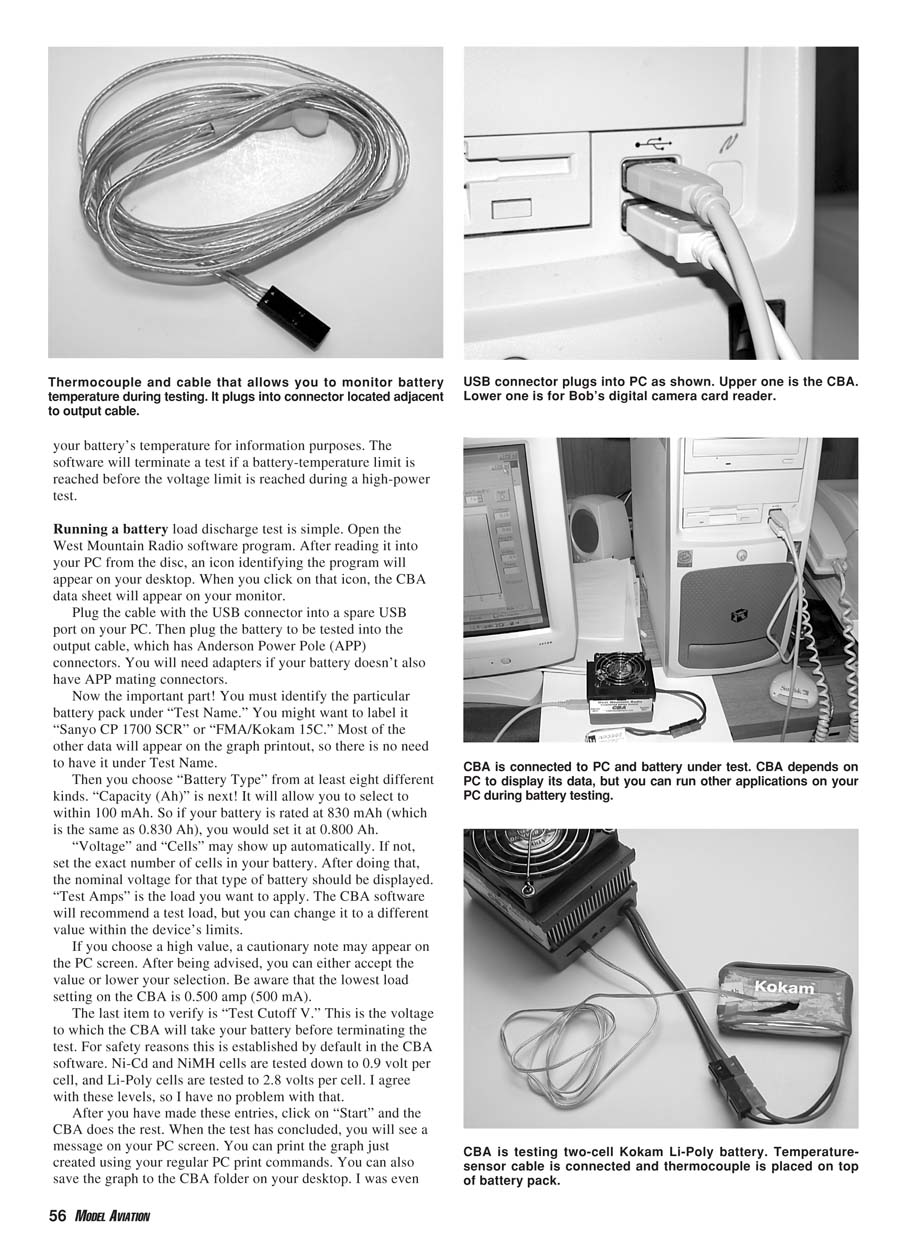
- Launch the program (an icon appears on the desktop after installation) to display the CBA data sheet on your monitor.
- Connect the CBA via the USB cable to a spare USB port on the PC.
- Connect the battery to be tested using the APP output cable (or appropriate adapters).
- Enter test parameters:
- Test Name (e.g., "Sanyo CP 1700 SCR" or "FMA/Kokam 15C").
- Battery Type (choose from the list).
- Capacity (Ah) — selectable to within 0.100 Ah (100 mAh). For example, set 0.800 Ah for an 830 mAh pack.
- Voltage and number of cells (may populate automatically).
- Test Amps — the CBA suggests a load but you can change it within the device limits. A caution appears if you choose a high value; accept or lower the value.
- Test Cutoff Voltage — defaults are provided for safety and can be used as recommended.
- Click Start; the CBA performs the discharge test and reports completion on the PC screen.
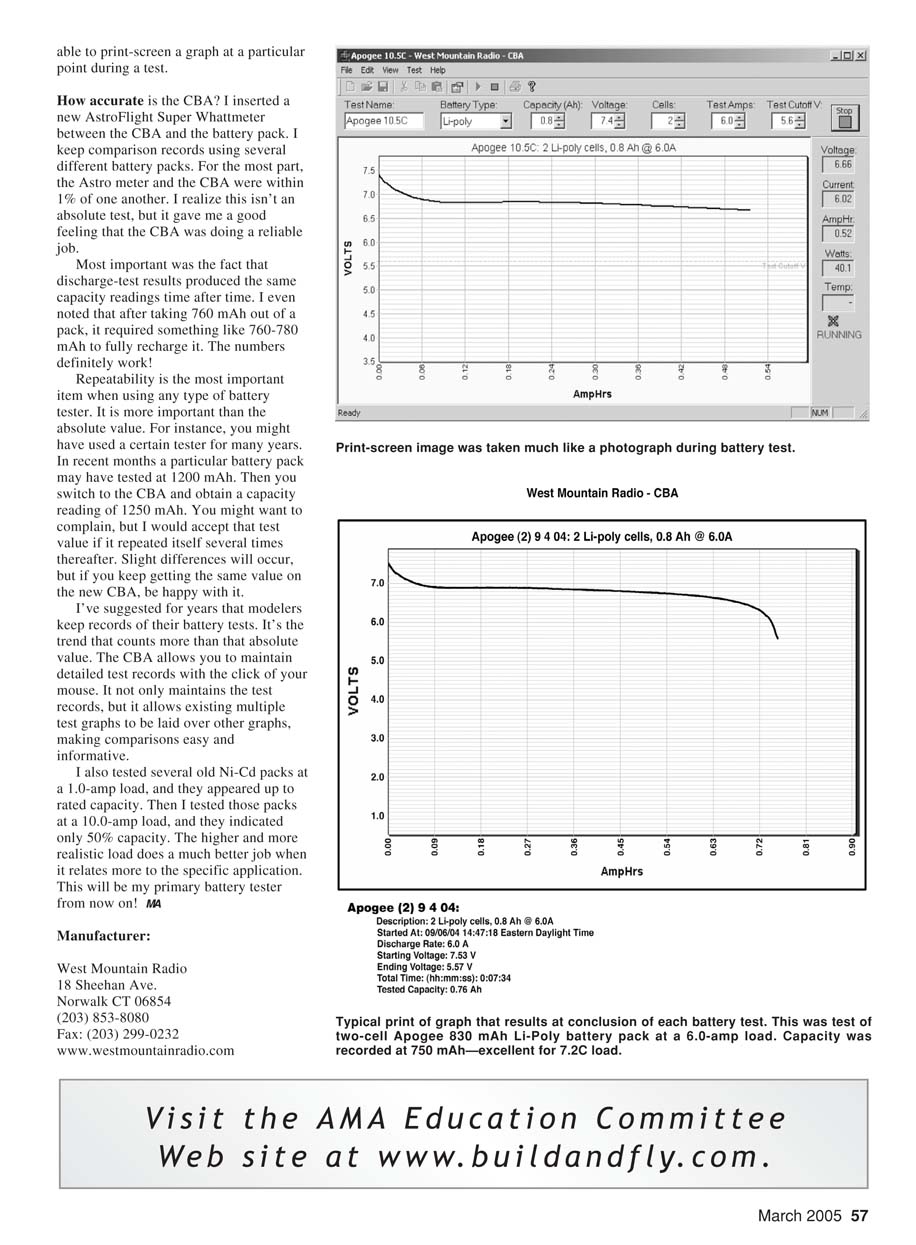
- Test data and graphs can be:
- Viewed on the PC monitor.
- Printed using your PC printer.
- Saved to a CBA data file on the PC.
- Exported/printed as labels to stick on batteries (to record last test date and results).
You can continue to use the PC while a test runs, and you may capture and print a screen at any point during a test.
Accuracy and Repeatability
- I compared the CBA against an AstroFlight Super Whattmeter placed between the CBA and the battery pack. Most readings agreed within about 1%.
- Repeatability was excellent: repeated discharge tests produced very consistent capacity readings. For example, after discharging ~760 mAh from a pack, full recharge required approximately 760–780 mAh.
- Repeatability is more important than absolute agreement with another device. If the CBA yields consistent values, those values are useful for tracking battery condition over time.
- Practical example: several older Ni‑Cd packs tested near rated capacity at a 1.0 A load but only ~50% capacity at a 10.0 A load. Higher, application‑relevant loads provide a much more realistic assessment of battery performance for high-current motor use.
Recommendations and Notes
- The CBA fills a needed niche by allowing higher, realistic load-current testing for electric-power modelers.
- Keep records of battery tests — trends matter more than single absolute values. The CBA software makes it easy to maintain detailed records and overlay multiple test graphs for comparison.
- Be cautious when applying high loads: tests can overheat motors if you attempt to simulate motor load by running the motor on the ground without airflow. Use the optional temperature probe if you want temperature monitoring and automatic cutoff.
- Macintosh users were not supported at the time of review.
Conclusion
The West Mountain Radio CBA is compact, affordable, and capable of applying meaningful loads for hobby motor applications. Its USB-powered design, PC-based interface, graphing and record-keeping features, optional temperature probe, and reliable repeatability make it a practical primary battery tester for modelers.
Manufacturer
- West Mountain Radio
- 18 Sheehan Ave.
- Norwalk, CT 06854
- Phone: (203) 853-8080
- Fax: (203) 299-0232
- Website: www.westmountainradio.com
Transcribed from original scans by AI. Minor OCR errors may remain.

