
UNDERSTANDING COMPUTER RADIOS for Sport Fliers
Eloy Mares
You don't need to be a "computer nerd" to use a "computer" radio. The reason is simple: a computer radio is not a computer. If you have learned to operate and fly a radio-controlled model airplane, you have already demonstrated some degree of intelligence. Using a computer radio does not require any more, and I am going to show you what you have been missing, remove your fears, and convince you to take the step to such a system. I can promise that once you do, you will not consider going back, and you will wonder what took you so long.
Again: computer radios are not computers. I think that the RC industry made a huge mistake—and has lost sales—by referring to them in that manner. They can more correctly be named microprocessor-based radios: the microprocessor being the integrated circuit (IC) that is the heart of the unit and which processes and stores all the control information. Your cellular phone has one; so does your television; and probably, so does your microwave.
My Nikon® cameras have three ICs: one in the camera body, one in the lens, and one in the flash. They communicate with each other to make my picture-taking tasks easier and faster, but nowhere are such cameras referred to as computer-cameras. There was a learning period, and my photographic experience made it easier, but absolutely no computer experience was required.
The same applies to RC computer systems: you need basic RC experience, but none that is computer-specific. You do not need to have computer experience to understand and to use one. Still, everyone refers to them as computer radios, so to not confuse you further, I will continue to do so here.
What "computer" means in this context
Let's clarify what "computer" business means just a little more. They are a two-part device: the hardware, which is the actual physical parts—the keyboard, the monitor (screen), the printer, and auxiliary devices.
Computers are real illiterates; as they come, they can do very little. They need software—a program that will teach them to perform a certain task.
The software supply is endless; you can get it for basic needs such as word-processing or to keep your bank account. You can get software to help design things (called CAD, for Computer-Aided Design), to file your recipes, or to play games, including RC flying.
Look at it another way: a calculator (in simpler forms, not at all intimidating) is a form of computer. It has been programmed only to perform mathematical calculations. What you hold in your hand is the hardware. The program that has been programmed with software, to add, subtract, etc.
That, friends, is quite like a computer.
A computer transmitter can roughly be compared to a calculator in that it is hardware—already programmed to do one job, and one job only: to control an RC airplane. Though any adjustments made are often referred to as programming, that is not so; you are merely tailoring the already installed program to your requirements.
Some transmitters do have plug-in cards—software with which to expand the basic programming and system capabilities. These are more-advanced transmitters that can actually be set to control the airplane through a given maneuver at the touch of a button. That is not what we are looking at here. Until you get an invitation to fly at the Tournament of Champions, you don't have to worry about such radios. We are dealing here with basic sport-flier equipment, quite similar to your older four-channel non-computer unit, but with vast improvements. They are indeed "user friendly."
What you get when you advance to a computer radio
You will keep the improvements that you learned to use and appreciate as they were developed for your old-style equipment. You will still have servo reversing, servo travel, and dual rates. You may not use the latter, but would you want to live without the first two?
What I consider the most-significant improvements, still speaking of sport-type computer radios, are:
- Model Memory. Some have two, some as many as four. Effectively, this is like having a transmitter for each airplane, up to the number in the memory. You can adjust everything, including the trims, for one airplane, and completely different parameters for another model, coming back to whichever one you plan to fly next at the touch of a button.
- Servo Travel Adjustment. What a difference! With noncomputer radios, you have to eyeball the surface movement and half-guess at the setting. With a computer radio, you have a visual display of the throw, in percentage, and you can adjust it in one-percent increments. This is far greater accuracy than you can get by switching clevises on control wheels and/or control horns.
That one-percent accuracy also applies to low-rate settings; again, far closer than you can get with the old Mark I eyeball!
- Sub-Trim (referred to as S-Trim). With S-Trim you can trim the airplane in flight, and without any fiddling with pushrod adjustments; you can effect those changes to the airplane with the trim levers in neutral.
Additional capabilities made possible by microprocessors
Now comes the gravy. The use of a microprocessor, which is also included in the receiver to decode both the programmed information and your control inputs, allows the designer to build in many additional functions efficiently and cheaply. And in the case of the receiver, without any increase in size or weight.
Let me first advise that you cannot get in trouble with any of these capabilities in your system. Until you get ready to use them, they can all be turned off (usually INH for Inhibit) on the screen, leaving you with a basic four-channel radio.
You now have the opportunity to experiment with, and learn to appreciate, the many features that have become so popular in recent years. Examples include:
- Flaperons, which allow you to droop or to raise the ailerons to slow down for landing while maintaining normal aileron control.
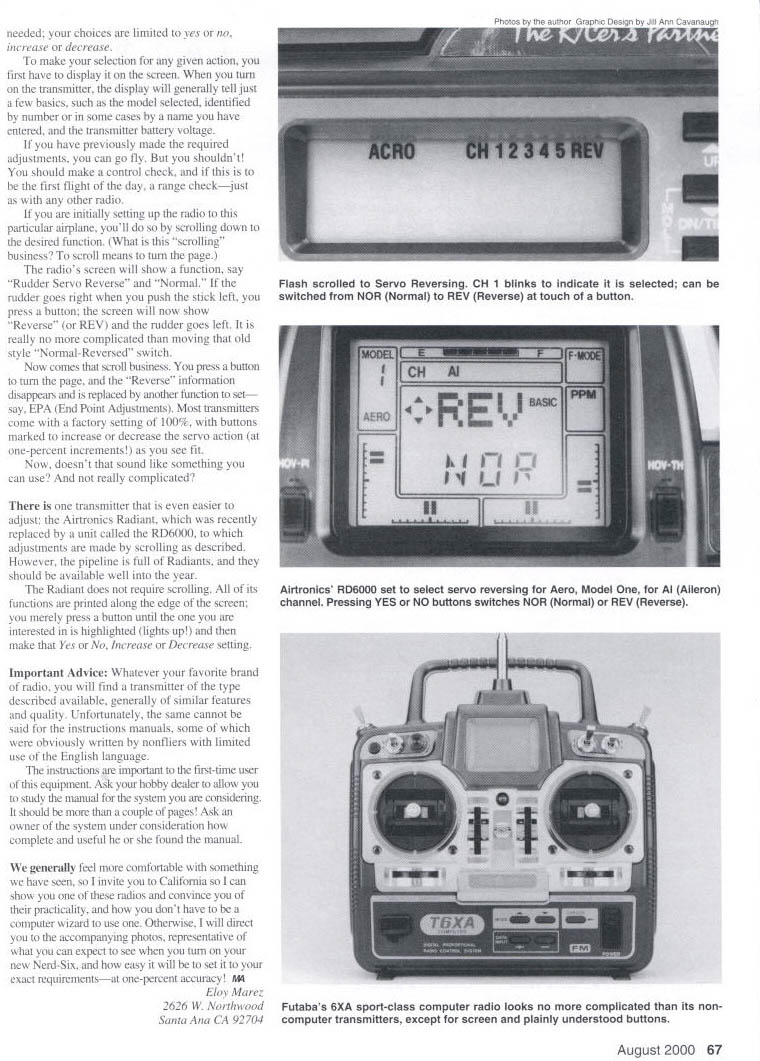
- Aileron differential (more control on one side than on the other) for airplanes that are more responsive to roll inputs in one direction.
- Aileron-to-rudder coupling for realistic coordinated turns, preventing the skidding that happens with aileron-only turns.
- Other mixes such as elevator to flaps, flap to elevator, throttle to rudder, elevons for delta wing, and V-tail mixes.
The ratios of one control to another are adjustable in one-percent increments, not the full-on ratios available earlier with either transmitter or mechanical mixers. And to repeat, none of these features are active unless you turn them on. With them turned off, should you forget a switch or control, nothing unexpected is going to happen with your airplane.
How you control these features
Just how is all of this controlled by you, the RC pilot? Easier than before, because you now have a visual reference on a screen to guide you. Nor are any major and confusing computer-type entries required; your choices are limited to yes or no, increase or decrease.
To make your selection for any given action, you first have to display it on the screen. When you turn on the transmitter, the display will generally tell just a few basics, such as the model selected, identified by number or in some cases by a name you have entered, and the transmitter battery voltage.
If you have previously made the required adjustments, you can go fly. But you shouldn't. You should make a control check, and if this is to be the first flight of the day, a range check—just as with any other radio.
If you are initially setting up the radio to this particular airplane, you'll do so by scrolling down to the desired function.
What "scrolling" means
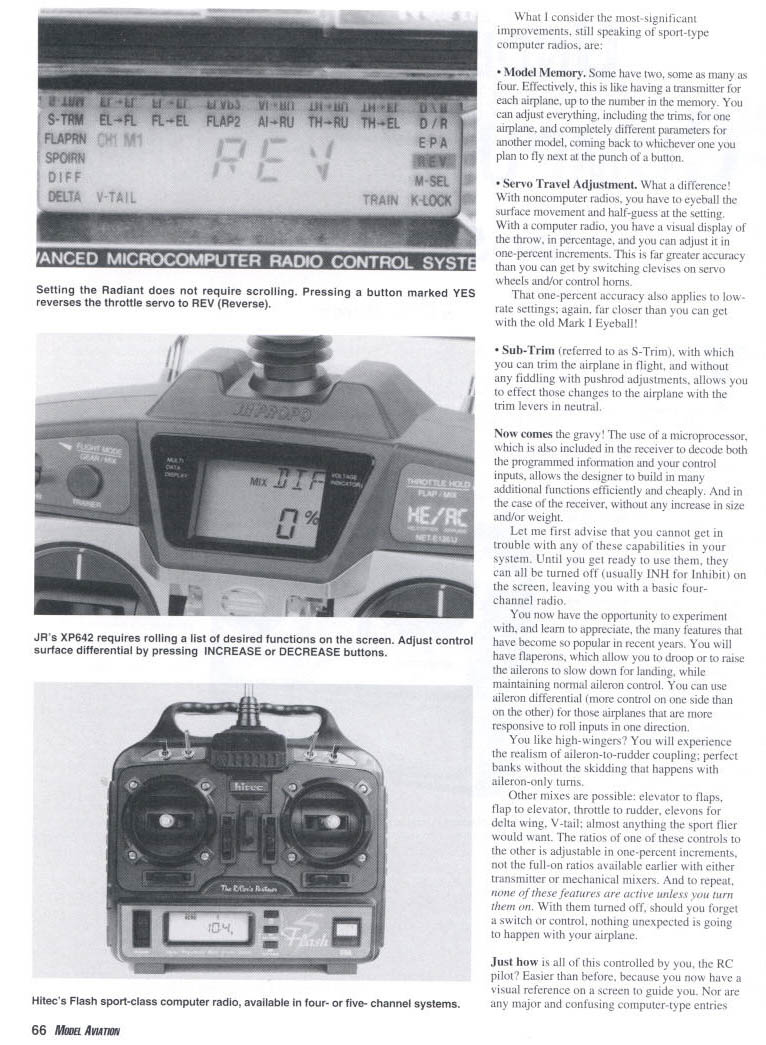
To scroll means to turn the page. The radio's screen will show a function, say "Rudder Servo Reverse" and "Normal." If the rudder goes right when you push the stick left, you press a button; the screen will now show "Reverse" (or REV) and the rudder goes left. It is really no more complicated than moving that old style "Normal-Reversed" switch.
Now comes that scroll business. You press a button to turn the page, and that "Reverse" information disappears and is replaced by another function to set—say, EPA (End Point Adjustments). Most transmitters come with a factory setting of 100%, with buttons marked to increase or decrease the servo action (at one-percent increments) as you see fit.
Now, doesn't that sound like something you can use? And not really complicated?
Easier designs
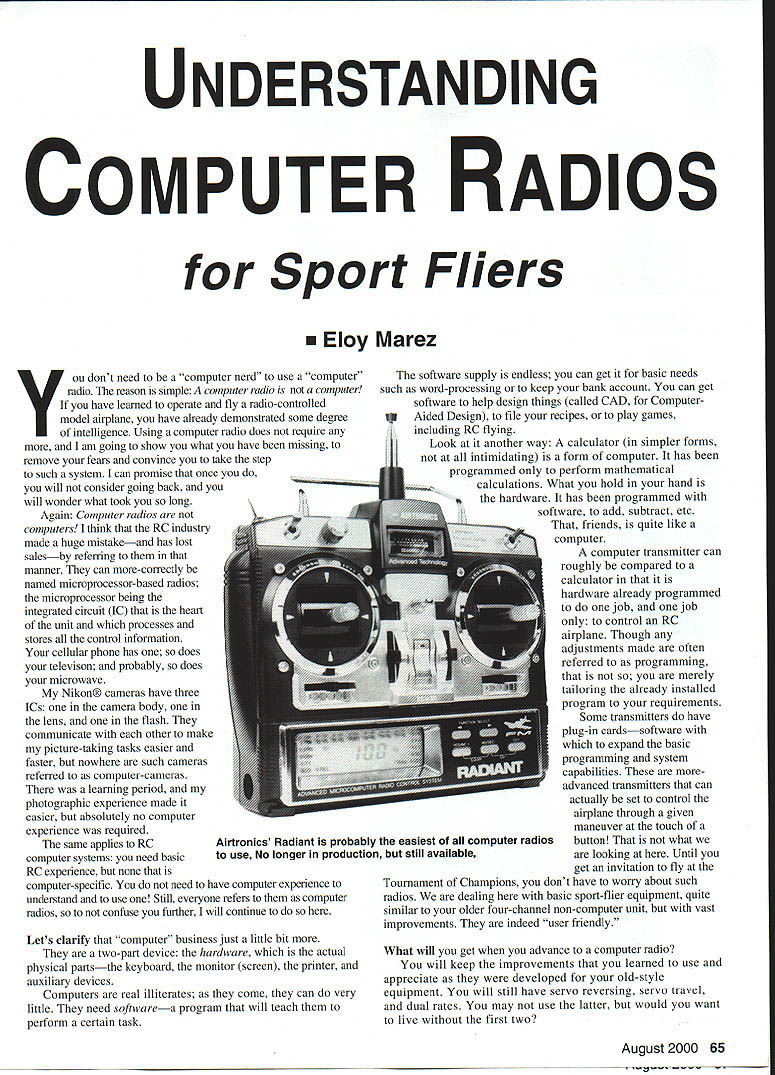
There is one transmitter that is even easier to adjust: the Airtronics Radiant, which was recently replaced by a unit called the RD6000, to which adjustments are made by scrolling as described. However, the pipeline is full of Radiants, and they should be available well into the year.
The Radiant does not require scrolling. All of its functions are printed along the edge of the screen; you merely press that button until the one you are interested in is highlighted (lights up!) and then make that Yes or No, Increase or Decrease setting.
Important advice on choosing a radio
Whatever your favorite brand of radio, you will find a transmitter of the type described available, generally of similar features and quality. Unfortunately, the same cannot be said for the instruction manuals, some of which were obviously written by nonflier types with limited use of the English language.
The instructions are important to the first-time user of this equipment. Ask your hobby dealer to allow you to study the manual for the system you are considering. It should be more than a couple of pages. Ask an owner of the system under consideration how complete and useful he or she found the manual.
We generally feel more comfortable with something we have seen, so I invite you to California so I can show you one of these radios and convince you of their practicality, and how you don't have to be a computer zealot to use one. Otherwise, I will direct you to the accompanying photos, representative of what you can expect to see when you turn on your new Nerd-Six, and how easy it will be to set it to your exact requirements—at one-percent accuracy! MA
Eloy Mares 2626 W. Northwood Santa Ana, CA 92704
Transcribed from original scans by AI. Minor OCR errors may remain.

