
HORIZON HOBBY BLADE 350 QX2 AP COMBO RTF
Jon Barnes [email protected]
Aerial photography and videography made simple
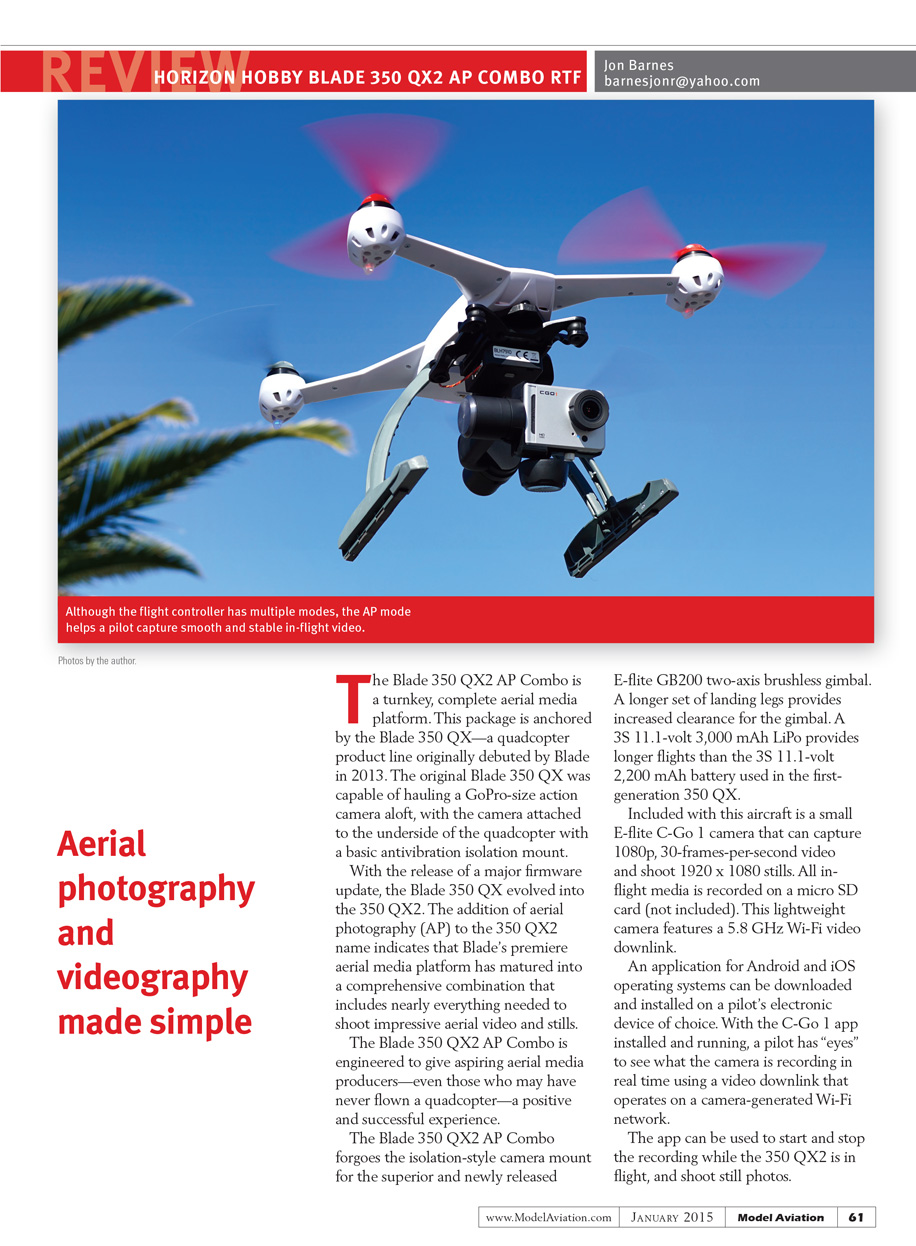
The Blade 350 QX2 AP Combo is a turnkey, complete aerial media platform. This package is anchored by the Blade 350 QX—a quadcopter product line originally debuted by Blade in 2013. The original Blade 350 QX could haul a GoPro-sized action camera aloft, with the camera attached to the underside of the quadcopter using a basic anti-vibration isolation mount.
With a major firmware update, the Blade 350 QX evolved into the 350 QX2. The addition of "AP" to the 350 QX2 name indicates that Blade’s premier aerial media platform has matured into a comprehensive combination that includes nearly everything needed to shoot impressive aerial video and stills.
The Blade 350 QX2 AP Combo is engineered to give aspiring aerial media producers—even those who have never flown a quadcopter—a positive and successful experience.
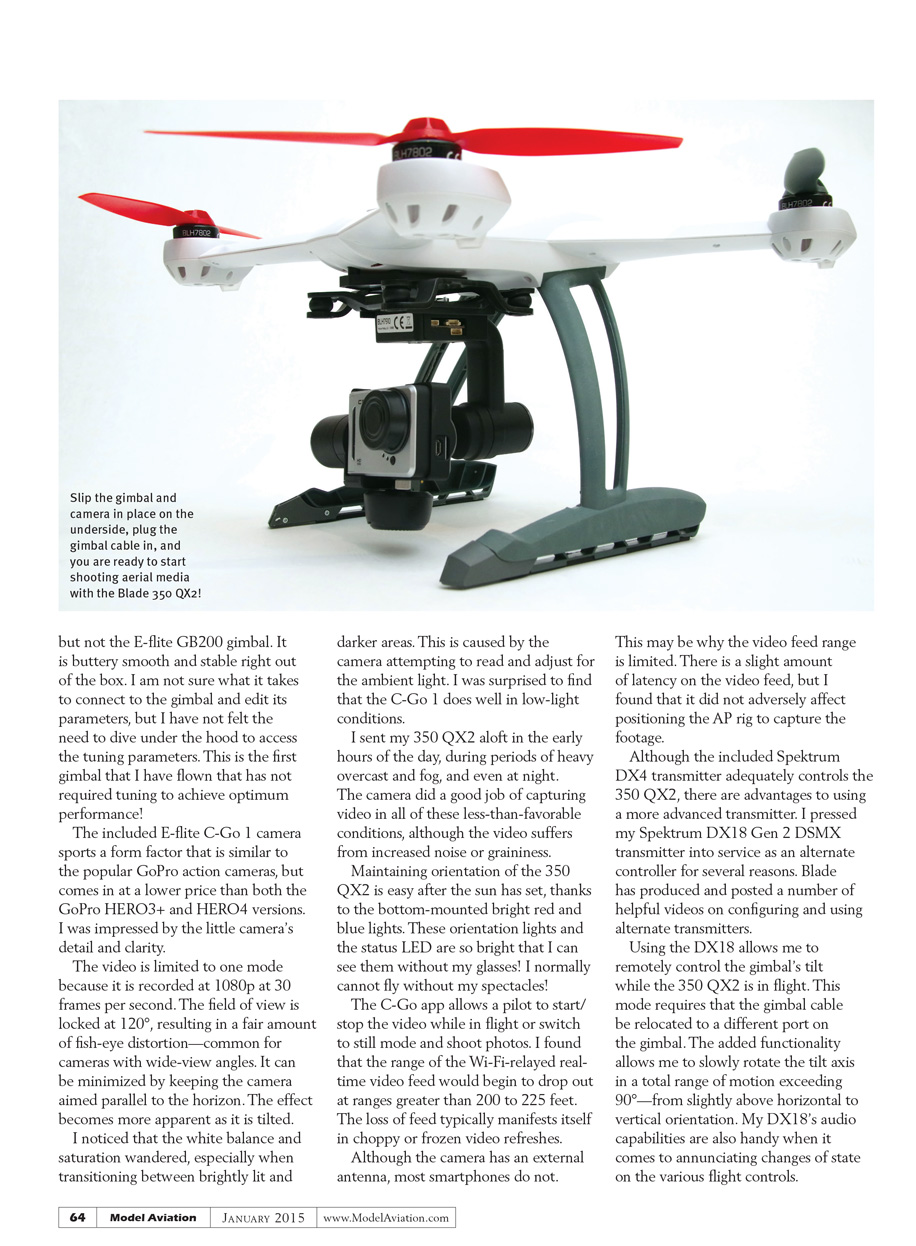
This AP Combo replaces the isolation-style camera mount with the E-flite GB200 two-axis brushless gimbal. Longer landing legs provide increased clearance for the gimbal. The package uses a 3S 11.1 V, 3000 mAh LiPo for longer flights than the 2,200 mAh battery used in the first-generation 350 QX.
Included with this aircraft is the small E-flite C-Go 1 camera, which captures 1080p, 30 fps video and 1920 x 1080 stills. All in-flight media is recorded to a microSD card (not included). The lightweight camera features a 5.8 GHz Wi‑Fi video downlink and an external antenna.
An app for Android and iOS can be installed on the pilot’s device. With the C-Go 1 app running, a pilot sees what the camera records in real time via the camera’s Wi‑Fi network. The app can start/stop recording and take still photos during flight. A spring-loaded clip is included to mount a smartphone to the upper half of the transmitter.
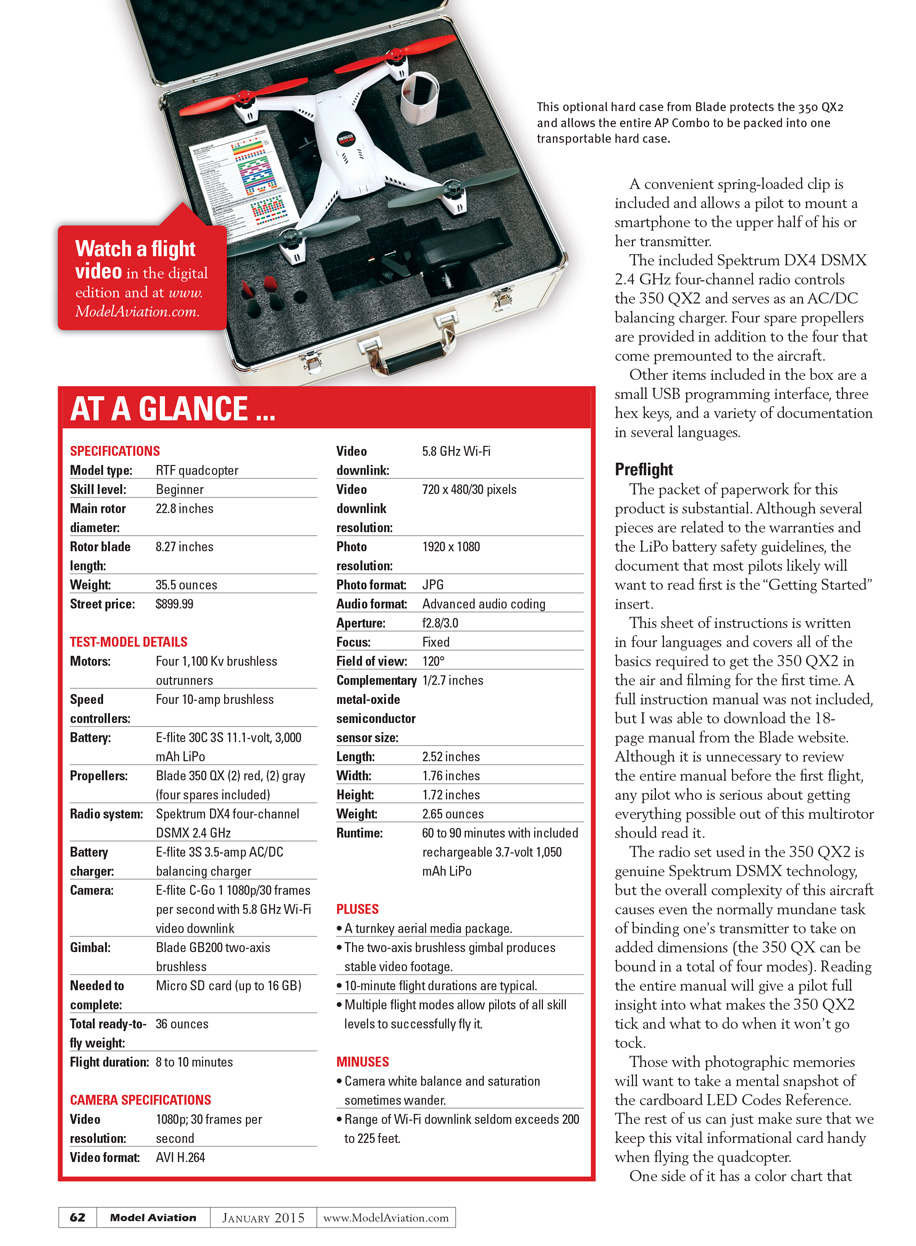
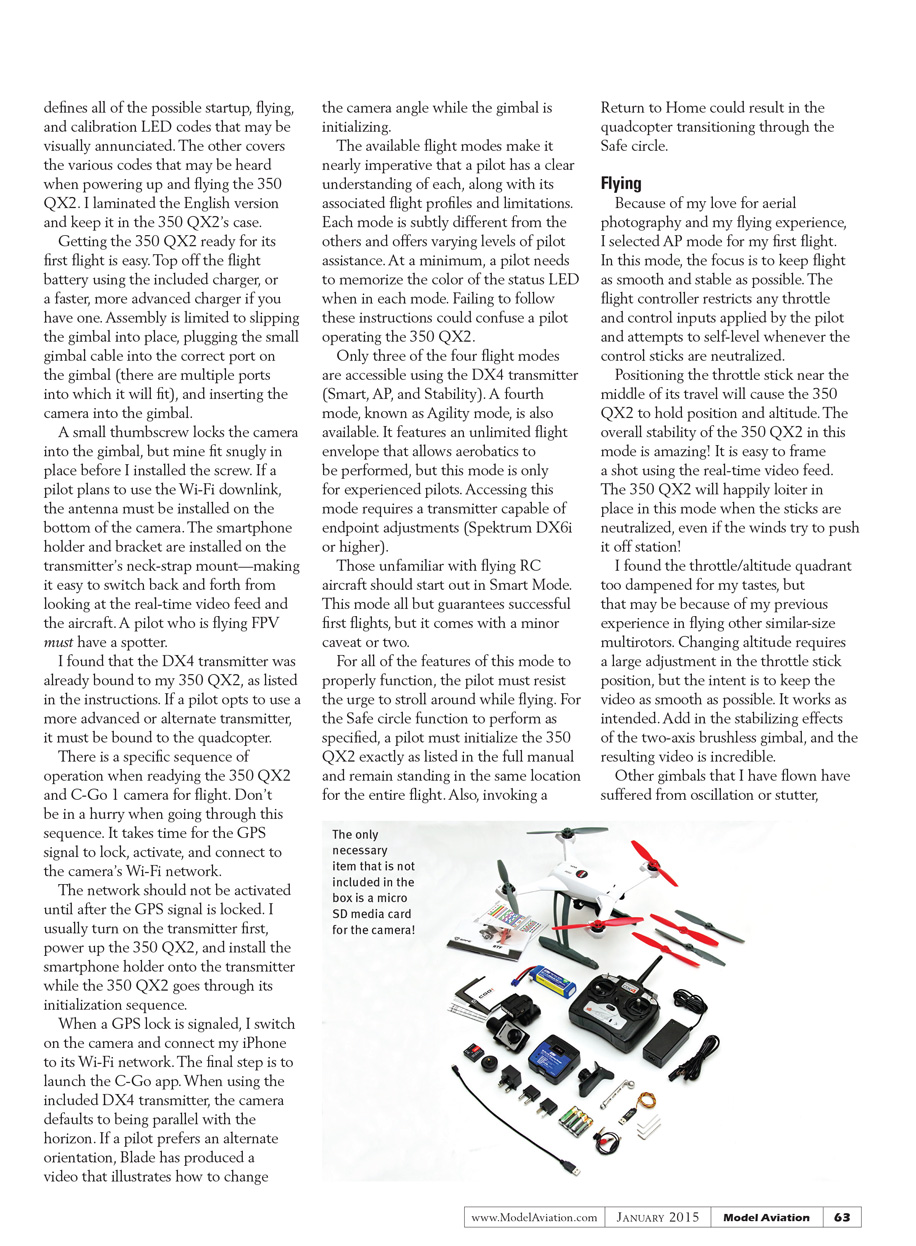
Package contents include:
- Blade 350 QX2 quadcopter with premounted propellers
- E-flite GB200 two-axis brushless gimbal (installed)
- E-flite C-Go 1 camera (microSD card not included)
- 3S 11.1 V, 3000 mAh LiPo battery
- Spektrum DX4 DSMX 2.4 GHz four-channel transmitter
- AC/DC balancing charger
- Four spare propellers (plus the four premounted)
- Small USB programming interface
- Three hex keys
- Smartphone holder and spring-loaded clip
- Documentation and inserts in multiple languages
Preflight
The documentation packet is substantial. Although several pieces cover warranties and LiPo safety, the "Getting Started" insert is the sheet most pilots will want to read first. It’s written in four languages and covers the basics required to get the 350 QX2 airborne and filming.
A full instruction manual was not included in the box, but an 18-page manual is available for download from the Blade website. While you don’t need to read the entire manual before your first flight, anyone serious about getting the most from this multirotor should read it.
The radio uses genuine Spektrum DSMX technology, but the aircraft’s overall complexity makes even routine tasks—like binding the transmitter—more involved (the 350 QX can be bound in up to four modes). Reading the manual gives full insight into how the 350 QX2 operates and what to do if it won’t lock.
Keep the LED Codes Reference card handy. One side has a color chart defining possible startup, flying, and calibration LED codes; the other side covers audible codes. I laminated the English card and keep it in the 350 QX2’s case.
Assembly and startup are straightforward:
- Fully charge the flight battery using the included charger (or a faster, more advanced charger).
- Slip the gimbal into place and plug the gimbal cable into the correct gimbal port (there are multiple similar ports).
- Insert and secure the camera in the gimbal with the thumbscrew.
- Install the camera antenna on the bottom of the camera if you’ll use the Wi‑Fi downlink.
- Mount the smartphone holder to the transmitter’s neck-strap mount.
A pilot flying FPV must have a spotter. If the DX4 transmitter wasn’t already bound, you must bind it; using an alternate transmitter requires binding it to the quadcopter.
Follow the specific power-up sequence and don’t hurry it. It takes time for the GPS signal to lock, activate, and for the camera’s Wi‑Fi network to become available. I typically:
- Turn on the transmitter first.
- Power up the 350 QX2 and allow it to initialize and acquire GPS lock.
- Install the smartphone holder while the QX2 initializes.
- When GPS lock is confirmed, turn on the camera and connect my phone to the camera’s Wi‑Fi network.
- Launch the C‑Go app.
Do not activate the camera’s Wi‑Fi network until after GPS lock. When using the included DX4 transmitter, the camera defaults to being parallel with the horizon; Blade has posted a video showing how to change the camera angle during gimbal initialization.
Flight modes and LED status colors must be understood before flying. Each mode offers varying levels of pilot assistance and has subtle differences. Memorize the status LED colors for each mode. Failing to follow the instructions can confuse the pilot and the aircraft.
Available flight modes:
- Smart Mode (recommended for beginners): high assistance; features like Safe circle require the pilot to remain in one spot during initialization and flight.
- AP Mode: tuned for aerial photography—smooth, stable flight with restricted control inputs.
- Stability Mode: basic assisted flight.
- Agility Mode: unlimited flight envelope for aerobatics (for experienced pilots only). This mode requires a transmitter with endpoint adjustments (Spektrum DX6i or higher) to access.
Flying
I chose AP Mode for my first flight. In AP Mode, the flight controller smooths and limits throttle and control inputs and attempts to self-level when sticks are neutral. Positioning the throttle around mid-stick causes the 350 QX2 to hold position and altitude. The stability in this mode is excellent—easy to frame shots with the real-time video feed and the quadcopter will loiter despite wind.
The throttle/altitude control is damped, requiring larger stick inputs to change altitude—by design, to keep video smooth. Combined with the GB200 two-axis brushless gimbal, the video is outstanding.
The GB200 gimbal is buttery smooth and stable out of the box. It’s the first gimbal I’ve flown that did not require tuning to achieve optimum performance.
The E-flite C-Go 1 camera resembles popular GoPro action cameras but at a lower price than GoPro HERO3+ and HERO4 models. I was impressed by its detail and clarity. Key camera characteristics:
- Video limited to 1080p at 30 fps.
- Field of view locked at 120°, producing noticeable fisheye distortion—minimize by keeping the camera parallel to the horizon.
- White balance and saturation can wander during transitions between bright and dark areas.
- Performs well in low-light conditions, capturing usable video during overcast, fog, and even at night (though with increased noise/grain).
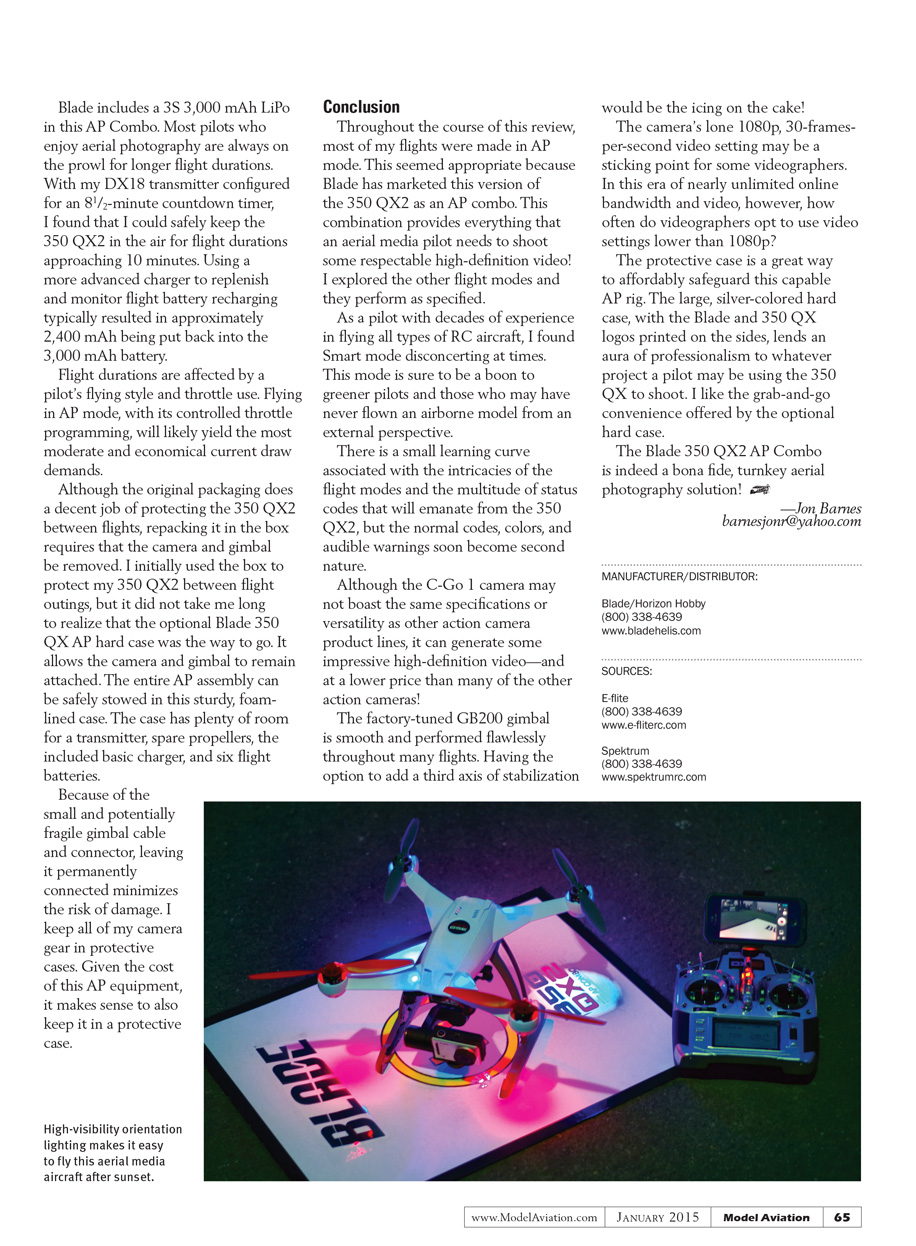
Orientation is easy after dark thanks to bright red and blue bottom-mounted lights; the status LED is also bright.
The C-Go app lets the pilot start/stop video or take stills in flight. The Wi‑Fi real-time video feed range begins to drop out past about 200–225 feet, often showing choppy or frozen frames. The feed experiences slight latency but remains usable for framing shots. The camera’s external antenna helps, but most smartphones lack an external antenna, which likely limits range.
Using a more advanced transmitter has advantages. With my Spektrum DX18 Gen 2 DSMX transmitter I could:
- Remotely control gimbal tilt in flight (requires relocating the gimbal cable to a different gimbal port).
- Rotate the tilt axis through more than 90°—from slightly above horizontal to vertical.
- Hear audio annunciations for state changes, which is useful.
Battery and flight time:
- The included 3S 3000 mAh LiPo typically delivered flight times approaching 10 minutes when using an 8.5-minute countdown on the DX18.
- Using an advanced charger to recharge and monitor the battery typically returned about 2400 mAh into the 3000 mAh pack.
- Flight durations vary with flying style and throttle use; AP Mode’s controlled throttle programming yields the most economical current draw.
Storage and transport:
- The original box protects the 350 QX2 but requires removing the camera and gimbal to repack.
- The optional Blade 350 QX AP hard case is preferable; it allows the camera and gimbal to remain attached and safely stores the entire AP assembly. The foam-lined case has room for a transmitter, spare props, the basic charger, and six batteries.
- Because the gimbal cable and connector are small and fragile, leaving it connected while storing the rig (in a protective case) minimizes the risk of damage.
Conclusion
Most flights for this review were in AP Mode, which is appropriate since Blade markets this version as an AP combo. The package provides nearly everything an aerial media pilot needs to shoot respectable high-definition video. Other flight modes perform as specified.
Smart Mode will be a boon to novice pilots, though it may feel disconcerting to experienced fliers at times. There is a small learning curve to the flight modes and the many status codes, but the colors and audible warnings soon become second nature.
The C-Go 1 camera may not have the specifications or versatility of other action-camera lines, but it produces impressive HD video at a lower price point. The factory-tuned GB200 gimbal is smooth and performed flawlessly; adding a third axis of stabilization would be a welcome enhancement.
The camera’s single 1080p/30 fps video setting may bother some videographers, but 1080p remains a practical standard for many projects. The optional protective hard case is a great, affordable way to safeguard the AP rig and makes the setup feel professional and grab-and-go.
The Blade 350 QX2 AP Combo is a bona fide, turnkey aerial photography solution.
—Jon Barnes [email protected]
MANUFACTURER/DISTRIBUTOR: Blade / Horizon Hobby (800) 338-4639 www.bladehelis.com
SOURCES: E-flite (800) 338-4639 www.e-flite.com
Spektrum (800) 338-4639 www.spektrumrc.com
Transcribed from original scans by AI. Minor OCR errors may remain.

